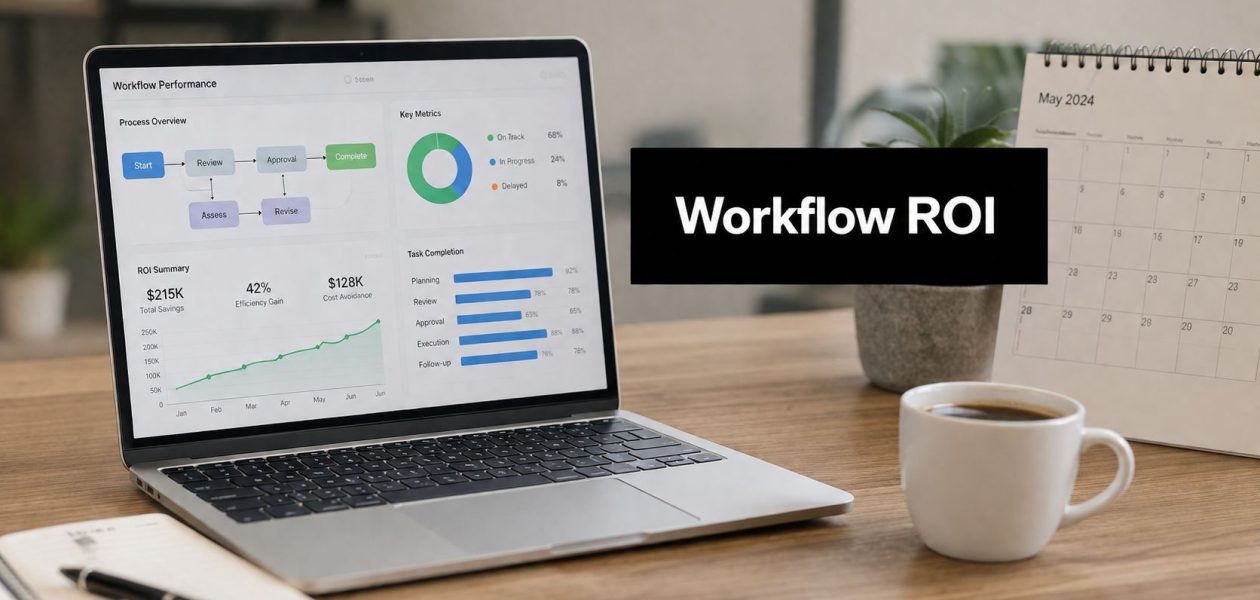
If you run a 90-minute status meeting just to find out which time entries are missing, which reports are stale, and why last week's invoice total changed after the fact, you already know the problem. The work isn't hard, but the chasing, copying, checking, and rechecking eats the day. That's the part workflow automation changes first.
For mid-sized agencies, the payoff isn't abstract. It shows up when operations stops acting like a human relay race and starts running on rules. The strongest workflow automation benefits are not just faster output, but cleaner data, fewer fixes, and less drag on the people who have to keep clients moving.
Why agencies are rethinking manual workflows
The usual agency day starts with good intentions and ends in cleanup. Someone in ops chases three teammates for missing time entries, a project manager rebuilds the same utilization report from scratch, and finance spots a billing mismatch only after invoices have already gone out. That kind of work scales badly, because every new client adds more handoffs, more reminders, and more chances for something small to break.
At 50 to 200 employees, agencies sit in an awkward middle. They're too complex for pure improvisation, but they're usually too lean to have a person dedicated to every reporting loop or approval chain. That's why workflow automation has moved from a nice-to-have to a practical operating choice. It takes the repeatable parts out of people's inboxes and puts them into a system that does the same thing every time.
I've seen that shift most clearly in teams that still run on spreadsheets and patchwork tools. Once they connect calendars, CRM data, and reporting in one flow, Monday mornings stop feeling like detective work. If you want a basic primer before digging deeper, TimeTackle's overview of workflow automation is a straightforward place to start, and a setup like monday.com Work OS for teams can help teams map visible work without rebuilding every process from scratch.
The real cost of manual work is not just time. It's the extra checking, the delay, and the confidence loss that creeps in when people stop trusting the numbers.
Manual workflows also create a hidden tax on client service. When a team member spends half an hour reconstructing a weekly report, that's not strategy time, and it's not client time either. It's just repetitive work that keeps coming back.
The core properties that make automation worth the investment
Automation matters because it changes the shape of the process, not just the speed of one task. In agency work, three properties do most of the heavy lifting, reproducibility, scalability, and error reduction. Those are the reasons leaders keep approving automation budgets after the first rollout.
Reproducibility means the process stops depending on memory
A manual onboarding workflow always depends on who remembers what. One project manager sends the kickoff checklist on time, another forgets to attach the intake form, and a third uses an old version of the brief. With automation, the same trigger starts the same sequence every time, so the process doesn't drift just because someone's busy.
That matters in client-facing work because consistency protects both speed and trust. When the same steps happen in the same order, teams can review what happened, fix exceptions faster, and avoid the “which version did you use?” back-and-forth that slows everything down.
Scalability means more volume without more coordination
A reporting flow that handles 10 clients should not become a different job at 100 clients. That's where automation earns its place. It lets the team push more through the same process without adding manual reconciliation at each new threshold, which means ops doesn't have to grow at the same pace as the client list.
For agencies, that's also the difference between a process that survives growth and one that collapses under it. The system keeps doing the routing, tagging, and report generation while people handle the exceptions, not the routine.
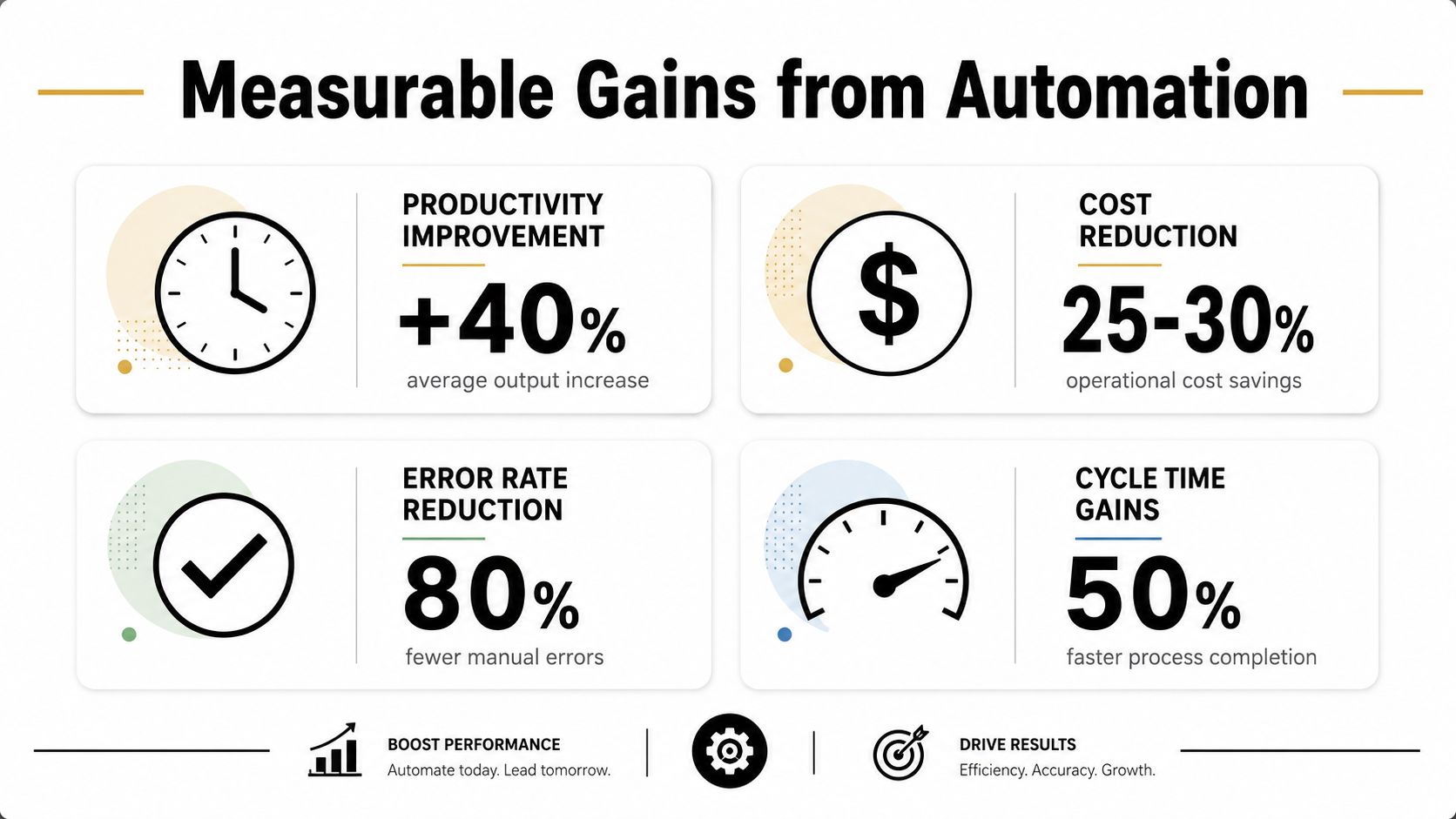
The infographic below captures the kind of gains teams are usually trying to reach.
Error reduction is where the quiet savings show up
Manual approval chains create tiny mistakes that turn into real work later. A transposed client name, a missed field, or an outdated billing code can slip through quickly when the same data gets typed, copied, and checked several times. Automation helps because it moves the same data through controlled steps instead of asking people to re-enter it.
That is why finance-heavy agency workflows are often the first place leaders feel relief. A good example is the way ReceiptsAI explains accounting automation software. The value is not magic. It is fewer handoffs, cleaner inputs, and fewer chances for a routine process to go sideways.
Measurable gains in productivity, cost, and accuracy
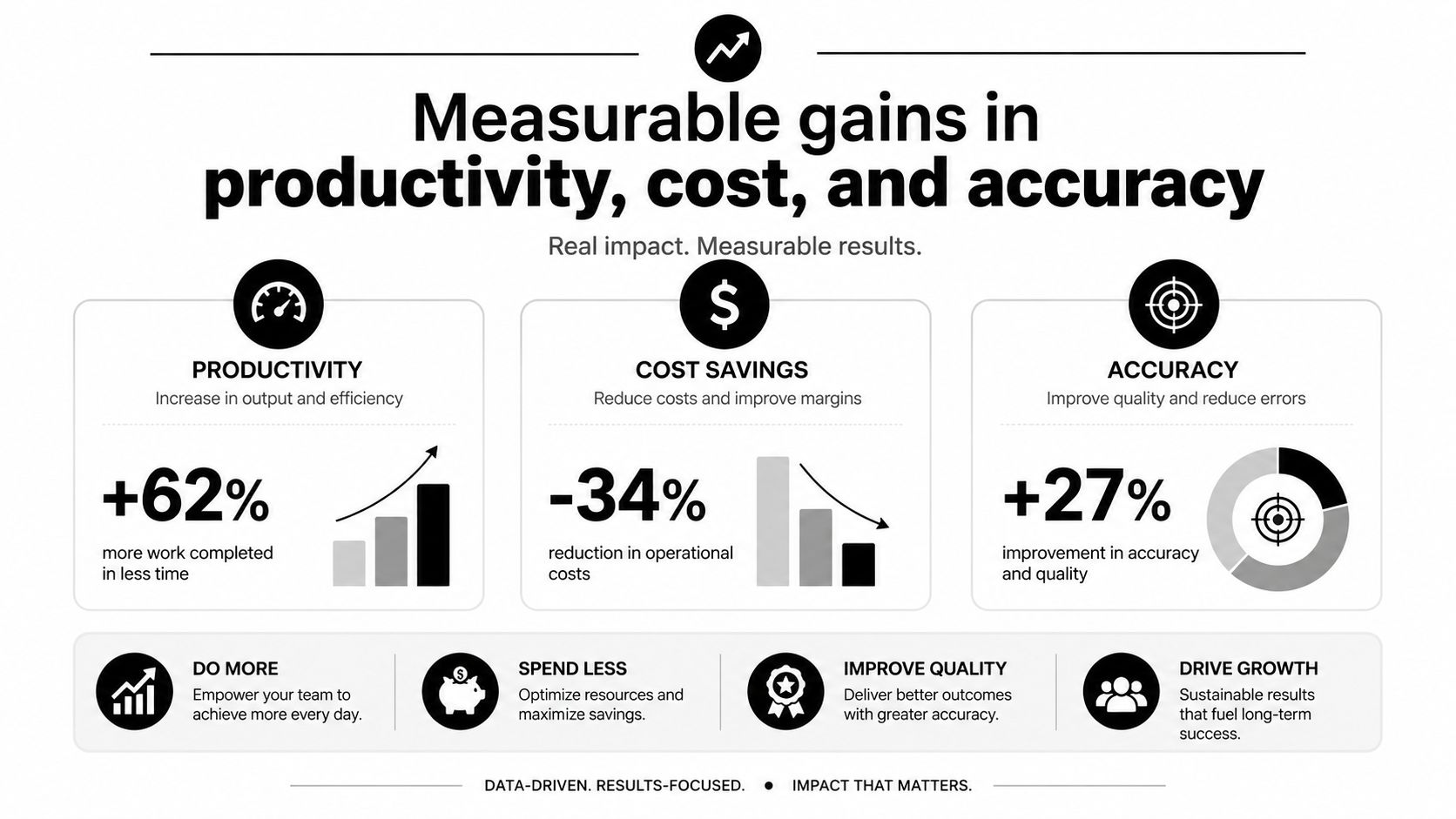
The business case gets easier once you stop talking in generalities and look at benchmark ranges. Independent workflow automation benchmarks report that about 60% of organizations achieve ROI within 12 months, with average productivity gains of 25 to 30% in automated processes and 40 to 75% fewer errors than manual processing, according to the summary from Kissflow's workflow automation statistics. That combination matters because it ties speed and quality together instead of treating them like separate wins.
A few practical patterns show up again and again in agency work. Faster routing reduces delay in client updates. Fewer errors reduce billing disputes. Less manual checking frees people from work they never wanted in the first place.
What the numbers mean in practice
Automated workflows can cut operational costs by 20 to 30%, reduce process cycle time by up to 80%, and increase SMB productivity by 35%, based on independent industry reporting from Zendesk's workflow automation article. Those ranges are useful because they point to where value comes from, not just to a nice story about efficiency.
If a workflow only saves time once a month, it probably isn't your first automation project. If it saves time every week and produces the same output each time, it probably is.
Employee experience matters too. The same Kissflow summary notes that satisfaction typically rises 15 to 35% when routine tasks are removed. That does not mean automation makes the job easy. It means people spend less time on repetitive admin and more time on work that needs judgment, which is a better fit for most agency roles.
For teams comparing platforms and business cases, the broader market data helps frame the investment. The workflow automation market reached about $26 billion in 2026 and is projected to grow at about 9.4% CAGR to $40.77 billion by 2031, according to SeamPoint's market review. That same source cites a 248% three-year ROI for Microsoft Power Automate in Forrester's 2024 Total Economic Impact study and Deloitte-reported 250 to 300% ROI within 18 months for intelligent automation. Those are strong signals that this is now a mainstream operating choice, not a side experiment.
The infographic below is a clean way to brief stakeholders who want a visual before they ask for a spreadsheet.
How to calculate your own automation ROI
Generic benchmark data helps, but agency leaders still need a local answer. The right question is not “Does automation work?” It's “Which workflow is costing us the most time, where does the error show up, and how fast can we measure change after rollout?”
Start with a clean baseline. Count the hours spent on manual reporting, the number of billing corrections, and the time it takes to send client updates. Then compare those same metrics after automation goes live. The point is to track a process, not a promise.
| ROI measurement framework for agency automation | |||
|---|---|---|---|
| Metric | Before automation | After automation | How to measure |
| Manual reporting hours | Track the actual time spent building recurring reports | Compare the same report cycle after automation | Time logs, calendar data, or task tracking |
| Billing error rate | Record how often invoices need correction | Compare error volume after automated checks | Invoice review notes and finance exceptions |
| Client update turnaround | Measure how long it takes to prepare and send status updates | Compare the same turnaround after workflow triggers | Timestamp when work starts and when it lands with the client |
| Team time lost to reminders | Count follow-ups for missing data or late entries | Compare reminder volume after automated nudges | Email, chat, or task history |
| Rework after handoff | Track how often a task returns for fixes | Compare rework after standard routing | Project management notes and approval logs |
The order matters too. I'd start with anything that is repetitive, easy to define, and tied to a visible pain point. That usually means time tracking, reporting, and billing support before you touch more nuanced creative work. If you want a more practical way to think about the metric side of this, TimeTackle's guide to measuring operational efficiency fits well here.
Measure before you automate, or you'll end up arguing about feelings instead of results.
Payback timing is usually easier to defend when the workflow is obvious and the baseline is messy. If the team already spends too much time on the same task every week, the business case often shows up quickly. If the process changes every time a client asks for something custom, the value is harder to prove and the rollout should wait.
The governance and human trade-offs nobody talks about
Automation makes bad processes faster, so governance has to come first, not last. That's especially true in approval chains, reporting flows, and any workflow that feeds finance or client communication. If nobody owns the rules, the system can push flawed data through very efficiently.
Where automation helps, and where it can hide mistakes
Automated workflows are great at consistency, but they can also hide problems if no one watches exceptions closely. A missing field can travel through several steps before anyone notices, which means the issue looks “done” even when the input was bad. That's why oversight rules matter as much as the software itself.
The smarter setup gives teams clear escalation paths, role-based permissions, and review points for exceptions. It doesn't ask humans to babysit every task. It asks them to watch the cases where judgment still matters.
What teams need to keep control
A few safeguards usually make the difference between a useful workflow and a brittle one:
- Exception rules: Define what stops the flow and what creates a review task.
- Ownership: Assign one person or team to each process, so no one guesses who fixes a problem.
- Audit trail: Keep a record of what happened, when it happened, and which rule triggered it.
- Fallback paths: Build a manual route for edge cases so work doesn't stall.
- Permission limits: Keep sensitive approvals in the hands of the people who should sign off.
The people side matters too. The same automation that removes repetitive work can make some team members uneasy because it changes how control feels. That does not mean they reject progress. It often means they want to know where the checks moved and who sees the output now.
A recent industry article from Business.com on workflow automation points to the value of compliance, collaboration, and auditability, but the core lesson for agencies is simple. If you automate the path and ignore the guardrails, you risk creating a neat-looking process that nobody fully trusts.
Which agency processes deliver the fastest payback
The fastest wins usually come from the least glamorous work. Time tracking, client reporting, billing prep, and status updates all repeat often, rely on structured data, and create obvious pain when they slip. That is why they tend to return value faster than workflows that depend on design judgment or client-specific nuance.
Good first candidates
- Time tracking reminders: These work well because they are repetitive and easy to trigger from calendar activity or a missed entry.
- Client reporting: A recurring report can pull the same data each week, which cuts manual assembly and keeps formatting consistent.
- Billing support: When time data flows cleanly into finance, the team spends less time fixing invoices after the fact.
- Resource allocation notes: Simple routing and status flags help managers see who's overloaded without another manual check-in.
- Project status updates: These often work well when they pull from task systems instead of asking people to type the same update twice.
Poor fits for the first round
Creative approvals are a different story. A design review or copy sign-off often depends on taste, context, and client politics, which means a rigid rule can make the process worse instead of better. You can automate the handoff, but you usually should not automate the judgment.
That's why the most effective rollouts start with data-heavy workflows and move toward judgment-heavy ones later. A process like utilization reporting gives quick proof because the logic is clear and the result is visible. A process like campaign sign-off may still benefit from automation, but it needs a much better policy layer before it can run cleanly.
For agencies that want examples of how process patterns map to automation, TimeTackle's business process automation examples is a useful reference point. It helps frame the difference between a workflow that should move automatically and one that still needs a human in the loop.
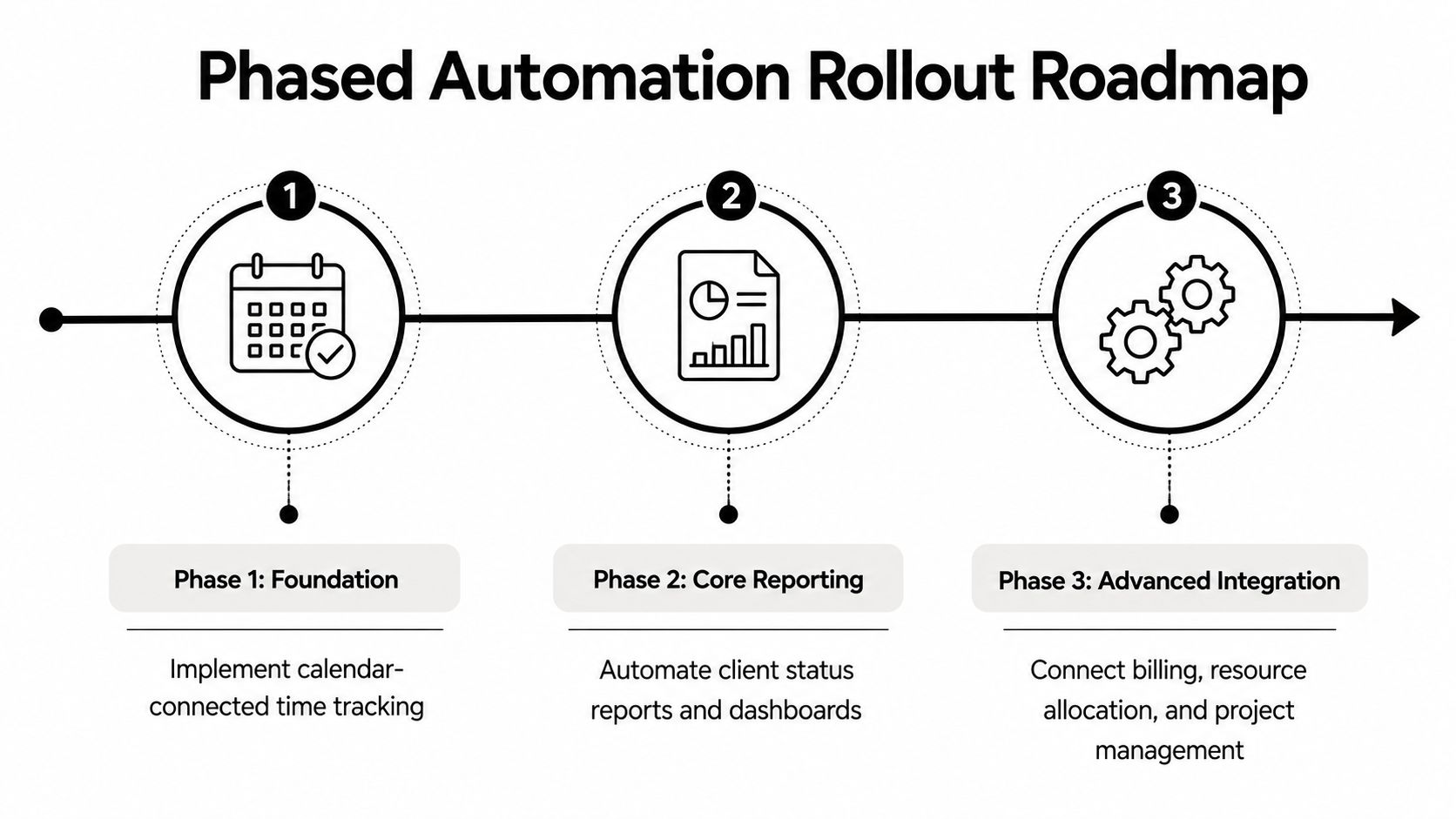
The roadmap below shows why a phased sequence usually beats a big-bang rollout.
Building your automation rollout in phases
A phased rollout keeps the team from getting buried in edge cases before they see any value. Start with calendar-connected time tracking, then move into recurring reporting, then connect the rest of the operational stack. That order works because each step gives people a visible win before the next layer adds complexity.
A rollout sequence that usually works
Phase one should focus on the work people already do every day. Calendar-based time capture and automated reminders are easy to explain, easy to test, and easy to measure. Once that is stable, move to scheduled client reports and dashboards, because the team can see the output without building it by hand each time.
Phase three is where deeper integration starts to matter. Billing, resource planning, and project management need tighter data flow, but they also depend on the earlier steps being clean. If the intake data is messy, the later automation just moves the mess faster.
Change management matters here more than most software vendors admit. People need to know what changes, who owns exceptions, and where to go when the workflow does something unexpected. Short training sessions work better than long manuals, especially for non-technical staff who just want to know how their day changes.
If you want a broader view of rollout patterns across departments, Sensoriium's B2B automation guide is a good companion read because it frames automation as an operating habit, not a one-time install.
Start where the pain is obvious, then expand only after the team trusts the output.
That's the part most agencies get wrong. They try to automate everything at once, then spend the next month explaining exceptions. A narrower first wave gives you cleaner data, faster trust, and a rollout the team can live with.
A CTA for TimeTackle.