You finish a job, send the last invoice, pay the crew, and look at the bank balance. On paper, it feels like a win. Then someone asks a simple question: “What did we make on that project?”
That's where a lot of contractors get stuck.
They know the work got done. They know money came in and money went out. But they can't say, with confidence, whether the job made a solid margin, barely broke even, or lost money because labor drifted, material overruns never got coded right, and time entries showed up late or not at all.
That's a key problem with bookkeeping for construction industry firms. It's rarely the tax return. It's the gap between what happened in the field and what made it into the books.
I've seen plenty of contractors with decent revenue, good crews, and strong reputations run their business with weak source data. The office ends up rebuilding the month from scraps: text messages, paper timecards, supervisor memory, supplier invoices, and change orders that never fully made it through. By the time the numbers look clean, the job is already over and nobody can fix the damage.
Good bookkeeping gives you control while work is still in motion. It tells you where labor is landing, whether billings match progress, and which jobs are carrying the company versus dragging it down.
Why you might not know if your last job was profitable
A contractor wraps up a tenant improvement project. The client is pleased. Subs are mostly paid. Retainage is still out there, but the job feels done enough to move on.
Then the owner sits down with the bookkeeper and tries to figure out profit. Labor was spread across too many codes. A few supplier bills came in late. The superintendent spent time on the job, but his hours went into overhead because nobody tagged them correctly. Two change orders got approved in the field, yet one never made it into billing.
Now the answer to “Was that job profitable?” turns into guesswork.
That story is common because many companies still treat bookkeeping as cleanup work. The office records what it can, reconciles the bank, and closes the month. That may keep compliance in order, but it doesn't give you a live read on job performance.
Good construction bookkeeping is not just recordkeeping. It is job control.
If you can't trust the source data, every report downstream is shaky. Job cost reports become partial truths. WIP turns into a rough estimate. Payroll may still run, but labor costs land in the wrong place, which means the books can look tidy while job performance stays hidden.
The fix starts earlier than most owners think. It starts at the point where time, material, equipment use, and field activity first enter the system. If that intake is messy, the accounting team spends its time repairing history instead of helping you run the business.
That's why I always look at the flow of information before I look at the software. If you want a better grip on margins, project profitability analysis starts with better job-level inputs, not prettier reports.
The three pillars of construction accounting you can't ignore
General bookkeeping doesn't fit construction very well. A plumber with one truck and simple service calls can get by with broad categories. A growing contractor handling multiple active jobs can't. You need a system built around the job.
The core of that system rests on three pieces.
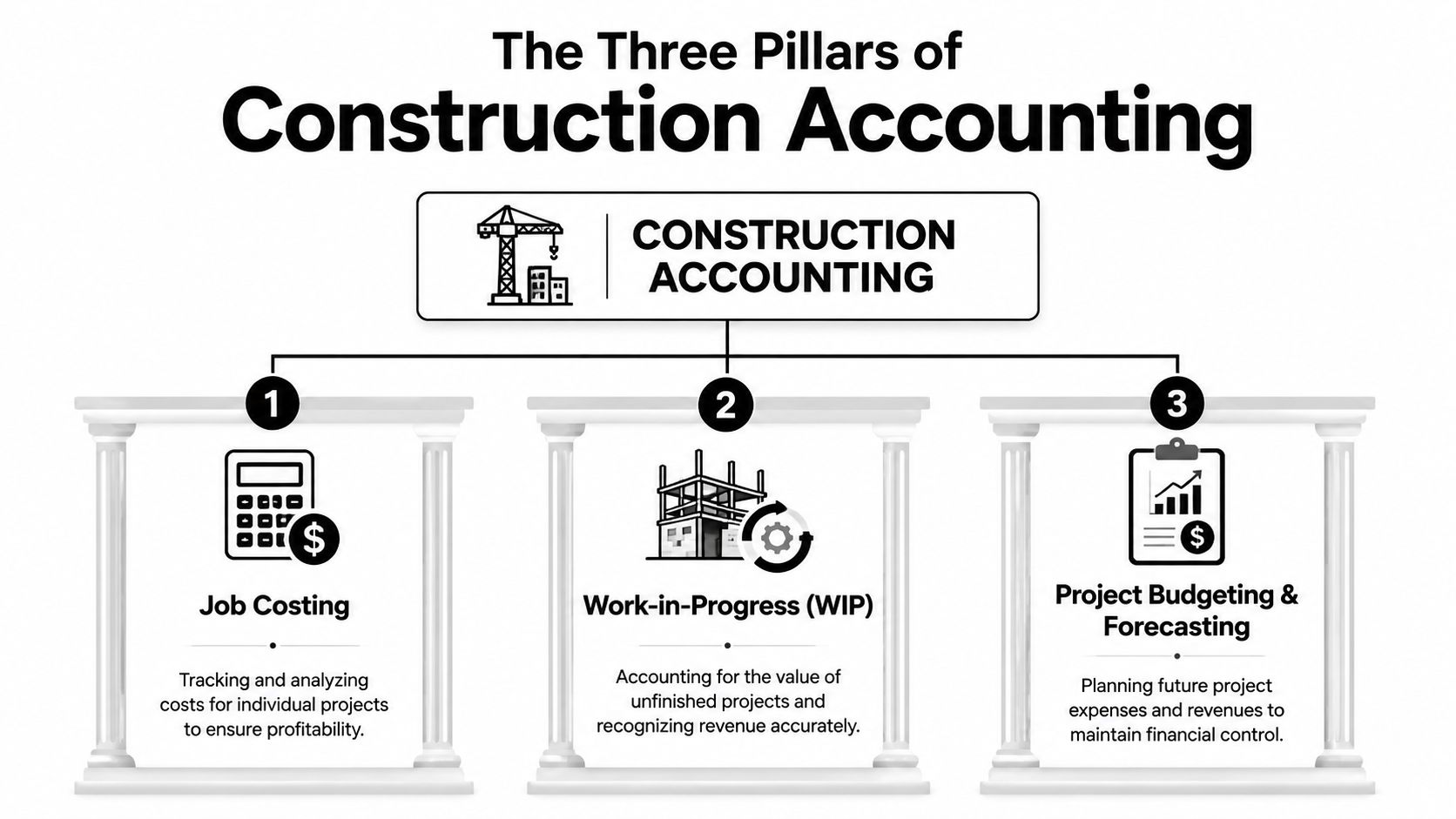
Job costing keeps each project honest
Every project needs its own financial story. If labor, materials, equipment, and subcontractor costs don't get tied to the right job, you can't judge that project fairly.
Think of job costing like a separate file for each build. Every cost that belongs to that job has to land there. If a concrete delivery goes to Job A, it can't drift into a general materials account and disappear into company totals. If a foreman splits time across two sites, those hours need a clean allocation.
What works:
- Mirror the estimate: Set cost codes so the way you track actual costs matches the way you bid the work.
- Code labor daily: Waiting until the end of the week invites bad memory and rounded hours.
- Review exceptions fast: If time or invoices come in with missing job codes, stop and fix them before month-end.
- Keep field and office speaking the same language: Estimators, project managers, payroll, and accounting need the same cost structure.
What doesn't work is dumping expenses into broad buckets and trying to “sort it out later.” Later usually means never.
WIP tells you what the books alone can't
A profit and loss statement can mislead you on long jobs. Cash may come in before work is earned, or costs may hit before billing catches up. That's why work in progress, or WIP, matters.
WIP is the report that compares where the job stands financially against where it stands operationally. It helps you spot overbilling, underbilling, fading margins, and estimate errors before the project closes.
Practical rule: If a job looks fine only because billing is ahead of performance, the books are giving you comfort you haven't earned.
Owners often avoid WIP because it feels complicated. It isn't simple, but it is manageable when costs are coded cleanly and project managers update estimated cost to complete with discipline.
Retainage needs its own track
Retainage is easy to ignore because the money is “coming later.” That thinking causes cash headaches.
Retainage is money you earned but haven't collected yet. If you bury it inside ordinary receivables, you lose sight of what clients are holding, when release should happen, and which projects are tying up working capital.
A solid setup tracks retainage separately so you can answer basic questions without digging:
- Who is holding it
- Which job it belongs to
- What contract terms control release
- Whether closeout paperwork is delaying collection
If you work across regions or compare practices with firms outside the U.S., this overview of UK construction industry accounting is useful because it shows how the same job-based pressures show up even when reporting rules differ.
Building your chart of accounts for clear reporting
Most accounting systems come with a generic chart of accounts. That default setup is fine for a simple business. It's a poor fit for contractors because it doesn't separate costs in a way that helps you manage jobs.
A construction chart of accounts should help you answer two questions fast. First, where did the money go? Second, did it go where we expected based on the estimate?
Build accounts around how you bid and manage work
If your estimator breaks a project into labor, materials, subcontractors, equipment, permits, and supervision, your books should follow the same logic. When the estimate and the accounting structure match, you can compare budget to actual without making a spreadsheet that tries to translate one language into another.
Here's the practical split I recommend.
| Account Type | Main Account | Sub-Account Example |
|---|---|---|
| Income | Contract revenue | Base contract revenue by job |
| Income | Change order revenue | Approved change orders |
| Asset | Accounts receivable | Trade receivables |
| Asset | Retainage receivable | Retainage by customer or job |
| Cost of goods sold | Direct labor | Carpenter labor, electrician labor |
| Cost of goods sold | Materials | Lumber, concrete, finish materials |
| Cost of goods sold | Subcontractors | Electrical subcontractor, drywall subcontractor |
| Cost of goods sold | Equipment | Job equipment rental, small tools charged to job |
| Cost of goods sold | Other direct job costs | Permits, disposal, site security |
| Overhead | Indirect labor | Superintendent shared across jobs |
| Overhead | Office expenses | Admin wages, rent, software |
| Overhead | Vehicle and shop costs | Fuel, repairs, yard expense |
Separate direct costs from indirect costs
Many books go wrong here.
Direct costs belong to a specific job. If the cost exists because that project exists, it usually belongs here. Field labor, job materials, trade subcontractors, rented equipment for that site, permit fees, and disposal are common examples.
Indirect costs support production but don't tie neatly to one job. Shared supervision, warehouse support, shop supplies, and some fleet costs often land here.
Then you have general and administrative overhead. This encompasses the office side of the business, such as accounting wages, office rent, insurance administration, legal fees, and software subscriptions.
If you mix shared support costs with direct job costs, your reports stop helping. You can still print them, but you can't trust the story they tell.
Don't overbuild the chart
Contractors sometimes react by creating too many accounts. That creates another mess. If the crew can't code to it accurately, detail becomes noise.
Use enough detail to compare estimate to actual and to spot recurring trouble. Don't create ten labor categories if your supervisors will only use two correctly. Clean, repeatable coding beats fine-grained chaos every time.
Essential reports that tell you if you're winning or losing
Once the accounts are structured right, the reports start doing real work. You don't need dozens of them. You need a short set that the owner, controller, and project managers review and act on.

Job cost report
This is the report I'd protect first if everything else disappeared.
A good job cost report compares estimated costs against actual costs by code while the job is still active. It tells you where labor is drifting, where materials are running hot, and whether subcontractor commitments still fit the original buyout.
The report should answer practical questions:
- Is labor burning faster than planned
- Did a cost code move because of real field conditions or because time got coded wrong
- Have committed costs arrived in the books
- Are approved changes reflected in the budget
This only works if you review it often enough to act on it. According to the Construction Financial Management Association, contractors who review job cost reports weekly are 60% more likely to complete projects on or under budget compared to those who only review financials monthly.
That finding lines up with what I've seen in practice. Weekly review changes behavior. Monthly review documents what already happened.
WIP schedule
The WIP schedule is your portfolio view. It tells you whether jobs are earning what you thought they would earn and whether billing is keeping pace with progress.
If a job shows underbilling, that may mean billing lags, change orders haven't been processed, or the team is farther along in the field than the invoice status suggests. If a job shows overbilling, cash may look better now, but you need to know whether future margin is at risk.
A solid WIP review usually brings out problems that don't show up in the general ledger alone:
| What you see | What it may mean |
|---|---|
| Margin fade | Estimate was weak, production slipped, or costs were coded late |
| Persistent underbilling | Billing process is behind field progress |
| Strong cash with weak earned margin | You billed ahead, but performance hasn't caught up |
| Cost to complete feels stale | PM update process is weak |
Profit and loss by job
This report answers a harder question. Which kinds of work prove profitable?
Sometimes a contractor thinks one line of work is the star because it keeps crews busy. The job-level P&L says otherwise. Service work may provide understated support to the company. Certain negotiated commercial jobs may carry better margins than public work. Small repeat clients may be easier to manage than large “name” projects with heavy admin drag.
The point of reporting is not to admire the numbers. It is to decide which jobs to chase, which clients to price differently, and where field execution keeps missing plan.
When this report is built on clean cost coding, bidding gets sharper. When it's built on vague allocations, it becomes a nice-looking historical document with very little decision value.
Taming payroll and compliance in construction
Construction payroll is where bad source data turns expensive.
A standard payroll process assumes stable rates, tidy departments, and people who work in one place under one code. Construction rarely looks like that. One employee may work different tasks in the same week, move between jobs, earn different rates, or fall under a union agreement or prevailing wage rule depending on the project.
If hours land in the wrong place, you don't just get bad job costs. You can trigger compliance problems.
Why labor coding matters so much
Let's say a carpenter spends part of the day on base contract work and part on a change order. If those hours all go into one bucket, the project manager loses sight of whether the added work paid for itself. The same issue shows up when supervisors approve rough allocations because they're trying to get payroll out on time.
That shortcut creates a chain reaction:
- Payroll risk: wrong rates, missed classifications, or incomplete support
- Costing risk: labor burden lands on the wrong job or phase
- Insurance risk: workers' comp classifications can become harder to defend
- Audit risk: public work and union reporting need detail, not reconstruction after the fact
Compliance punishes weak records
Government work raises the stakes because certified payroll depends on accurate daily records, not memory. Prevailing wage work is especially unforgiving. If your team handles that kind of labor, this guide to New York State prevailing wage is a helpful reference for how detailed these requirements can get.
The same principle applies even when you're not on a public job. Workers' comp audits, union reviews, and labor disputes all come back to one thing: can you support what you paid and where the hours went?
Payroll in construction is not just a pay run. It is a labor record, a cost record, and a compliance record at the same time.
When owners treat time capture as a clerical task, they usually end up paying more for the mistake somewhere else.
From manual timesheets to accurate, automated time tracking
Most construction finance problems don't start in the accounting office. They start in the field, at the moment someone writes down time late, guesses at a job code, or rounds a half-day across two projects because nobody wants to chase details.
Manual timesheets create a weak foundation because they rely on memory. People forget travel, meetings, phone calls, material runs, punch-list visits, and short bursts of work that still cost money. Supervisors fill gaps as best they can, and payroll has to move forward whether the detail is clean or not.
That means your books absorb errors as if they were facts.
What manual systems get wrong
Paper cards and spreadsheet-based time logs fail in predictable ways. The problem isn't that workers are careless. The problem is that the system asks them to reconstruct a week after the work has already happened.
Common failure points look like this:
- Late entry: Hours get filled in days later, so memory replaces records.
- Rounded time: Start and stop times drift toward neat numbers instead of real activity.
- Missing allocation: Time lands on the right employee but the wrong job, phase, or cost code.
- Admin rework: Office staff spend hours chasing details that should have been captured once.
- Weak audit trail: When someone challenges payroll or labor cost, the backup is thin.
The cost of that sloppiness is not just annoyance. The American Payroll Association estimates that “time theft” and inaccurate reporting on manual timesheets can cost a business up to 7% of its gross payroll annually.
That number gets attention, but the knock-on damage is what really hurts construction companies. Inaccurate labor data distorts job costs, weakens billing support, and leaves project managers arguing over reports they don't trust.
What better time capture changes
A modern time tracking setup shifts the burden away from memory and toward actual activity. Calendar-based systems, app-based tagging, and rule-driven categorization make it easier to capture work as it happens or very close to it.
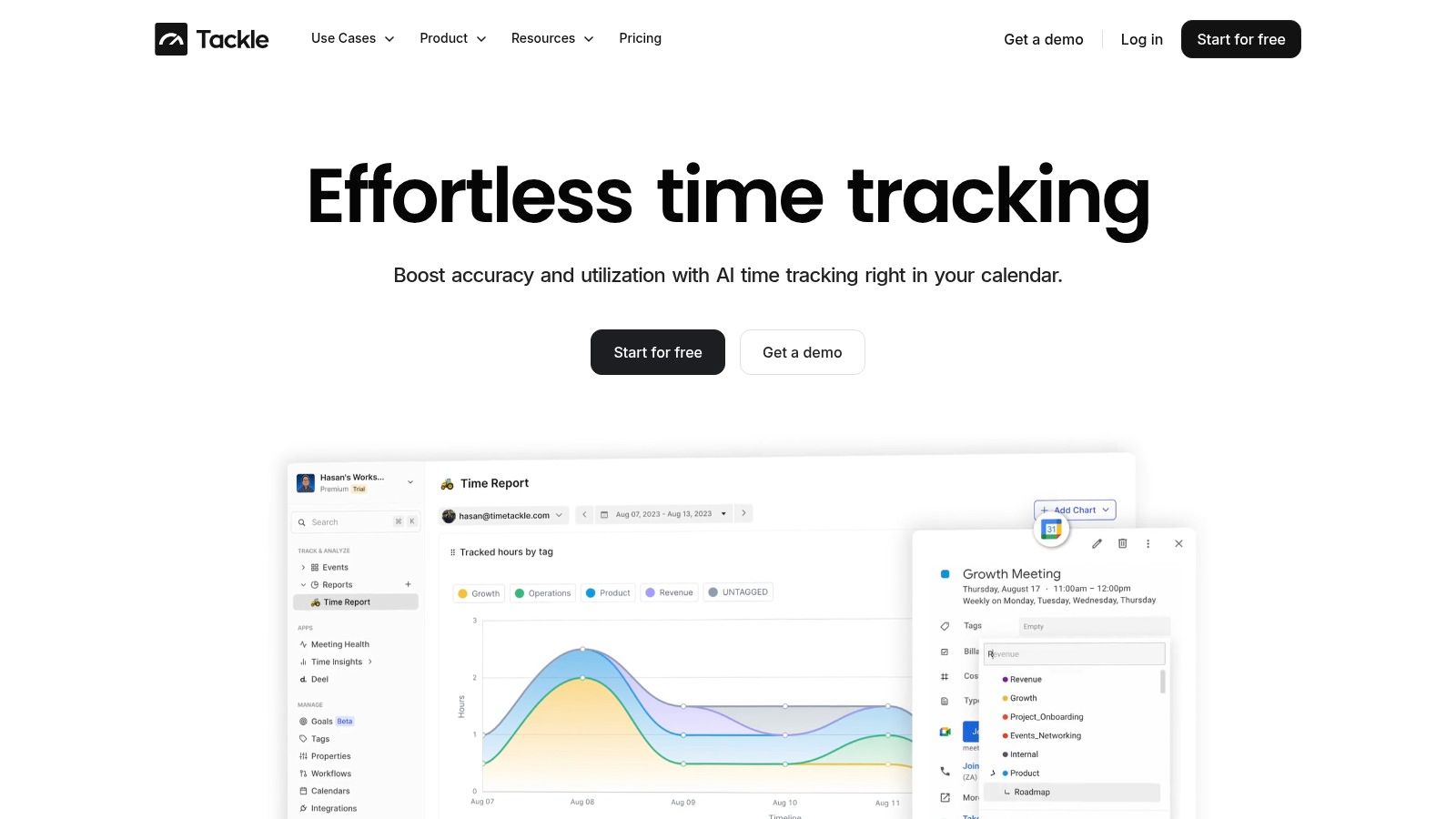
The benefit is simple. Clean source data flows into every other process with less repair needed later.
Here's what improves when time data gets tighter:
| Area | Manual timesheets | Accurate automated capture |
|---|---|---|
| Payroll | Office chases missing details | Time is easier to verify and approve |
| Job costing | Labor often lands late or vaguely | Costs hit jobs with more confidence |
| WIP | PMs question whether labor is current | Cost-to-date is more dependable |
| Audits and disputes | Support is pieced together later | Records are easier to trace |
| Admin workload | Repeated follow-up | Fewer corrections and less cleanup |
This matters beyond payroll. Contractors also deal with driver logs, field safety records, and equipment documentation, so operations leaders often look for similar ways to simplify e-log management and cut down on handwritten records across the business.
What to look for when replacing timesheets
Not every digital tool fixes the problem. Some systems still depend on employees to do the same end-of-week reconstruction, just on a phone instead of on paper.
Look for a setup that does these things well:
- Captures work close to real time: The less it relies on recall, the better.
- Supports job and cost code tagging: A clean total-hours figure is not enough.
- Makes review easy for supervisors: Approval has to be fast, or people bypass it.
- Exports cleanly into payroll and reporting: If the office still rekeys everything, the process is still broken.
I'd add one more test. Ask whether the field will put it to use. The best system on paper fails if it adds friction to the crew's day.
When contractors fix this one input problem, a lot of other accounting issues calm down. Job reports get cleaner. Payroll runs with fewer exceptions. WIP feels less like a negotiation and more like a report. Owners stop managing by hunch and start managing from current job data.
If you want to see how a modern approach can reduce timesheet fatigue and give operations leaders cleaner reporting, construction time tracking tools built around real activity capture are worth a serious look.
If your team is tired of chasing missing hours, rebuilding reports by hand, and making job decisions from stale data, TimeTackle is worth a look. It helps teams capture work from calendar activity, apply tags and rules with less manual effort, and turn time data into reporting you can put to use. For firms that need cleaner inputs before they can trust job costing, payroll, and utilization views, that's a practical place to start.