A kickoff meeting can feel productive and still plant the seeds for a messy project.
Everyone joins the call. The sponsor gives context. The team nods through the timeline. Someone says, “We're aligned,” and the meeting ends on time. Then two weeks later, scope starts stretching, people use three different tools to track updates, and half the team is still unsure who approves what.
That usually isn't a people problem. It's an agenda problem. A weak project kickoff meeting agenda doesn't just waste an hour. It pushes confusion downstream, where it gets more expensive and more annoying to fix.
Why most project kickoffs fail before they even start
Most failed kickoffs don't look failed in the room. They look polite.
People get through introductions, skim the deck, and leave with a vague sense that the project is moving. What's missing is the hard work: testing whether people heard the same goals, naming decision owners, setting communication rules, and making sure the first actions are ready to move into execution.

A structured kickoff is not just good meeting hygiene. Research summarized by PropMS on kickoff best practices says that rigorous agenda adherence and pre-distribution of background materials can reduce scope creep by up to 40% and improve objective clarity. That matches what experienced project managers see in practice. The projects that start clean usually stay cleaner.
The meeting usually fails before the calendar invite goes out
Failure often happens earlier. The PM hasn't forced trade-offs yet. The sponsor hasn't clarified what success means. The team hasn't agreed where decisions live, how blockers escalate, or what falls outside scope.
That's why so many teams spend their first status meetings untangling things the kickoff should have settled. If your broader delivery process already has friction, it helps to look at common issues of project management through that lens. Many of them start at the handoff from planning to execution.
Practical rule: If your kickoff agenda only lists topics, it's too weak. A strong agenda forces decisions.
What a good agenda actually does
A solid project kickoff meeting agenda gives the room a job. It should answer the questions that create trouble later if you leave them fuzzy:
- Why this project exists: What business outcome matters, and how will people know the work is done well enough
- Who owns what: Which decisions belong to the sponsor, the PM, the client lead, design, engineering, or operations
- How work moves: Which tool is the source of truth, where updates go, and how risk gets raised fast
- What gets tracked from day one: Which tags, codes, phases, or categories need to exist so reporting doesn't become a manual chore later
When teams skip those details, the kickoff becomes a presentation. When teams lock them down, the kickoff becomes a control point.
What to do before you even write the agenda
A strong agenda starts with prep work, not formatting.
The biggest mistake I see is writing the meeting outline before confirming what decisions the room needs to make. That's backwards. First decide what must be true by the end of the kickoff. Then build the agenda around those outcomes.
Lock the inputs before you invite people
Before I draft the agenda, I want the core materials in one place. Not perfect. Just real enough that the team can react to them.
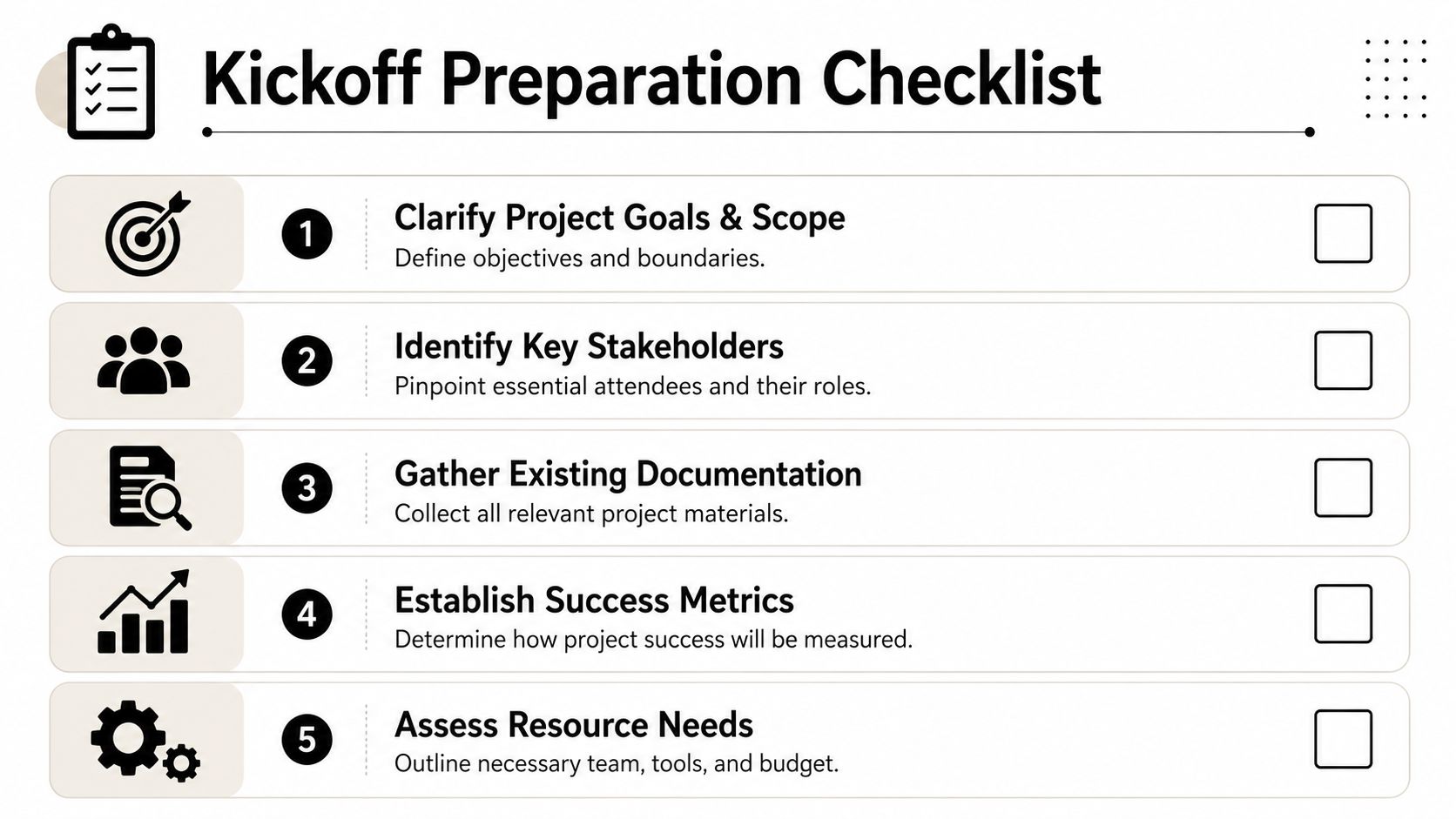
Use this pre-kickoff checklist:
- Clarify the project frame: Write down the objective, the in-scope work, the obvious out-of-scope work, and the first major milestones
- Name the must-have attendees: Include decision-makers and the people who will deliver the work. If someone can't approve, unblock, or execute, they probably don't need to be in the room
- Gather the working documents: Bring the project charter, statement of work, budget view, high-level timeline, and any existing assumptions or constraints
- Set the success criteria: If the team can't tell whether the project is winning, every status meeting will turn into opinion
- Check project baselines early: If timeline, cost, or scope are still fuzzy, fix that before kickoff. A useful baseline a project guide can help tighten those foundations before the first meeting happens
Send the right pre-read at the right time
People should not learn the basics live in the meeting.
Slack's guidance on kickoff meetings says the agenda should be sent 2–3 days in advance, but no later than 24 hours beforehand, so stakeholders can review materials like the project charter, high-level timeline, and budget overview before the session starts. See Slack's write-up on how to run effective project kickoff meetings.
That timing matters because it changes the quality of the conversation. Instead of spending the first half of the meeting explaining the project, you can spend it testing assumptions and confirming decisions.
Send a pre-read that invites reaction, not admiration. If people can't disagree with it, it's probably too vague.
Decide what the meeting must settle
A kickoff should produce a few hard outcomes. Not a pile of notes. Not “good discussion.”
I usually want these decisions settled before the call ends:
| Decision area | What needs to be clear |
|---|---|
| Scope | What is in, what is out, and who approves changes |
| Ownership | Who is responsible, who is accountable, and who signs off |
| Communication | Which tools are official, where notes live, and how escalation works |
| Measurement | What success looks like and what gets tracked from day one |
If you can't define those before writing the agenda, stop there. The room won't fix ambiguity you haven't already surfaced.
The core components of a successful kickoff agenda
A project kickoff meeting agenda works best when each section answers a practical question the team will ask later anyway. If the meeting doesn't answer it now, someone will ask it in Slack, email, or a tense status call next week.
According to Resolution's project kickoff agenda guide, 100% of effective kickoff agendas include seven mandatory elements: Project Overview and Objectives, Team Introductions and Roles, Project Timeline and Milestones, Budget and Resource Allocation, Communication Plan and Protocols, Risk Assessment and Mitigation Strategies, and Success Metrics and Quality Standards. That list is useful because it keeps the agenda tied to execution, not ceremony.
The seven parts that shouldn't be skipped
Here's how I think about those seven elements in plain terms:
- Project overview and objectives: Why are we doing this now, and what problem are we solving
- Team introductions and roles: Who is doing the work, who approves decisions, and where handoffs happen
- Timeline and milestones: What matters on the schedule, especially dependencies and the critical path
- Budget and resources: What people, time, and budget boundaries the team is working within
And the remaining three are where many projects either get protected or exposed:
- Communication plan and protocols: Which channel is for updates, which tool is the source of truth, and how issues get escalated
- Risk assessment and mitigation: What already looks fragile, what depends on other teams, and who owns mitigation
- Success metrics and quality standards: What “done” means, how quality will be judged, and which outcomes matter most
If your success criteria are still fuzzy, this is a good moment to use a practical guide for SMART goals. It helps turn broad project intent into something the team can manage.
Timebox the meeting so it stays useful
A typical kickoff for a moderately complex project should run 60 to 90 minutes, with defined segments to keep the conversation from drifting. Slack's meeting guidance recommends a structure where 35–45 minutes cover roles, responsibilities, and collaboration practices, 10 minutes cover risks, dependencies, and open questions, and a final 5 minutes lock next steps and action items in place.
That doesn't mean every project needs the same script. It means the agenda needs enough discipline to keep people from turning the kickoff into an open brainstorm.
Here's a simple template you can adapt:
| Agenda item | Small Project (60 mins) | Medium Project (90 mins) |
|---|---|---|
| Welcome and context | 5 mins | 10 mins |
| Project overview and objectives | 10 mins | 15 mins |
| Roles and responsibilities | 10 mins | 15 mins |
| Timeline and milestones | 10 mins | 15 mins |
| Budget, resources, and constraints | 5 mins | 10 mins |
| Communication plan and protocols | 5 mins | 10 mins |
| Risks, dependencies, and open questions | 10 mins | 10 mins |
| Success metrics, next steps, and owners | 5 mins | 5 mins |
Treat each agenda item as a decision point
This aspect typically separates experienced PMs from meeting coordinators.
Don't just “cover timeline.” Confirm milestone ownership and call out dependencies that can block the plan. Don't just “review roles.” Make the RACI visible and ask whether anyone sees overlap or gaps. Don't just “talk through communication.” Decide where final decisions live, how updates are posted, and what happens when a blocker sits too long.
A kickoff agenda is good when people leave with fewer assumptions than they brought in.
If you run the meeting this way, the agenda becomes a working control document. That's a lot more useful than a polite list of topics.
Common kickoff meeting mistakes and how to avoid them
Most kickoff advice focuses on obvious failures. No agenda. Wrong attendees. No notes. Those matter, but the more dangerous problems are quieter. The meeting looks organized, yet the team still walks away with different mental models of the project.
That gap shows up fast. Notion's kickoff agenda guidance notes that 55% of projects with incomplete kickoff agendas encounter early-stage misalignment on deliverables, while 30% experience communication breakdowns due to undefined tool usage protocols.
Four mistakes that keep coming back
Here are the ones I see most often.
- The room confuses agreement with understanding: People nod, but nobody restates the goal in their own words. Ask two or three attendees to explain the objective and the first milestone back to the group
- Scope gets discussed, not bounded: Teams review deliverables but never say what is out of scope. Put the exclusions on screen. People rarely invent less work later
- Communication stays informal: Someone says “we'll keep everyone posted,” but nobody defines whether updates live in Slack, Asana, Notion, Salesforce, or email
- Action items leave the meeting as notes instead of tasks: If an item has no owner and no due date, it's not a next step. It's a wish
Simple fixes that actually work
You don't need a more impressive deck. You need more control over the conversation.
| Pitfall | Better move |
|---|---|
| Open-ended brainstorming takes over | Keep a parking lot for ideas that matter but don't belong in kickoff |
| Too many attendees slow decisions | Limit the room to people who can approve, execute, or unblock |
| Tool confusion starts on day one | Name one source of truth and one place for action items |
| Risks stay abstract | Assign a person to each risk, even if the mitigation isn't final yet |
If the team can't answer “who decides?” and “where do I look?” the kickoff isn't done.
One more thing. Don't leave the Q&A to chance. Invite concerns directly, especially from quieter people and delivery leads. They often spot the weak point before anyone else does.
Turning kickoff decisions into automated project tracking
Most articles stop at “send the notes.” That's not enough.
The meeting only pays off when the decisions made there become part of the daily operating system. If the kickoff defines scope, phases, owners, client codes, reporting categories, and success measures, then those choices should show up immediately in the way the team tracks work.
That matters even more for agencies and service teams. According to Plane's article on kickoff agendas and checklists, 40% of project time is often lost to manual reporting and unclear utilization visibility when kickoff action items are not tied into automated time-tracking workflows. That's the hidden cost most kickoff templates ignore.
Don't stop at meeting notes
Yes, you still need a follow-up. But the follow-up should do more than summarize what people said.
Right after kickoff, convert the meeting outputs into working project data:
- Create the task structure: Add phases, workstreams, milestones, and dependencies in the PM tool the same day
- Assign owners immediately: Every action item needs a name and due date before momentum drops
- Set the tracking rules early: Decide how meetings, client calls, delivery work, revisions, and internal coordination will be categorized
- Connect reporting to the project design: Make sure the way work is logged reflects the way the project will be reviewed later by clients, finance, or leadership
If you skip that last part, teams usually end up reconstructing the project after the fact. That's where timesheet fatigue starts.
The kickoff should define your reporting model
For agencies, consulting teams, implementation teams, and customer-facing groups, the kickoff is the best time to decide how work will be tagged and reported.
I'd lock down things like:
- Client and project identifiers: The exact names or codes that should attach to the work
- Project phases: Discovery, build, QA, rollout, support, or whatever your delivery model uses
- Task types: Billable delivery, internal planning, stakeholder management, revision work, admin
- Properties for analysis: Team, department, service line, account owner, region, or opportunity stage
- Exceptions and edge cases: Work that often gets miscoded, such as internal prep for client-facing meetings
This is the point often overlooked. They agree on action items, but they don't agree on how those actions should be captured in systems. Then reporting becomes a manual cleanup exercise.
If the kickoff defines the work, it should also define how the work will be recognized in reporting.
What good tracking looks like in practice
A useful tracking setup doesn't ask people to remember everything at the end of the week. It uses the structure decided in kickoff to reduce manual effort later.
That usually means:
| Kickoff decision | Tracking setup that should follow |
|---|---|
| Confirmed project phases | Add matching categories or properties in the tracking system |
| Named owners by workstream | Map activity to responsible leads and teams |
| Communication cadence agreed | Track recurring client and internal meeting patterns consistently |
| Success metrics selected | Build views or dashboards around those metrics from the start |
For teams that want cleaner reporting across calendars, client systems, and delivery tools, it's worth looking at project management integrations that connect activity data with operational reporting. The point is not to add another admin layer. It's to remove one.
What works and what doesn't
What works is simple. The PM or ops lead takes the output of the kickoff and turns it into live workflows the same day or next morning. Categories exist. Owners exist. Dashboards reflect the way leadership wants to review the account or project.
What doesn't work is sending a follow-up email with ten bullets and hoping the team will sort the mechanics out later. They won't. They'll do the work first and classify it later, which is exactly how reporting turns into a cleanup job.
A good kickoff doesn't just launch the project. It sets up the project so that execution and reporting speak the same language from day one.
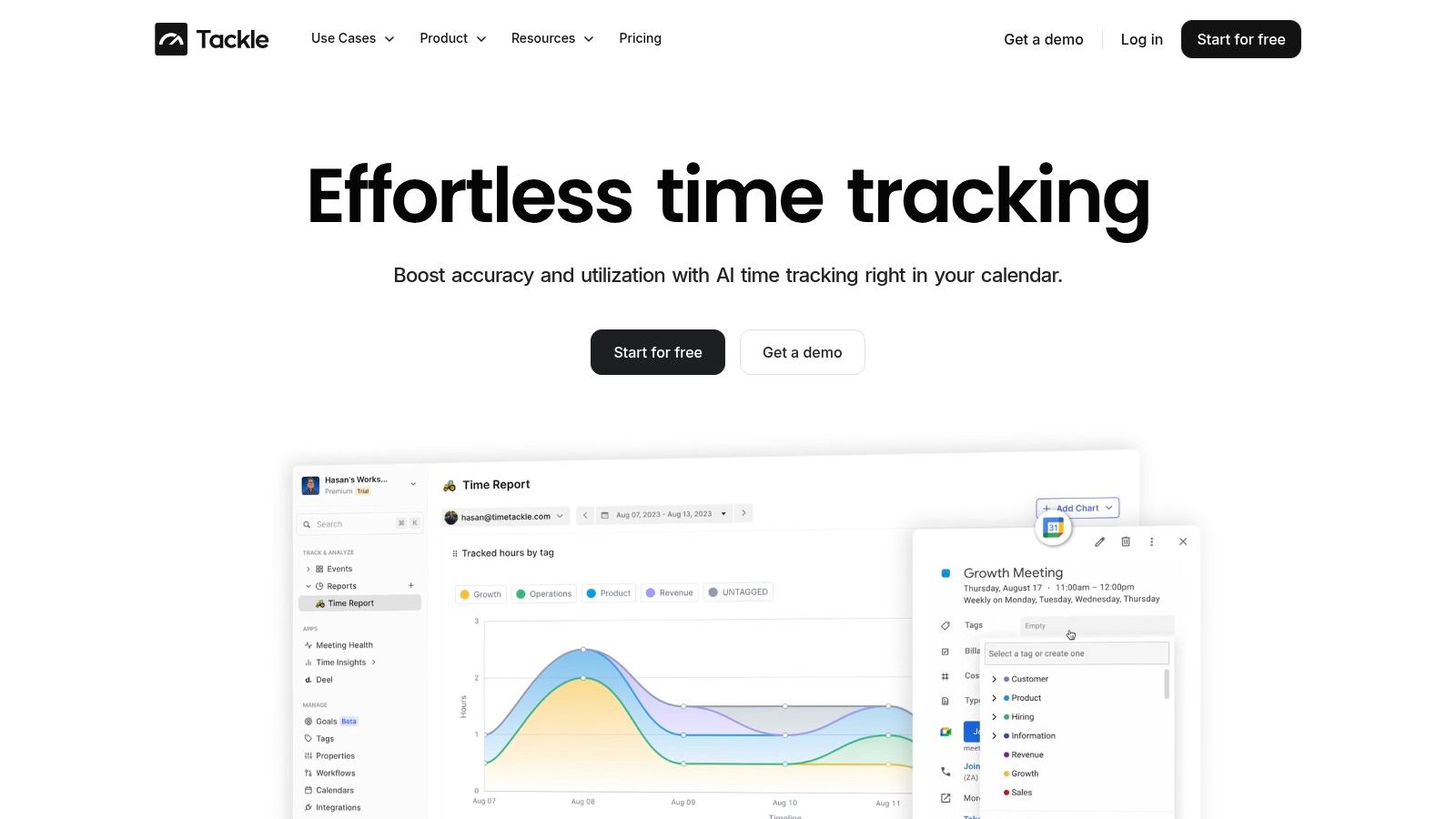
If your team is tired of chasing timesheets, rebuilding project activity by hand, and guessing at utilization after the fact, TimeTackle is worth a look. It helps teams capture calendar-based work automatically, apply tags and properties with less manual effort, and turn kickoff decisions into clean reporting from the start.