



TL;DR: Billable hours are the time spent on client-facing tasks that can be directly invoiced. The basic math is simple: billable revenue = billable hours × hourly rate, so 25 billable hours at $150/hour = $3,750 and 28 billable hours in a 40-hour week = 70% utilization, but good utilization alone doesn’t guarantee profit.
Billable hours are the time spent on client-facing tasks that can be directly invoiced.
If you run agency operations, you know the monthly pattern. People scramble to fill in timesheets, project managers chase missing entries, and finance tries to turn partial memory into invoices. By then, the question isn’t “What are billable hours?” It’s “How much revenue did we fail to capture, and which projects looked healthy until the missing time showed up?”
That’s why it’s not enough to define billable hours like a dictionary entry. The definition matters, but the management system matters more. Agencies don’t lose money because they don’t know the term. They lose money because the line between billable and non-billable gets fuzzy, manual reporting fails, and leaders mistake busyness for margin.
Going beyond the basic definition of billable hours
A clean definition helps because it gives everyone the same starting point. Billable hours are the portion of a professional’s working time spent on client-facing tasks that can be directly invoiced. That idea became standard in professional services by the mid-20th century, and the core formula is still the same: Billable revenue = Billable hours × Hourly rate. NetSuite uses a simple example: 25 billable hours at $150/hour yields $3,750 (NetSuite’s billable hours guide).
Why the definition alone falls short
Many can recite that formula. The trouble starts when real work doesn’t fit neatly into a timer.
A strategist spends part of a call giving client advice and part of it coaching an account manager. A designer revises a concept because the client changed direction after approval. A consultant does research that clearly helps the engagement, but nobody agreed up front whether that research is billable. If your team doesn’t have a shared rule set, each person records time differently, which means your reports stop being trustworthy.
A billable hour is not just a tracked hour. It’s a tracked hour that matches your scope, your pricing model, and your invoicing rules.
What operators actually need to manage
When agencies try to define billable hours, they often stop at the narrow legal or accounting meaning. Operations teams need a broader working definition. You need one that answers four questions:
- What work can we invoice
- What work should we track even if we can’t invoice it
- Who decides in gray areas
- How fast can we capture the work before memory drops off
That last point is where many firms get stuck. An accurate definition without an accurate capture process still produces bad billing data. People forget context. They round loosely. They merge separate tasks into one vague entry. Then leaders review utilization and project health using numbers that feel precise but aren’t.
The practical shift
The better approach is to treat billable hours as one part of a profitability system. Yes, they drive revenue directly. They also tell you whether client work is scoped well, whether managers protect team time, and whether your reporting process creates more admin than insight.
If you want to master this, start with the definition. Then move fast to classification, recording, utilization, and client-level profit. That’s where operating control sits.
What counts as a billable hour and what does not
The fastest way to create billing disputes inside an agency is to leave “billable” open to interpretation.
One team bills client emails. Another doesn’t. One account lead bills prep time for a workshop. Another writes it off as “part of the job.” Over a quarter, that inconsistency hurts margins and makes project estimates look worse than they are.
The clean distinction
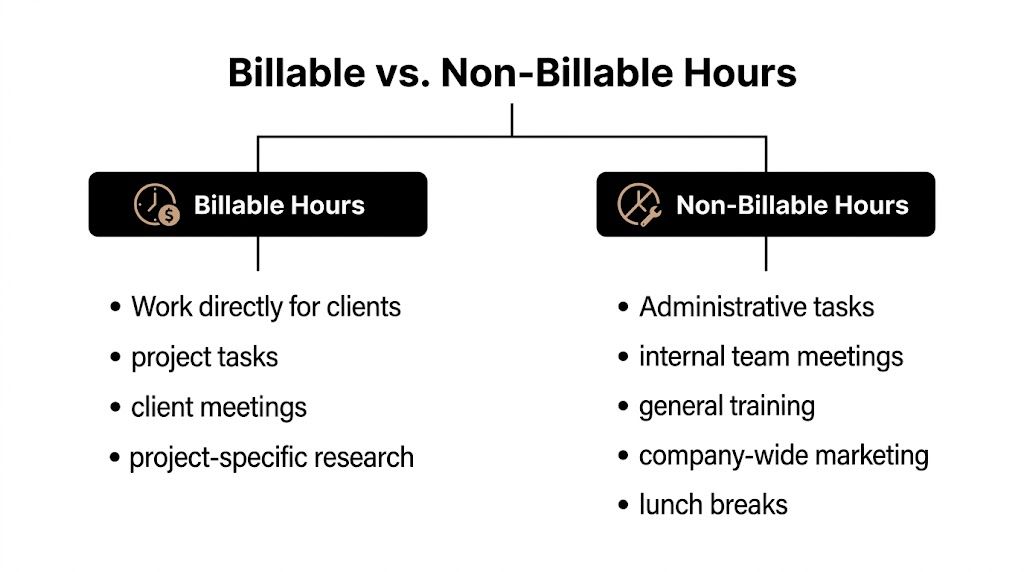
Use this rule. Billable time is work done directly for a client that the client has agreed to pay for. Non-billable time is work required to run your business or support your team, but not chargeable to a client.
That sounds obvious until you apply it to a real week.
Billable work usually includes
- Client delivery work such as design, writing, implementation, analysis, or consulting tied to the active scope
- Client meetings where the discussion is part of the project, decision-making, or delivery process
- Project-specific research done for the client’s problem, not for your firm’s general knowledge base
- In-scope revisions when the contract includes revision rounds or ongoing iteration
- Contracted travel or project support if your agreement allows it
Non-billable work usually includes
- Internal team meetings like stand-ups, all-hands meetings, and internal reviews with no direct client charge
- Admin work such as invoicing, scheduling, expense handling, and status reporting for internal management
- Training and skill-building unless the client explicitly pays for onboarding or a dedicated enablement block
- Business development including pitches, proposals, and prospecting
- Company marketing like writing your agency newsletter, recording webinars, or updating the website
The gray areas that need policy
Here, agencies lose consistency.
A few examples:
| Task | Usually billable | Usually non-billable |
|---|---|---|
| Client emails | If tied to active project delivery | If it’s general relationship management outside scope |
| Workshop prep | If the workshop is part of paid scope | If it’s unpaid pitch prep |
| Revisions | If they fall inside the agreed rounds | If they come from unmanaged scope changes |
| Tool setup | If the setup is client-specific project work | If it’s your internal process setup |
If your team needs a simpler reference point, this guide on billable and non-billable time is a useful operational framing.
Practical rule: If the task directly advances a client’s agreed work and you’d defend it on an invoice line by line, it probably belongs in billable time.
What works in practice
Write down your billing rules. Don’t leave them in a senior PM’s head.
Then train managers on the edge cases, because edge cases decide whether your data is clean. A team can only track time accurately if people classify the same kind of work the same way. Without that, your revenue reports mix policy errors with performance issues, and you can’t tell which is which.
Billable vs actual hours and the utilization trap
Monday starts with a full calendar. Client calls, internal handoffs, status reviews, approval chasing, quick Slack answers that turn into 20-minute detours. By Friday, the team is exhausted, but the billable total still looks light.
That gap is the utilization paradox.
Actual hours are all the time your team spends working. Billable hours are the portion that can go on an invoice. Profit gets squeezed in the space between those two numbers, especially when agencies rely on manual timesheets and people fill them out from memory at the end of the week.

What utilization really tells you
The standard formula is simple:
Utilization rate = (Billable hours / Total available hours) × 100
Bill4Time uses a clear example. If someone works 40 hours in a week and logs 28 billable hours, their utilization rate is 70%, and the same source notes that weak time capture can lead firms to miss a meaningful share of billable revenue through unlogged work (Bill4Time’s explanation of billable vs actual hours).
Useful metric. Incomplete metric.
A healthy utilization rate can mean the team is productive. It can also mean the team is recording enough client time to satisfy a dashboard while hidden delivery drag keeps margins thin.
Why high billable hours can still produce weak margins
Leaders often assume higher utilization means stronger profitability. In practice, I have seen the opposite. Teams can post strong billable numbers and still bleed margin through rework, underpriced scope, excessive account management, and write-offs that never show up in a simple utilization report.
The reverse problem is common too. A team may be doing plenty of client work, but manual tracking misses the small slices. Ten minutes before a call. Fifteen minutes answering follow-up questions. Half an hour reviewing files at night. None of that feels worth logging in the moment, but across a team and a month, it becomes lost revenue or invisible over-servicing.
That is why billable vs actual hours is the comparison that matters operationally, not utilization on its own. This breakdown of billable hours vs actual hours is a useful reference for project leads who need to spot where time is going missing.
The real trap
Low utilization is easy to spot.
The harder case is when utilization looks acceptable, but projects still underperform.
That usually points to one of three problems:
- Hidden non-billable drag. Internal coordination, approval chasing, status admin, and handoff friction consume real capacity.
- Poor time capture. Work happened, but it never made it into the system accurately enough to bill or analyze.
- Bad economics. The team is billing hours, but the work is underpriced, over-serviced, or later written down.
All three hurt profit differently. Only one of them is visible in a basic utilization percentage.
How managers should read the gap
Review billable time beside actual effort, client context, and write-offs.
A simple read works well:
- Low billable hours and low actual hours: pipeline, staffing, or allocation may be the issue.
- Low billable hours and high actual hours: unpaid work, weak capture, or internal process drag is likely eating capacity.
- High billable hours and weak project margins: pricing, scope control, or delivery efficiency needs attention.
That middle case causes the most confusion. Teams feel overloaded, finance sees mediocre billables, and leadership starts debating hiring or rates when the core problem is time disappearing into non-billable work that nobody captured cleanly.
Why automated calendar capture changes the picture
Manual timesheets miss reality. People forget. They round. They batch-enter Friday afternoon and leave out the messy parts of the week.
Automated calendar capture helps recover that missing operational picture. It surfaces meetings, context switching, and blocks of client-related effort that often get lost or misclassified. That does not solve pricing, scope, or process on its own, but it gives managers a truer view of where non-billable drag is building before month-end reports hide the cause.
That is the practical goal. Track enough detail to protect revenue, expose waste, and judge utilization in the context of actual delivery effort.
How to calculate and record billable hours effectively
Knowing what to bill is only half the job. The other half is capturing it in a way that people can stick to.
That’s where many agencies break down. They rely on memory, weekly catch-up, and a timesheet process everyone resents. Then leadership wonders why recorded hours don’t match the pace of work.
Start with the basic math
The revenue side is simple:
Billable revenue = Billable hours × Hourly rate
You can see the same logic in straightforward examples from the verified material. 18 hours at $120/hour totals $2,160, and 48 minutes is 0.8 hours, so at $300/hour the billed amount is $240.
The challenge is not the formula. The challenge is turning fragmented work into accurate entries.
What good recording looks like
A workable system has a few traits:
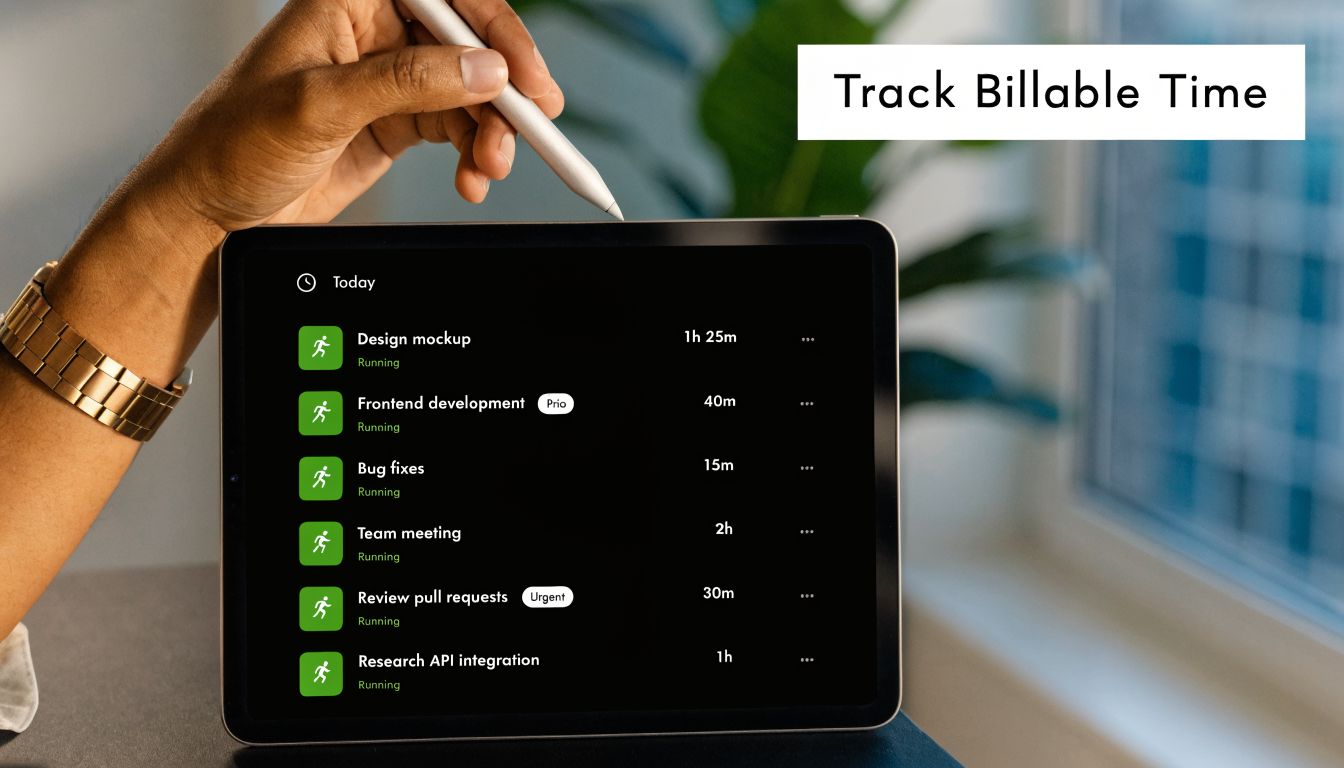
- It captures time close to when work happens, so people don’t reconstruct a week from memory
- It ties time to a client, project, and task type, which makes invoice review easier
- It handles small slices of work consistently, so rounding doesn’t become policy by accident
- It gives managers enough detail to spot scope issues, but not so much detail that entry becomes a second job
Why manual timesheets fail
Productive cites SPI Research on this point. Manual time tracking leads to an average of 19% “time leakage,” and for mid-sized agencies that can push effective utilization below 65%, where profitability starts to erode faster (Productive’s article on billable vs actual hours).
That matches what operators see in real teams. People don’t refuse to log time because they’re careless. They refuse because the process is annoying, interruptive, and often disconnected from how work happens.
By Friday afternoon, nobody remembers the exact split between client problem-solving, internal coordination, and Slack-driven context switching. So they guess. Guessing creates bad billing data, and bad billing data creates bad decisions.
A practical recording standard
If you want a system that people will follow, keep it tight.
- Define your billing increments in writing. Don’t let each manager round differently.
- Require plain-English task descriptions. “Client workshop prep” is useful. “Project support” is not.
- Record work as it happens or as close to it as possible. End-of-week reconstruction is where accuracy falls apart.
- Review entries while the work is still live. It’s easier to catch missing time and scope drift before invoicing.
- Separate billable from non-billable even when both happen in the same day. That split is what gives operations real visibility.
For teams that need a more concrete framework, this walkthrough on calculating billable hours covers the mechanics in a more operational way.
“Timesheet fatigue” isn’t just a morale problem. It turns revenue capture into memory work, which is a bad system by design.
What actually works
The best recording method is the one your team will use consistently without adding more admin load than it saves.
In practice, that means reducing manual entry as much as possible. If the system asks people to stop real work just to prove they did real work, adoption drops. Once adoption drops, every report built on that data becomes less reliable.
Why tracking billable hours is not enough for profitability
A lot of firms assume that if billable hours are high, the business must be healthy. That’s one of the most expensive assumptions in agency operations.
High billable totals can still hide weak margins. Deltek makes the point plainly: many firms with identical billable rates end up with very different financial outcomes because scope creep and administrative burden eat into project margins. The primary job is to connect billable hours to actual profitability per client, not just total time worked (Deltek on what billable hours are).

The utilization paradox
Here’s the pattern.
A project team logs plenty of client hours. On paper, utilization looks solid. But the project still underperforms because the team absorbed extra calls, extra revisions, internal rescue work, and approval delays that nobody priced correctly. The billing report says “productive.” The margin report says otherwise.
That gap is the utilization paradox. Good hour totals can hide poor economics.
Where the margin slips away
This usually comes from a mix of issues, not one single mistake.
- Scope creep shows up as “just one more thing,” repeated until the team gives work away
- Admin burden eats delivery time through handoffs, status chasing, and internal reporting
- Write-offs happen when leaders know the invoice won’t survive client scrutiny
- Weak project coding mixes profitable work with cleanup work, so both look average
If you want a broader operating view on that problem, Lighthouse Consultants has a strong breakdown of what stops profitability. It’s useful because it frames margin loss as a management system issue, not just a pricing issue.
What to measure instead of stopping at hours
Hours matter. They just can’t be the only lens.
A better project review asks:
| Question | Why it matters |
|---|---|
| Did the recorded billable time map to agreed scope? | Stops “billable but uncollectible” work |
| How much non-billable support did the project require? | Shows delivery friction |
| Did the team absorb requests without change control? | Exposes hidden margin loss |
| Would you take the same project again at the same terms? | Tests real profitability, not dashboard comfort |
A profitable client is not the one with the most hours. It’s the one where the hours, scope, and delivery effort make sense together.
The practical shift for operators
When leaders only ask teams to “hit billables,” teams respond by protecting the number. They don’t always protect the margin.
That drives the wrong behavior. People keep hours high, bury overruns, and avoid hard conversations about scope. Finance gets a full timesheet, but the business still loses ground.
The better operating habit is to review billable hours alongside non-billable support, write-offs, and project reality. That’s how you move from time tracking to profit management.
Best practices for billing integrity and efficiency
Most agencies don’t need more reminders to fill in timesheets. They need a system that makes accurate capture easier than inaccurate capture.
Billing integrity comes from process design. If your process depends on memory, goodwill, and Friday afternoon cleanup, it will fail under pressure. If it fits the way people already work, accuracy goes up and admin drag goes down.
Set rules that remove ambiguity
Start with policy, because software can’t fix unclear billing logic.
Your policy should cover:
- What counts as billable work
- How to handle gray areas like prep time, revisions, and client comms
- What detail each time entry needs
- Who approves exceptions
- When scope changes trigger a commercial conversation
Keep this short enough that managers will use it. A one-page operating standard is better than a polished document nobody opens.
Reduce manual entry at the source
The biggest process win is to stop treating timesheets as the first place time gets captured.
For most agency teams, the workday already leaves a trail. Calendar events, client meetings, implementation sessions, workshops, and CRM activity all create signals. If you start from those signals and categorize them, you remove a lot of the guesswork that makes manual entry so unreliable.
That matters for two reasons. First, you cut the reporting burden on the team. Second, you get a cleaner view of the split between billable and non-billable work while the week is still happening.
Review trends, not just totals
A monthly total can hide too much. Look for patterns instead.
Useful review habits
- Check role-level differences. If account managers carry heavy non-billable load, project teams may look efficient while margins erode.
- Look at recurring meeting blocks. Some client calendars create more overhead than value.
- Compare projects by effort pattern. Two accounts with similar fees can consume very different kinds of time.
- Watch for vague task labels. Bad descriptions usually mean weak visibility, which later turns into invoice friction.
Keep the system fair
A bad time-tracking culture punishes honesty. People learn to code around reality instead of reporting it.
Don’t do that. If a project is overrunning, the answer is not to force the team to hide hours so the dashboard looks better. The answer is to fix scope, process, or pricing. Accurate time data is only useful if people feel safe logging what happened.
Clean billing data comes from trust. If teams think honesty will be used against them, the numbers will drift.
Use automation where it actually helps
Not every form of automation is useful. The best use case is the one that captures work already happening and helps classify it with minimal effort.
Calendar-based capture is strong here because it reflects real behavior. People already live in Google Calendar and Outlook. If the system can pull those activities in, match them to clients or projects, and give operations a live view into billable versus non-billable work, you get better data without asking people to do more clerical work.
That’s the operating advantage. You reduce timesheet fatigue, improve billing integrity, and get earlier warning signs when utilization looks fine but profit does not.
If your team is stuck in manual timesheets, fuzzy project coding, and late-month cleanup, take a look at TimeTackle. It uses calendar-based time capture and flexible reporting to help agencies see billable versus non-billable work more clearly, cut reporting overhead, and get closer to the core question that matters: which work is making money.


