



You can see the problem without running a report.
Engineering leaders want a clean answer to a simple question: where is our team's time going? They need it for planning, staffing, roadmap trade-offs, and the hard conversations about why delivery feels slower than expected. Developers hear the same question and think, “Great, another timesheet drill.”
Both sides are reacting to something real. Most time tracking systems ask engineers to stop doing technical work so they can describe technical work. That breaks focus, creates bad data, and turns a management question into a morale problem. The result is familiar: half-filled entries, vague categories, end-of-week guesswork, and reports nobody trusts.
The fix isn't better nagging. It's a different model. Good engineering time tracking is less about filling in hours and more about collecting enough signal to make better decisions, without asking people to narrate every fifteen minutes of their day.
The endless battle over engineering timesheets
A lot of teams start the same way. Finance wants cleaner reporting. Delivery leaders want more visibility. Engineering managers want to know why one sprint disappears into support, meetings, and cleanup work. So somebody rolls out a timesheet.
For a week or two, people try. Then reality shows up. A backend engineer spends the morning in incident work, jumps into a design review after lunch, reviews two pull requests, and finishes the day debugging a build issue. By Friday, none of that is logged cleanly. The timesheet says “Project Alpha, 8 hours,” which answers almost nothing.
That's why engineers push back. They're not always refusing accountability. Often they're rejecting a process that creates admin work and still produces junk data. If you need a quick refresher on how standard timesheets work in broader business settings, this Umbrella Company timesheet overview is useful context because it shows the model most developers already dislike.
Why the usual setup fails
Manual systems break down for a few reasons:
- They rely on memory. Engineers fill them in after the fact, which means recall replaces observation.
- They flatten real work. Architecture review, bug triage, coding, and firefighting all get merged into one bucket.
- They change behavior. People log what looks acceptable, not always what happened.
- They create mistrust. Teams start to feel watched, while managers still don't get useful insight.
The worst time tracking systems create maximum friction and minimum clarity.
The better question is not “How do we force engineers to complete timesheets?” It's “How do we collect enough reliable activity data to understand engineering health?”
That shift changes everything. Once you stop treating time tracking as a compliance exercise, you can design it for planning, technical strategy, and workload balance.
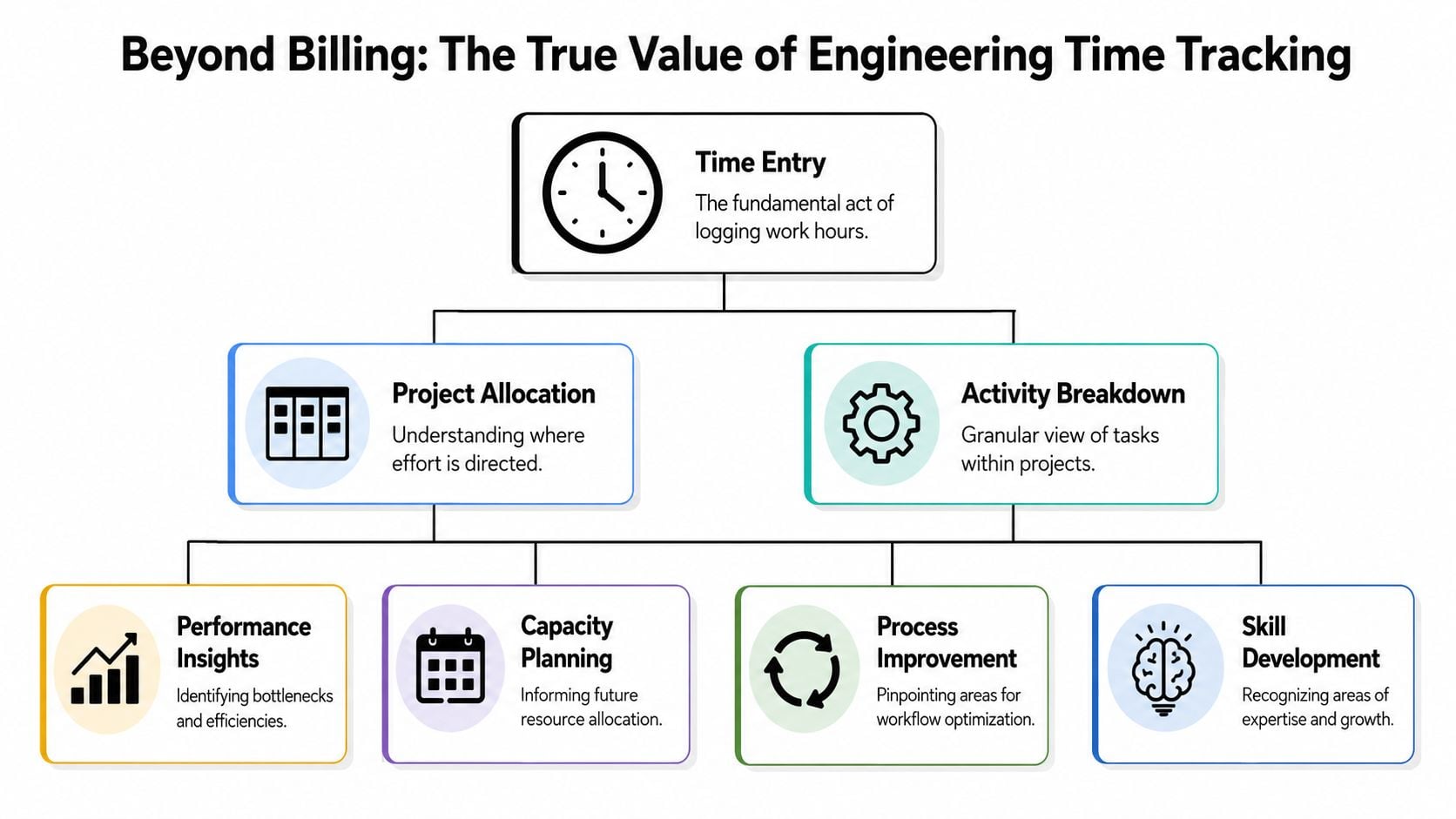
Why tracking time is not just about billing
The biggest mistake in engineering time tracking is assuming the value sits in labor accounting. That matters for some teams, especially client services or regulated work. But for product and platform groups, the richer use case is strategic.
You need to know whether the team is building customer value, paying down risk, or drowning in maintenance. Billing categories won't tell you that. Strategic buckets will.
The buckets that matter
The cleanest model I've seen uses three top-level buckets:
- Features means new product value, shipped improvements, customer-facing capability, and work that moves the roadmap forward.
- Debt covers refactoring, upgrades, test fixes, maintenance, and the work that keeps future delivery from getting slower.
- Toil is repeat manual work, interruptions, support churn, flaky systems, ad hoc requests, and recurring effort that shouldn't need this much human attention.
That framing changes the conversation from “Who spent how many hours?” to “Why did toil eat this week?” or “Why is debt work always postponed until the platform gets unstable?”
Jacob Kaplan-Moss makes this point well. He argues that for strategic insight, you don't need billing-grade precision. Weekly estimates into 3 to 5 major buckets are enough to spot where time is leaking into toil instead of innovation, which is a much more useful lens for engineering leaders than hyper-detailed task accounting (Jacob Kaplan-Moss on tracking engineering time).
Why this changes management behavior
When leaders can see features, debt, and toil separately, they stop guessing. They can protect refactoring time, make the case for platform investment, and explain to non-engineering stakeholders why delivery slowed without blaming the team.
That's the same broad idea behind guide for making smarter people decisions from Synopsix. Better decisions come from better operating data, not from more pressure on individuals.
Practical rule: Track engineering work at the level where it changes planning decisions, not at the level where it creates more admin than insight.
A team that learns it spent most of a month in toil has a systems problem. A team that only sees “1,240 logged hours” has a reporting artifact.
Core metrics that actually improve performance
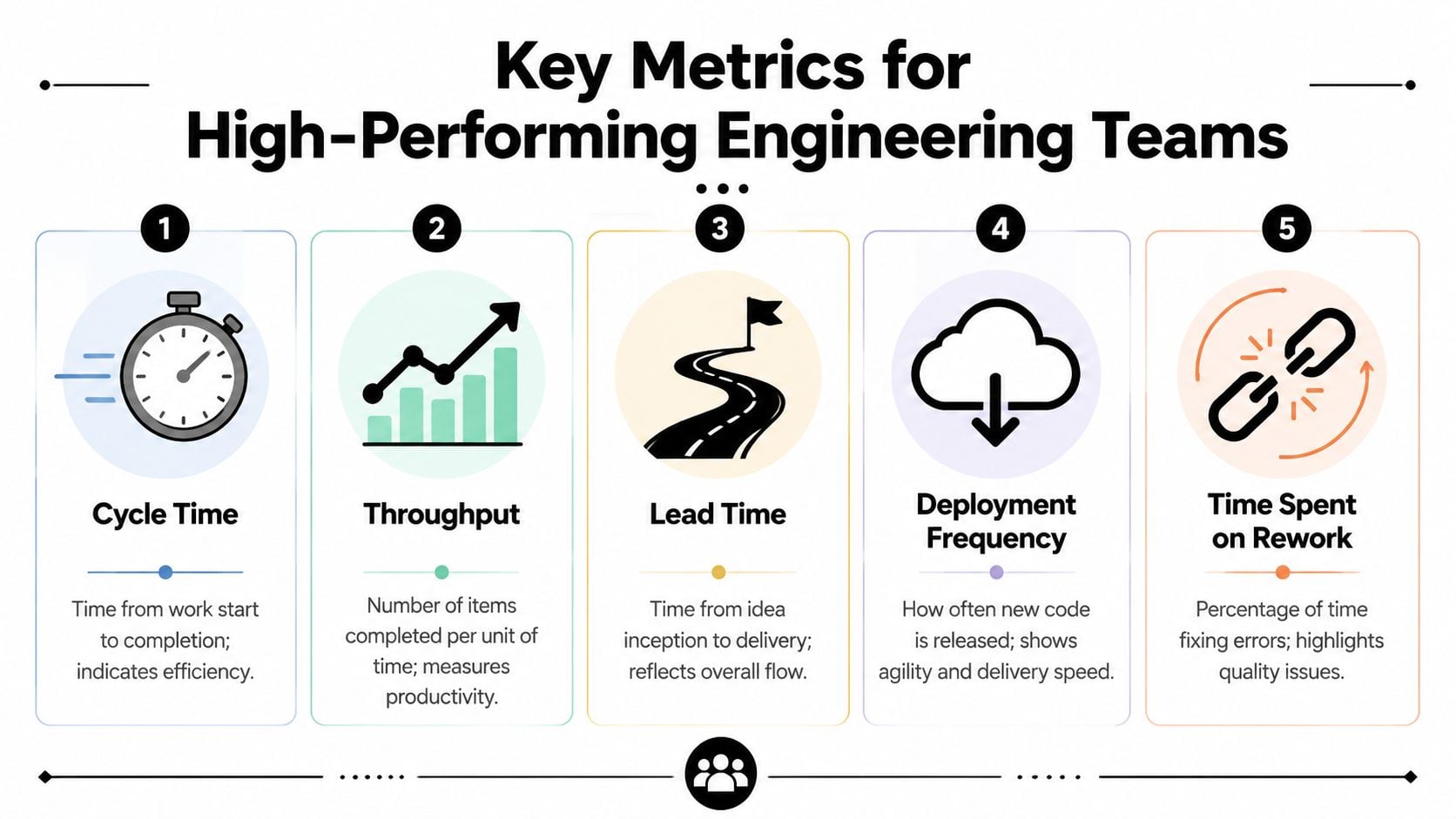
Once you've moved beyond raw hours, the next step is picking metrics that tell you something useful. A lot of engineering dashboards still include vanity numbers. Lines of code is the classic example. It looks measurable, but it tells you almost nothing about flow, focus, or delivery quality.
The better metrics point to friction in the system.
Watch flow, focus, and switching cost
Worklytics analyzed 3.4 million pull requests and found that high-performing software engineering teams have Cycle Time Efficiency in the 25th to 50th percentile, plus median Focus Time Blocks of 2+ hours. The same benchmark found that teams with high Context Switch Frequency of more than 3 daily transitions show a 15 to 20 percent reduction in feature delivery velocity (Worklytics engineering productivity benchmarks).
Those numbers matter because they connect engineering time tracking to visible outcomes.
Here's the short version in a working table:
| Metric | What to look for | What it often means |
|---|---|---|
| Cycle time efficiency | Work takes too long from first commit to production | Handoffs, review delays, release friction |
| Focus time | Deep work blocks are short or fragmented | Meetings, chat pings, support interrupts |
| Context switch frequency | Engineers bounce between unrelated work too often | Broken on-call process, weak prioritization, reactive culture |
| Time spent on rework | Fixes and redo work crowd out progress | Quality issues upstream, rushed delivery, unclear requirements |
What to do with the data
This is where teams usually go wrong. They measure, then stop. Metrics only help if they trigger a process change.
If context switching is high, look at who interrupts engineers and when. If focus time is poor, cut recurring meetings, tighten handoff rules, or move routine status checks out of peak coding hours. If cycle time stalls in review, don't blame developers. Look at review ownership, merge queue policy, and release approvals.
A good companion read here is this set of strategies to optimize team performance. It's broader than engineering, but the point still applies: useful performance data should change how managers structure work.
Engineers rarely need more measurement. They need fewer avoidable interruptions and cleaner systems around them.
Good engineering time tracking gives you the evidence to make those changes without arguing from anecdotes.
The only way to get engineers to track time
If your plan depends on engineers manually logging every block of work, it won't last.
It might survive for a sprint. It might survive an audit period. It won't survive real engineering life, because the work is too fragmented and the interruption cost is too high. Asking someone to stop coding, remember what they just did, choose the right project, pick the right category, and do that all day is a bad workflow.
Manual entry creates bad data
The strongest argument against manual timesheets isn't that engineers dislike them. It's that they produce worse information.
Data from passive tracking providers and user forums points in the same direction: the only approach that consistently gets buy-in is zero-friction, automated capture. One Reddit thread quoted in the Memtime write-up put it bluntly. The only way to get accurate timesheets is to “completely isolate engineers from timesheets and any consequences,” which is a good summary of why manual logging fails in practice (Memtime on engineering time tracking tools and tips).
What works better
The better model runs in the background and pulls from tools engineers already use:
- Calendar data for meetings, planning, incidents, and reviews
- Jira or Asana activity for ticket context and task mapping
- Git activity for commits, reviews, and delivery flow
- Document and collaboration tools for design work and async planning
That doesn't mean every event is perfect. It means the system starts with real activity instead of memory.
If your team is dealing with resistance, this practical guide on how to motivate employees to track time and improve team productivity is worth reading because it focuses on reducing friction instead of increasing enforcement.
If engineers have to think about the tracking system all day, the system is already failing.
Calendar-driven capture works because it respects attention. Engineers can correct edge cases, but they don't have to build the whole dataset by hand.
How to set up your calendar-driven system
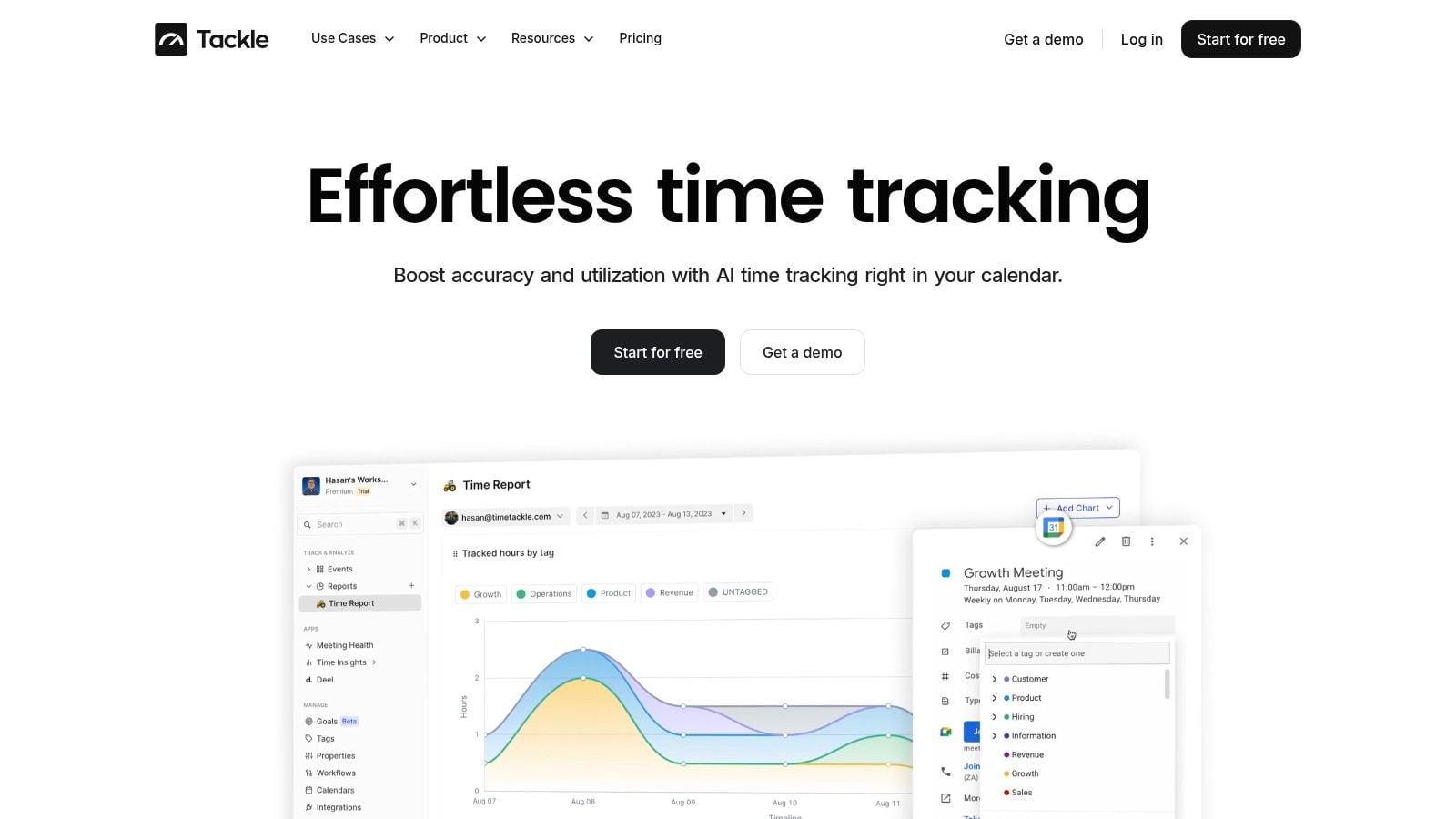
A working setup starts with integration, not policy. If the data doesn't flow from the tools people already use, you'll be fighting the process forever.
For a good implementation pattern, think in layers. First collect activity. Then classify it. Then review it at the team level.
Connect the systems engineers already live in
Apps365 reports that 87 percent of Architecture and Engineering firms using integrated time tracking and resource management tools report measurable efficiency gains. The same source says effective systems need links to specific tasks through integrations such as Jira, and that failing to connect time entries to specific tasks can reduce project profitability insight by 40 percent (Apps365 on time tracking software for engineers).
That lesson carries over well to software teams. High-level totals don't show where labor goes.
Start with the systems that already contain activity context:
- Calendars first. Connect Google Calendar or Outlook so meetings, planning sessions, incidents, and reviews appear automatically.
- Task systems next. Link Jira, Asana, or your issue tracker so time can map back to actual work items.
- Delivery tools after that. Pull in Git or related development signals where possible, mainly to add context and support flow analysis.
- Reporting layer last. Send structured data to a dashboard, spreadsheet, or warehouse where managers can read trends by team, project, or bucket.
If you're evaluating this model, this page on Google Calendar time tracking gives a useful example of what calendar-based capture looks like in practice.
Keep the rule set simple
A lot of teams overbuild the taxonomy. They create a dozen categories, sub-codes, and edge-case exceptions. Then nobody uses it correctly.
Use rules people can understand fast:
- Meetings with “Sprint Planning” in the title map to process or planning.
- Events tied to a Jira epic can inherit the project name.
- Incident review meetings map to toil or support.
- Architecture reviews can map to debt or feature discovery, depending on the linked initiative.
Review data in weekly rhythm
Don't ask engineers to maintain the system every day. Let automation collect most of the record, then ask for light weekly correction if needed.
A good weekly review answers a small set of questions:
- Did we spend more time in toil than expected?
- Which projects pulled the most meeting load?
- Where did debt work get squeezed out?
- Which teams lost the most focus time to interrupts?
That cadence keeps the system useful without turning it into another operational burden.
Sample workflows and tagging schemas
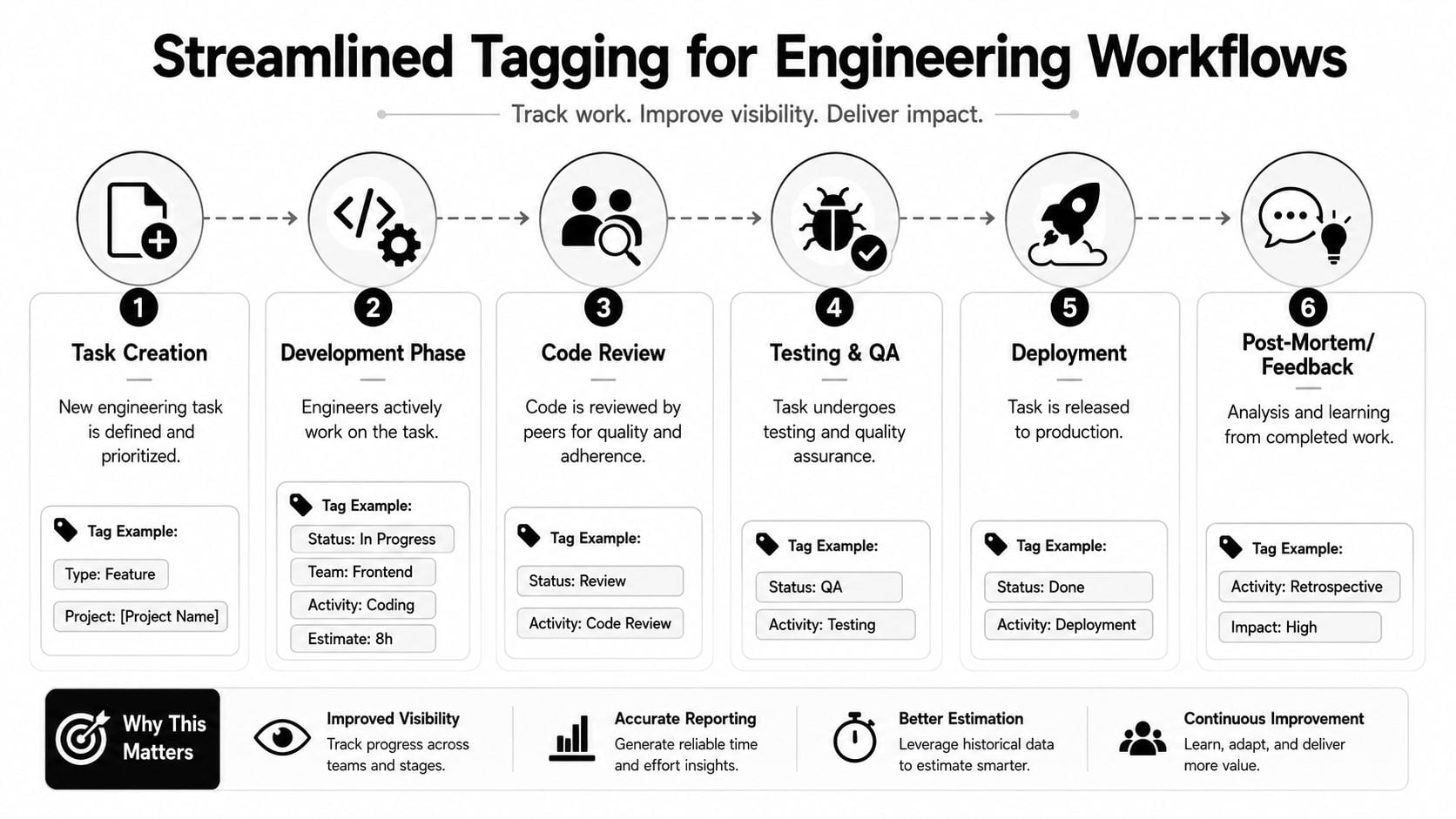
The fastest way to make engineering time tracking understandable is to show what the tags look like in real life.
A mid-sized SaaS team doesn't need a giant taxonomy. It needs a structure that is simple enough to apply automatically and clean enough to answer planning questions later.
A practical tagging model
Here's a schema that works well for software teams:
| Tag group | Example values | Why it matters |
|---|---|---|
| Project | Hydra, Platform, Mobile App | Tells you where effort went |
| Workstream | Feature, Debt, Toil, Bugfix | Separates strategic intent |
| Activity | Coding, Meeting, Review, Testing, Deployment | Adds useful operating detail |
| Team | Backend, Frontend, Platform, QA | Supports staffing decisions |
If you want a more flexible model, these examples of custom tags and properties show how teams can structure categories without making them too rigid.
One event from calendar to dashboard
Take a calendar event called “Project Hydra API design review.”
A good automated system can infer quite a lot from that one line plus linked context:
- Project becomes Hydra
- Activity becomes Meeting or Design Review
- Workstream becomes Feature if the linked ticket belongs to new development
- Team becomes Platform or Backend based on attendee group or task ownership
The point isn't perfection. The point is consistency.
By the end of the week, that event sits beside coding time, PR review, test sessions, and incident meetings in the same reporting structure. Managers can then ask better questions. Did Hydra consume more review time than build time? Did one initiative trigger too much coordination overhead? Is architecture work getting logged as debt, or is it hiding inside generic meeting buckets?
Good tagging should feel boring. If people need a training deck every time they log work, the schema is too complicated.
Where teams usually overcomplicate it
The common mistake is trying to capture every nuance up front. Don't start with “frontend sub-platform discovery sync.” Start with a tag set that answers a real decision:
- Are we spending enough time on features?
- Is debt work visible?
- How much effort disappears into toil?
- Which projects consume the most coordination cost?
That's enough to get value early. You can add depth later if the reports reveal a real blind spot.
Measuring success and avoiding common pitfalls
A time tracking rollout succeeds when the team trusts the data and leaders adapt their decisions because of it. If the output is a prettier dashboard and the same old arguments, the system isn't working yet.
Success usually shows up in cleaner planning conversations. Product can see when support load is eating roadmap time. Engineering can make a stronger case for debt work. Managers can explain capacity with evidence instead of rough guesses.
What good looks like
You don't need a giant scorecard. A few checks are enough:
- Data trust is rising. Teams stop arguing about whether the numbers are fake.
- Categories stay stable. People understand the buckets and don't need constant correction.
- Reviews produce action. Managers move meeting load, protect debt work, or fix interrupt patterns.
- Reporting overhead drops. The system collects most of the data without a weekly chase.
The traps that ruin adoption
Most failures come from a short list of mistakes.
- Poor calendar hygiene: If events are missing titles, ownership, or context, automation has little to work with.
- Too many categories: Detailed taxonomies look smart and fail fast. Simpler systems get used.
- No team story: If engineers think this is for surveillance, they'll resist it, and they won't be wrong to worry.
- Individualized use: The moment leaders use this data to grade people instead of improve systems, trust collapses.
Use team-level patterns to improve work design. Don't turn activity data into a weapon for personal monitoring.
A light governance model works best
Assign one owner for data quality. That person doesn't need to police every entry. They just need to maintain naming rules, watch for broken automations, and review whether the taxonomy still matches how the team works.
A monthly check is usually enough to ask basic questions. Are we still seeing the buckets we care about? Are engineers correcting too much by hand? Did a new workflow create a classification gap? Good governance stays quiet. It keeps the model useful without making it feel bureaucratic.
Frequently asked questions about engineering time tracking
How do you track deep work that doesn't show up on the calendar
Use calendar data as the starting point, not the whole record. Deep work often appears as open blocks, linked tasks, Git activity, or a weekly review where the engineer classifies uncategorized time into a small set of buckets. You're aiming for a reliable pattern, not minute-by-minute reconstruction.
What if our calendars are messy
Fix naming before you fix reporting. Ask teams to clean up recurring meeting titles, include project names where possible, and remove vague labels like “sync” or “catch-up.” Once event names improve, automated rules become far more useful.
Should this data be used in performance reviews
Usually, no. Use it for team health, planning, and process improvement. Individual review conversations need richer context than activity traces can provide. If people think every meeting tag feeds a personal scorecard, the data quality drops fast.
How many categories should we use
Keep it small. For strategic visibility, a handful of major buckets is enough. Once the model gets too detailed, people stop trusting their own classification, and the admin cost rises.
If you want a calendar-first way to capture work without turning engineers into clerks, TimeTackle is worth a look. It connects calendar activity with tagging, automation, and reporting so teams can understand where time goes, cut manual entry, and get useful visibility into features, debt, and toil.


