


Every agency operator knows the month-end ritual nobody wants to admit is still happening. Slack messages start flying. Project managers ask people to “please update your time by noon.” Account leads try to remember whether that extra revision round took twenty minutes or half a day. Finance gets a pile of vague entries like “client work,” “strategy,” and “admin,” then has to turn that into invoices, utilization reports, and some kind of profitability view.
That's where a lot of margin disappears.
A mobile time clock should fix that, but most advice on the topic is built for crews clocking in at jobsites, not agencies juggling meetings, revisions, calls, and work that shifts by the hour. If you run a marketing, creative, consulting, or implementation team, your problem usually isn't “Where was this person standing when they started work?” It's “How do we capture enough detail to bill correctly, understand capacity, and stop hounding people for timesheets?”
A good system doesn't feel like surveillance. It feels like better operations. It gives leaders cleaner data, gives teams less admin work, and gives the business a real shot at knowing which clients, projects, and service lines are making money.
Your agency is leaking profit and you might not see it
Monday starts with a client status call, three internal reviews, two Slack approvals, and a last-minute request that “should only take a few minutes.” By Friday, nobody remembers where the time went. The work got done, but the record of it is thin, delayed, or wrong. That gap is where agency margin slips out.
In agency operations, profit leaks rarely show up as one obvious failure. They show up as underbilled revisions, over-serviced accounts, and utilization reports built on guesses. Teams still hit deadlines, so the process looks functional. Finance sees the problem later, when invoice values feel light and project margins do not match the effort everyone knows went into the work.
I have seen this pattern repeatedly. The issue is usually not effort or intent. It is a tracking process that asks people to reconstruct fragmented knowledge work after the fact.
What the leak looks like in practice
The pattern is familiar in professional services firms:
- Creative and strategy time gets bundled. Six hours goes to one project code, but nobody can separate concepting, revisions, and production.
- Client communication disappears. Calls, follow-ups, approvals, and “quick questions” consume real delivery time and often never get logged.
- Project leads approve incomplete records. They can catch obvious mistakes, but they cannot reliably compare the timesheet to the actual flow of work.
- Finance inherits bad inputs. Billing, payroll, utilization, and profitability reporting all depend on records that were already weak.
That creates a management problem, not just an admin problem.
If your team is trying to improve pricing discipline and capacity planning, the question is whether your time data is good enough to support those decisions. Agencies focused on maximizing agency resource efficiency need more than filled-in timesheets. They need time entries that reflect how work moves across accounts, deliverables, and people.
A weak time capture process distorts billing, staffing, and forecasting at the same time.
What a modern setup changes
For agencies, a mobile time clock matters because it captures work closer to the moment it happens. That is the practical win. A strategist can log a client call when it ends. An account manager can tag revision time before jumping to the next request. A consultant can split a block of work across clients while the details are still clear.
That changes the quality of the record. It also reduces timesheet fatigue, which is one of the main reasons agencies end up with vague entries and late submissions in the first place.
The best systems for agencies do more than record start and stop times on a phone. They fit how billable work happens, in short bursts, across multiple projects, with constant switches between meetings, production, and client communication.
Why old time tracking methods fail modern agencies
A familiar agency scene goes like this. Friday afternoon hits, project leads are chasing missing timesheets, account managers are trying to remember what happened on Tuesday, and finance is left sorting vague entries like “client work” into something billable.
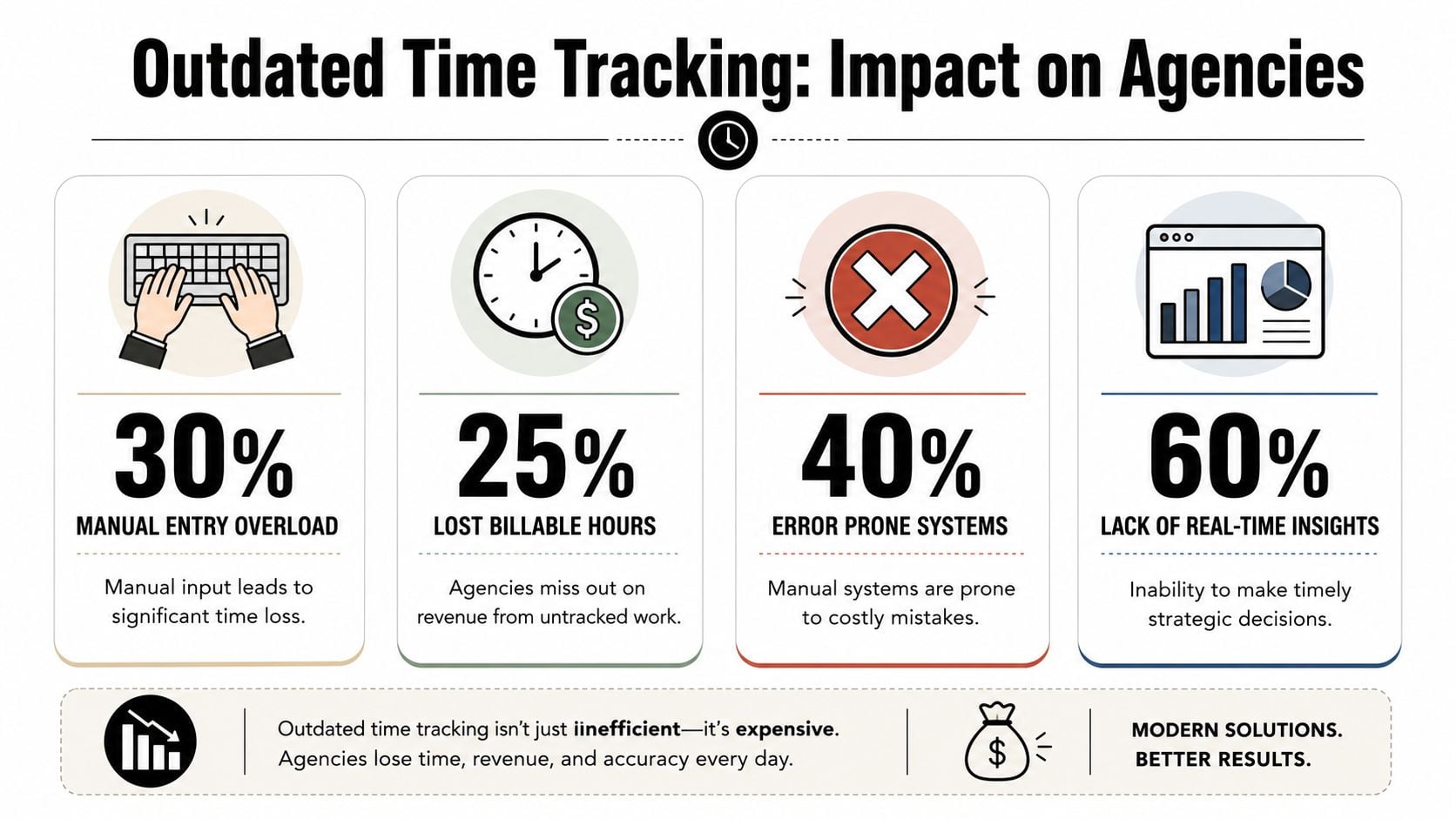
Spreadsheets and manual timesheets survive because they look cheap and flexible. The ultimate cost shows up later in write-offs, payroll cleanup, and reporting nobody fully trusts. For agencies, that is where old methods break. They were built to count hours. Agencies need systems that explain where those hours went and whether they earned a return.
QuickBooks reports that 38% of U.S. workers still use manual systems like punch cards, paper timesheets, and time cards, and that businesses spend time correcting timekeeping mistakes created by those processes, according to QuickBooks' time and attendance statistics. If you need a broader definition of what modern time tracking software for agency and service teams is supposed to do, start there. The gap between attendance tracking and usable project data is a significant problem.
Manual entry breaks when work is fragmented
Agency work is messy by design. One person can move through a client call, a proposal review, Slack approvals, a quick revision request, and an internal planning session before lunch. If time gets entered at day's or week's end, the record is already compromised.
Small tasks disappear first. That matters because agencies lose margin in the cracks. Ten minutes here, fifteen there, a half hour spent cleaning up a client request that was never scoped properly. By month end, those missing fragments distort both billing and delivery cost.
The pattern is predictable:
- Memory-based entry loses the work with the weakest paper trail. Quick calls, revisions, follow-ups, and internal coordination often go unlogged.
- Broad categories hide what is happening. “Account management” does not tell you whether the time went to retention work, scope creep, or preventable client hand-holding.
- Late entry weakens reporting quality. Once people reconstruct their week from memory, utilization, realization, and project margin reports become less reliable.
- Operations teams inherit cleanup work. Someone has to chase blanks, fix coding mistakes, and send entries back for clarification.
I see this constantly in agencies that say they have a time tracking problem. What they usually have is a recall problem. The system asks people to remember their work after the fact, then leadership treats those reconstructed entries as operational truth.
Legacy tools track attendance, not economics
Many old tools answer a narrow question: was someone on the clock? That helps with payroll. It does very little for agencies trying to understand delivery cost, retainer burn, project profitability, or whether client service time is getting out of hand.
That distinction matters. Agencies do not make decisions from attendance data. They make decisions from labor data tied to clients, scopes, deliverables, and roles.
Here is what old methods tend to produce versus what agency leaders require:
| Old method | What it gives you | What it misses |
|---|---|---|
| Paper or spreadsheet timesheet | Basic hour totals | Context, reliability, speed |
| Clock in and clock out only | Attendance data | Client, task, and profitability detail |
| End-of-week bulk entry | Something to approve | The actual shape of the work |
A weak system creates friction for the team and weak insight for leadership at the same time.
That is why construction-focused mobile time clock advice often misses the mark for agencies. GPS and jobsite verification solve one problem. Agencies usually need something else: fast project tagging, easier capture across meetings and messages, and records that feed billing and profitability analysis without a cleanup project at the end of every pay period.
Must-have features for agency workflows
Most mobile time clock buying guides are built around field crews. They talk about geofencing, offline mode, and photo verification, which can matter in the right setting. But agencies need a different feature mix.
Open Time Clock's own coverage reflects the broader pattern. Most content in this category centers on construction-style needs like GPS geofencing and offline mode, while the harder agency problem is reducing timesheet fatigue and improving reporting quality across meetings, calls, and constant context switching, as noted in its article on the best time clock app for construction workers with offline mode and GPS geofencing.
Start with low-friction capture
If the app makes people stop and think every time they log work, adoption falls fast. Agency teams need capture that fits the day they already have.
What usually works:
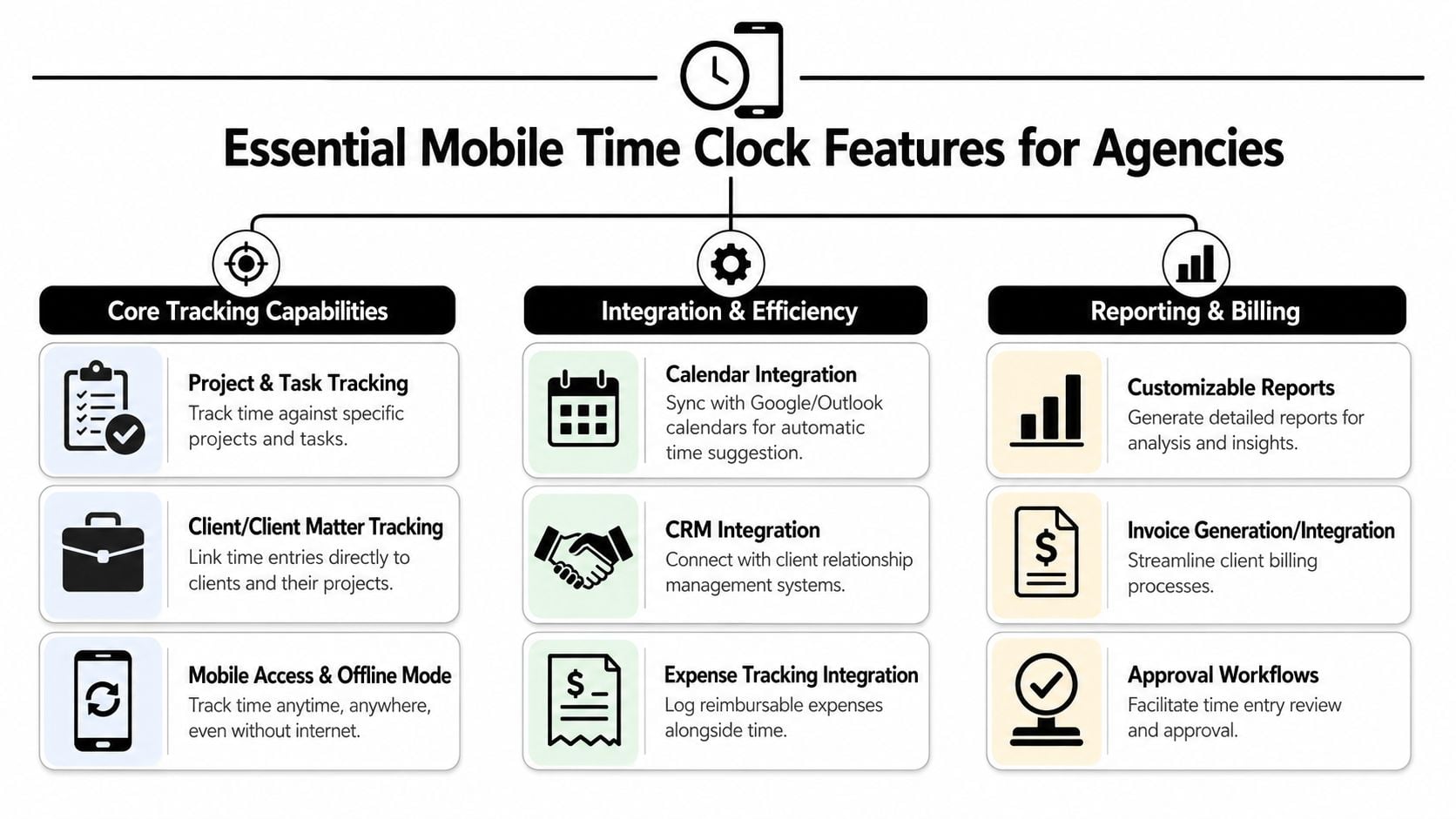
- Project and task tagging that takes seconds. If users can't assign time to the right client, project, and work type quickly, reporting quality collapses.
- Mobile access with offline support. Travel days, poor connections, and in-between moments matter. People need to log time when the work happens, not when they're back at a desk.
- Fast edit and review flow. Teams should be able to clean up entries without rebuilding the whole week from scratch.
- Simple approvals. Managers need enough control to catch mistakes, but not another daily admin job.
A useful primer on the category is this guide to time tracking software, especially if your team still thinks time tracking only means start-stop timers.
Don't buy a field tool for a knowledge-work problem
Construction-oriented tools often make a lot of sense for workers moving across jobsites. They make less sense for account managers, consultants, strategists, and creatives whose work happens across calendars, calls, documents, and internal review loops.
For agencies, I'd separate features into two groups.
Features that matter a lot
- Client-level coding
- Task-level reporting
- Approval workflows
- Invoice or billing export
- Calendar-linked capture
Features that matter only in some teams
- GPS checks, useful for on-site service work or site visits
- Photo or identity checks, usually unnecessary for office and hybrid teams
Reporting is where the value shows up
A mobile time clock becomes operationally useful when reporting answers questions fast.
You should be able to see:
| Question | What the report should show |
|---|---|
| Which clients consume the most unplanned time? | Hours by client, task type, and non-billable category |
| Where is the team overloaded? | Utilization by role, department, or project |
| Which projects are drifting? | Budgeted versus actual labor by phase |
| What can finance invoice right now? | Approved billable time with clean client coding |
If a tool can't do that, it's just a digital version of a weak timesheet.
The power of connecting with calendars and CRMs
The biggest improvement usually doesn't come from the timer itself. It comes from reducing the amount of time people have to remember and reconstruct.
Once a mobile time clock connects to calendars and your CRM, the record of work gets much easier to build. Client calls, internal reviews, demos, follow-ups, pipeline work, and delivery meetings already exist somewhere. The system should pull from that reality instead of asking the team to recreate it later.
Calendar data reduces guesswork
For agency teams, the calendar is often the cleanest source of truth available. Not perfect, but much better than Friday memory.
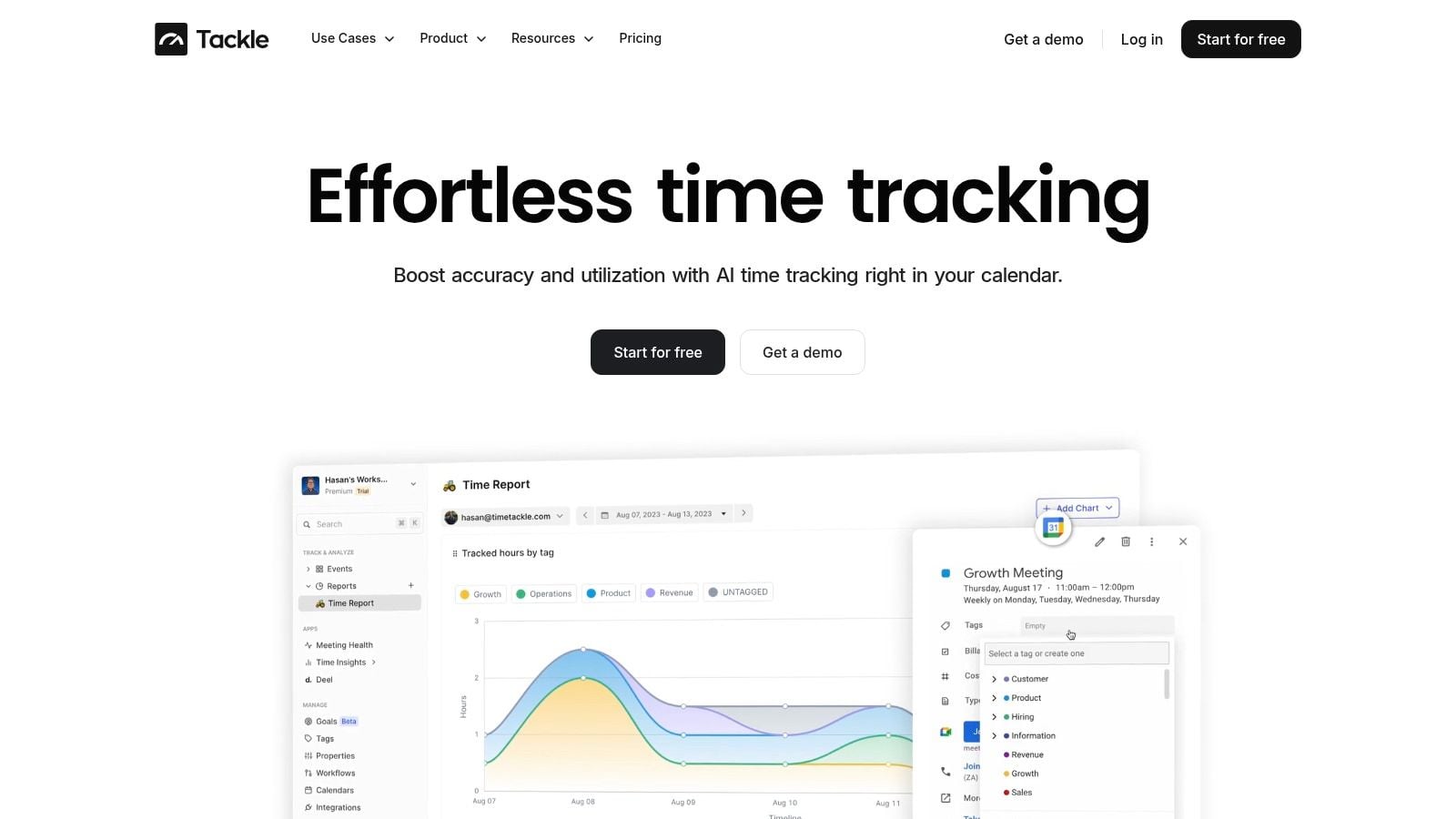
A solid setup can turn meetings and scheduled blocks into draft entries, then let users confirm, adjust, and tag them. That changes the job from “remember everything you did” to “review what already happened.”
That's why calendar and CRM connections matter more in agencies than geofencing usually does. A client success lead may never need a location check, but they absolutely need their meeting load tied to the right account, opportunity, or delivery stream. If you want to see what that connection looks like in practice, this walkthrough on connecting Google Calendar to HubSpot is a useful example.
Real-time matters differently in agency settings
Real-time sync isn't just a field-crew issue. It matters in agencies too, just for different reasons.
SmartBarrel notes that a system's effectiveness depends on synchronization latency. Tools using cellular data can support near-real-time visibility, while systems that batch uploads work better for daily reporting but are less responsive when managers need live data, as explained in its post on portable time clocks and sync behavior.
For agencies, that translates into practical trade-offs:
- Near-real-time sync is better when managers need same-day visibility into missing entries, workload shifts, or project burn.
- Batch syncing may be fine if your main use case is end-of-day reporting and not active operational steering.
- Offline capture still matters because travel, client sites, and weak connections don't disappear just because the work is knowledge-based.
If your team already lives in Google Calendar, Outlook, HubSpot, or Salesforce, your time process should start there. That's where the work trail already exists.
One practical example in this category is TimeTackle, which connects calendars and CRM activity so teams can turn existing activity into categorized time records with less manual entry.
Navigating security and employee privacy
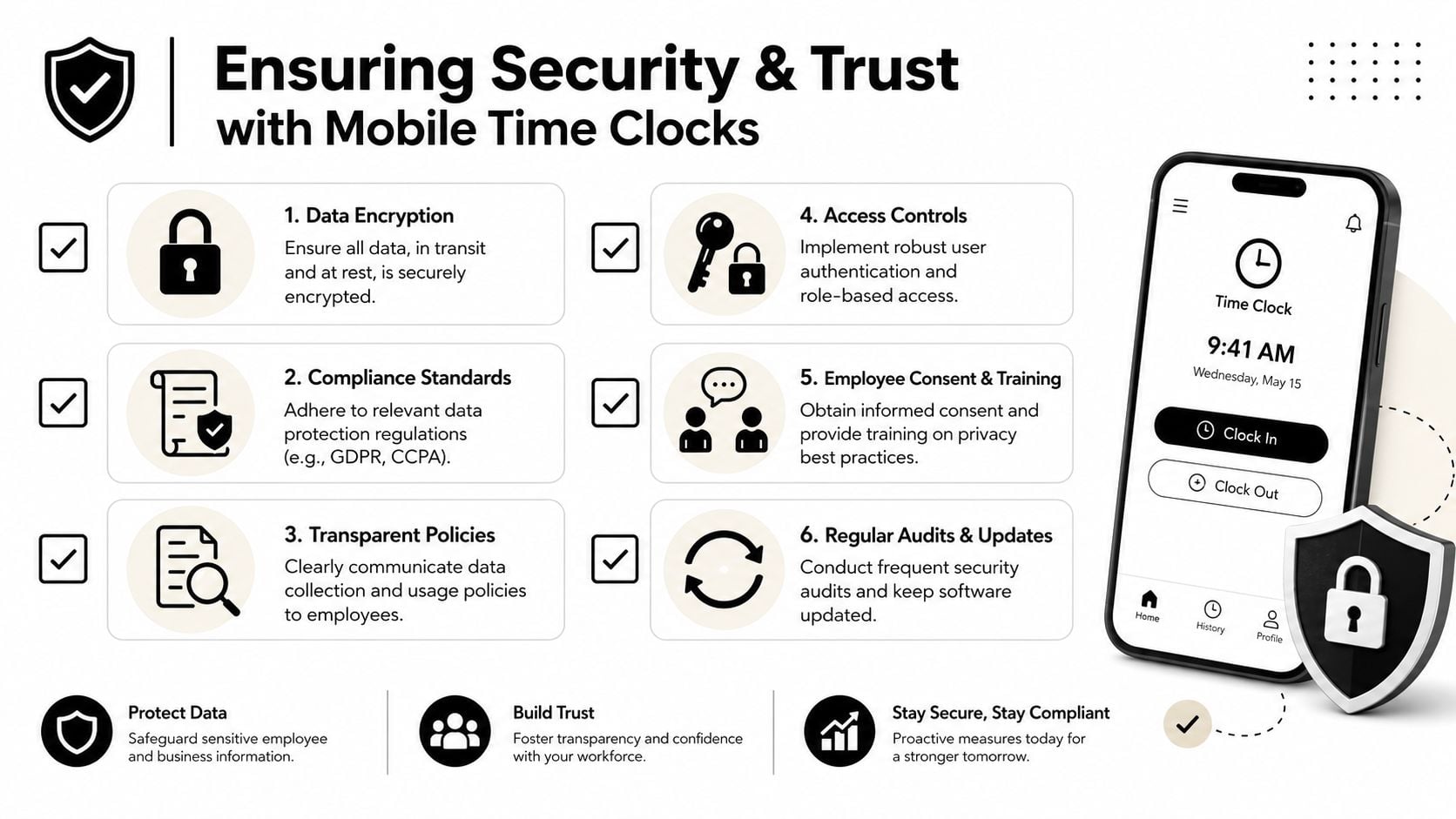
Time tracking projects often stall for a reason leaders underestimate. People don't object to logging work. They object to not knowing what's being collected, why it's being collected, and whether the tool is doing more than the company says.
That's why security and privacy need a clear operating policy, not a vague promise.
Use the right controls for the right workforce
For distributed or field teams, location validation and identity checks can make sense. TimeTrex notes that effective mobile time clocks often combine GPS geofencing with timestamps, PINs, photos, or biometric face ID to reduce buddy punching and confirm the worker was at the correct jobsite when the punch happened, as described in its article on mobile time clocks for workforce management.
For agencies, that doesn't mean you should turn every setting on.
A better rule is this:
- Use location checks for on-site work, event staff, property visits, or field service activity tied to billing location.
- Skip location tracking for office-based and remote knowledge workers unless there's a specific business need.
- Use role-based permissions so employees, managers, ops, and finance only see what they need.
Trust comes from policy, not software alone
Before rollout, write down exactly what the tool captures, when it captures it, who can view it, and how long data stays in the system. Then explain it in plain English.
I'd also ask vendors direct questions about encryption, access controls, incident handling, and third-party testing. If your agency works with sensitive client data, it helps to understand what good security review looks like. This guide to affordable SaaS pentesting is a practical starting point for teams evaluating vendor risk beyond marketing claims.
“We use this to make billing and workload data more accurate” lands far better than “We need more visibility.”
The difference sounds small. In rollout meetings, it changes the whole tone.
How to get your team to actually use the new tool
It is Monday at 9:12 a.m. A project lead has already joined two client calls, answered Slack messages, and reviewed creative. By Friday, they barely remember where the week went. If your new mobile time clock adds more effort to that reality, adoption drops fast.
That is why failed rollouts are usually operating model problems, not software problems. In agencies, people push back for predictable reasons. They expect extra admin, they worry managers will use the tool to watch them, they do not see how better time data helps their day, or they are still reacting to the last bad timesheet system.
Start with a small pilot
Roll out to one team first.
Pick a group with enough client and project complexity to expose problems early, but not a group so politically sensitive that every small setup issue turns into a company debate. In practice, the best pilot usually includes a delivery team that logs a lot of client work, a manager who cares about clean reporting, someone from ops or finance who reviews the output, and a few skeptics who will point out friction instead of staying quiet.
That mix matters. Agencies do not need polite feedback. They need honest feedback before launch.
Sell relief
Adoption improves when the team sees personal benefit, not just leadership intent. The message should be practical: this tool is here to cut Friday reconstruction, reduce manager chasing, and make billing support easier when a client asks what happened on an account.
For agency teams, that message lands better than generic attendance language. They are not clocking in at a jobsite gate. They are switching between meetings, project work, internal reviews, and client requests all day. The tool has to help them capture that work with less effort and better context.
Focus the rollout message on outcomes people feel quickly:
- Less end-of-week timesheet catch-up
- Cleaner project and client coding
- Fewer reminders from managers and ops
- Better visibility into who is overloaded
- Stronger backup when invoices are questioned
Train for real work, not vendor demos
Training fails when it shows menus instead of daily scenarios. Show the team how to log a client call from their phone, split a block of time across two projects, fix a miscoded entry, and submit the week in under a minute.
Keep the support model simple:
| Rollout need | What works |
|---|---|
| First exposure | Short live session using real agency examples |
| Daily support | One-page cheat sheet and open office hours |
| Manager reinforcement | Team leads checking the habit in weekly workflows |
| Feedback loop | A simple channel for “this is annoying” comments |
I have seen adoption improve just by changing one rule: managers review exceptions, not every line item. That lowers friction for everyone and keeps attention on missing time, wrong project codes, and unusual patterns.
If you want practical ideas for the behavior side, this guide on how to motivate employees to track time is useful.
Expect to adjust the setup after the pilot. You may need better project naming, fewer task codes, different approval rules, or a lighter reminder cadence. Teams will tolerate change. They will not tolerate a clumsy process that stays clumsy.
FAQs from agency operations leaders
Here are the questions I hear most often when agencies consider a mobile time clock.
| Question | Practical answer |
|---|---|
| “Will the team hate this?” | They'll hate a clunky process. They usually accept a system that cuts Friday catch-up, uses calendar data, and makes approvals faster. |
| “Do we need GPS?” | Usually no for office, remote, and hybrid agency teams. Use it only when location affects billing, attendance, or site verification. |
| “Should everyone use a timer?” | Not always. Timers help some roles, but many agency teams do better with calendar-based drafts and lightweight review. |
| “Can this improve billing accuracy?” | Yes, if people tag time to the right client and project close to when the work happens, and managers review exceptions instead of every single line manually. |
| “What should we measure first?” | Start with submission timeliness, entry quality, approval speed, and whether reports answer real staffing and profitability questions. |
| “How long does rollout take?” | Long enough to test one pilot team, fix coding and approval issues, and give managers simple rules. Don't rush the setup just to announce launch. |
The short version is simple. Agencies don't need more pressure around timesheets. They need a system that matches how agency work happens.
If your agency wants a mobile time clock that fits calendar-driven, client-facing work instead of jobsites and punch terminals, TimeTackle is worth a look. It connects calendar and CRM activity to time capture, which helps reduce timesheet fatigue and gives ops and finance cleaner reporting for utilization, billing, and project review.


