



Tuesday at 9:12 a.m. is when most agency plans fall apart.
A client pulls a deadline forward. Your best strategist is already booked in two workshops and a pitch review. The designer who “has capacity” only has open blocks because her calendar hides the revisions she's doing after hours. By Friday, everyone fills in timesheets from memory, finance tries to work out project margin, and ops gets blamed for a plan that was never based on real availability in the first place.
That cycle feels normal in a lot of agencies. It shouldn't. The problem usually isn't effort. It's that the business treats resources and constraints like background noise instead of the main operating system for delivery, staffing, and profit.
The constant tug-of-war in every agency
Agency operations is a daily negotiation between what the work needs and what the business has. One project needs senior thinking. Another needs pure production hours. A third has a fixed fee and a client who changes direction every other day. All of them want the same people, in the same week, with no slack.

I've seen this pattern most clearly when a team thinks it has a staffing issue, but it really has a visibility issue. The Gantt chart looks tidy. The status meeting sounds calm. Then actual work starts, hidden meetings eat half the week, context switching wrecks focus, and project profitability starts leaking in tiny amounts across several accounts.
What this looks like on the ground
A common week in a mid-sized agency looks something like this:
- The same specialist appears on too many plans. The person who can fix the messy parts becomes the default answer for every risky project.
- Client urgency beats operational discipline. Teams accept the moved deadline before anyone checks capacity.
- Admin work crowds out billable work. PMs and leads spend hours chasing updates, fixing allocations, and decoding late timesheets.
- The margin problem shows up late. By the time finance sees the overrun, the team has already spent the hours.
That tension is the whole game. Resources are what you can put into the work. Constraints are the boundaries you can't wish away. Agencies that treat constraints as a nuisance stay reactive. Agencies that treat them as design inputs make better decisions earlier.
“Limitless material resources are not only unavailable most of the time, they may actually be a hindrance,” argues MIT Sloan Management Review.
That idea matters more in agencies than is generally acknowledged. Too much slack can hide weak scoping, weak handoffs, and weak prioritization. Tight limits force better sequencing, cleaner offers, and sharper staffing calls. Constraints still hurt, but they can also make the business run better if you stop treating them as bad luck.
Why this matters for profit
Project profit rarely collapses because of one dramatic mistake. It usually erodes through small planning misses that stack up. A meeting-heavy week gets ignored. A revision loop never gets tagged properly. A senior person fills in for a junior task because no one wants to slow the client down.
When you get serious about resources and constraints, you stop asking, “Can we squeeze this in?” and start asking, “What must be true for this to stay healthy?”
That shift changes everything.
What are resources and constraints in an agency
These terms are often used loosely, which is one reason planning goes sideways. In practice, the distinction is simple.
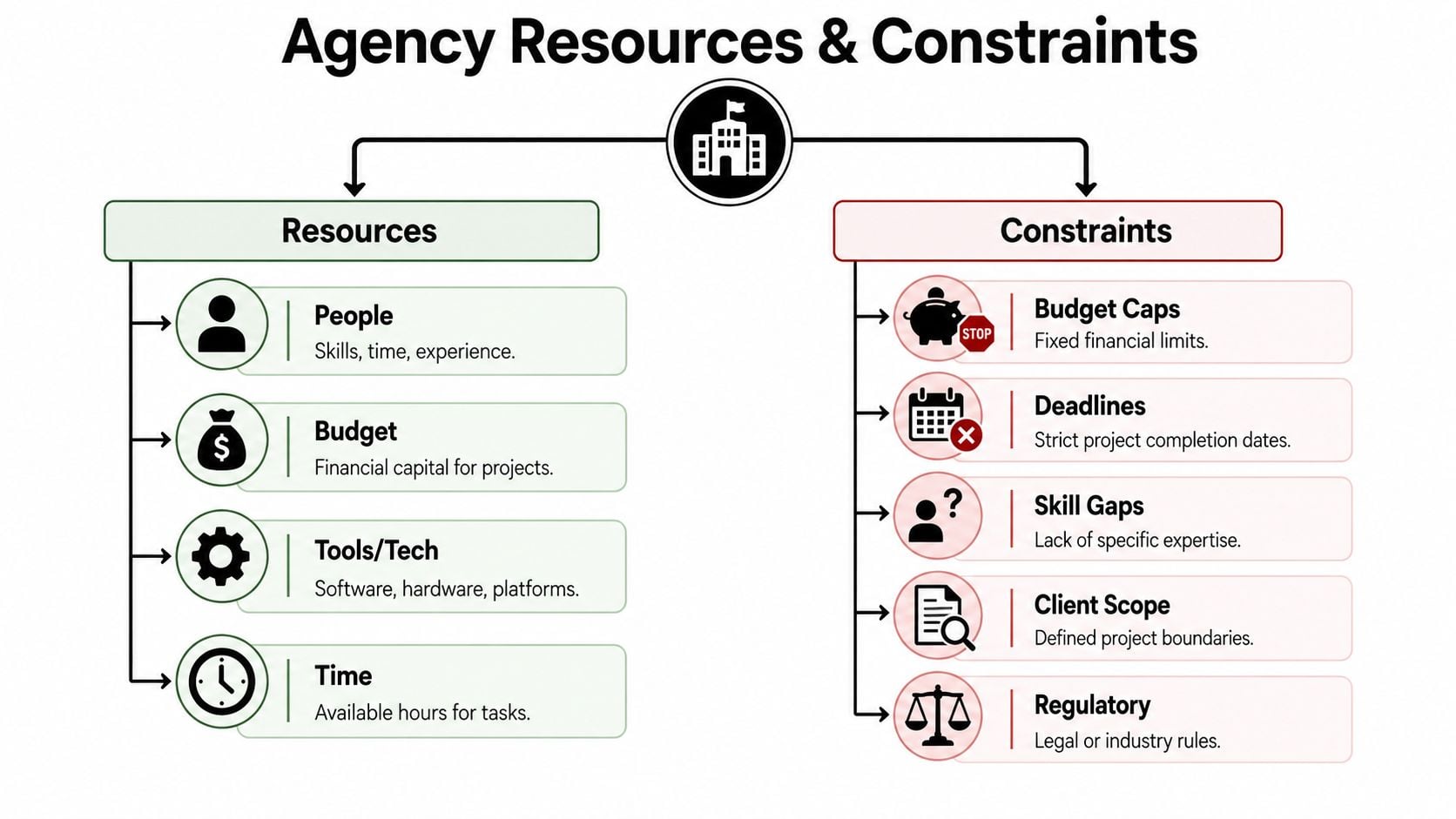
Resources are the inputs you can put to work. Constraints are the limits that shape what's possible.
What counts as a resource
In an agency, resources go well beyond headcount.
- People and skill mix. A senior UX lead, a paid media manager, and a production designer aren't interchangeable.
- Time. Not theoretical time on a staffing sheet. Actual available hours between meetings, delivery, internal reviews, and leave.
- Budget. This includes client budget, internal delivery budget, and how much margin the job needs to protect.
- Tools and systems. Figma, HubSpot, Asana, Google Workspace, Outlook, reporting tools, CRM access, and whatever else the team needs to ship work.
One practical mistake I see a lot is treating all hours as equal. They aren't. Four hours from your best strategist on a messy brief can unblock a project. Four random hours spread across three distracted afternoons might produce almost nothing.
If your team still tracks capacity as a flat number, it helps to get clearer about resource utilization in agency operations. Not because utilization is the only metric that matters, but because it forces a more honest view of who is available to do useful work.
What counts as a constraint
Constraints are the edges of the box. They define where the work must fit.
A useful analogy comes from engineering. There, constraints define the strict boundaries of the design space, including physical limits, budget, and regulations, while resources are the available inputs to meet performance goals. Arxterra's explanation of realistic constraints and engineering standards makes the point clearly. If you ignore those limits early, the design fails later.
Agencies face the same pattern. Typical constraints include:
| Constraint | What it looks like in agency work |
|---|---|
| Deadline | A launch date, campaign go-live, board presentation, or event date that won't move |
| Budget cap | Fixed-fee work, capped retainer hours, procurement limits |
| Scope boundary | The deliverables sold, the channels covered, the revision count the team can absorb |
| Skill gap | No available specialist for a required tool, market, or discipline |
| Compliance rule | Brand rules, legal review, sector-specific approval needs |
Why the distinction matters
When teams blur resources and constraints, they create fake flexibility. They act like more effort can solve a hard limit. It often can't.
If the client has fixed budget, the answer isn't “work harder.” If the only senior developer is already committed, the answer isn't “slot the build somewhere.” You either change scope, change sequence, change staffing, or change the commercial model.
That sounds obvious on paper. In live agency work, people ignore it every day.
Why most agencies get resource planning wrong
Most agencies don't fail at planning because they lack software. They fail because their planning inputs are weak, late, and distorted by habit.
The usual setup goes like this. Sales promises a date. Delivery says it's tight but possible. Team leads estimate based on memory. People log time at the end of the week. Ops tries to reconcile all of it into something that looks like control.
That process creates a clean spreadsheet and a messy business.
The timesheet problem nobody wants to own
Manual time entry is one of the biggest reasons profitability stays fuzzy. People don't remember their week accurately. They round. They guess. They backfill. They code work to the client that feels closest, not the task that really took the time.
That doesn't just create bad reporting. It changes behavior. Once teams know the data is rough, they stop trusting it. PMs build plans from instinct. Finance adds buffers. Team leads keep private mental models because the official system doesn't reflect reality.
Practical rule: If your profit report depends on Friday afternoon memory, your staffing decisions are already late.
There's also a human cost. Timesheets create admin drag at the exact level where agencies need judgment. Project managers spend time chasing entries instead of managing risk. Department leads spend time correcting allocations instead of protecting specialist capacity.
Planning gets reactive fast
A second problem is that most agencies don't have one live view of committed time. They have fragments.
- The PM tool shows assigned tasks, but not all the meetings tied to delivery.
- The calendar shows meetings, but not whether they're billable, internal, or avoidable.
- The timesheet shows reported time, but only after the week is gone.
- The finance view shows margin, but usually after work has already drifted.
So planning becomes a game of reaction. Teams spot overbooking after the fact. They find conflicts only when someone declines a meeting or misses a milestone. They discover that “available next week” turned out to mean “booked in workshops and review calls.”
What good planning is not
Good planning is not a prettier resourcing grid. It's not longer status meetings. It's not adding generic contingency to every estimate and hoping that protects margin.
What works is a system that catches pressure early enough to change the decision. That means you need current data, not reconstructed history, and you need to see capacity as a moving picture, not a static forecast.
Once agencies accept that, the conversation gets much better. You stop arguing about effort and start managing trade-offs.
Frameworks for planning around your limits
Most planning frameworks sound academic until you use them to prevent a real staffing mess. Then they become practical very quickly.
The useful ones all do the same basic job. They force you to face dependencies, finite capacity, and the cost of unrealistic sequencing. For agencies, the two most useful ideas are usually Critical Path Method and resource leveling.
Start with the work that controls the timeline
The Critical Path Method (CPM) is simpler than it sounds. It tells you which sequence of tasks determines the shortest possible project duration. If one of those tasks slips, the whole job slips.
For agencies, that often means the path isn't “all tasks.” It's a narrower chain such as discovery, client approval, creative development, legal review, build, QA, and launch. Once you know that chain, you stop spending the same amount of operational attention on work that has slack.
That matters because resource constraints in project management are limits on personnel, equipment, and materials. Avaza's overview of resource constraints notes that mitigation methods such as CPM and resource leveling can also cut manual reporting overhead by up to 30% through automated allocation. For agency teams, that's not just an efficiency win. It means less admin waste around already constrained people.
Then smooth demand across the team
Resource leveling solves a different problem. It looks at the same plan and asks whether the required workload is even possible with the people you have. If three projects all need the same strategist on Wednesday, the problem isn't motivation. It's arithmetic.
Good leveling forces a choice:
- Move dates when timing is flexible
- Change sequence so specialist work happens in a more realistic order
- Shift ownership where the task can move down or sideways without hurting quality
- Cut or phase scope when the commercial model won't support the original ask
That's where many agencies freeze. They think changing the plan looks weak. In reality, pretending the original plan was viable is what hurts trust.
A plan is only useful if the people on it can actually do the work in the time shown.
Use a framework that fits agency reality
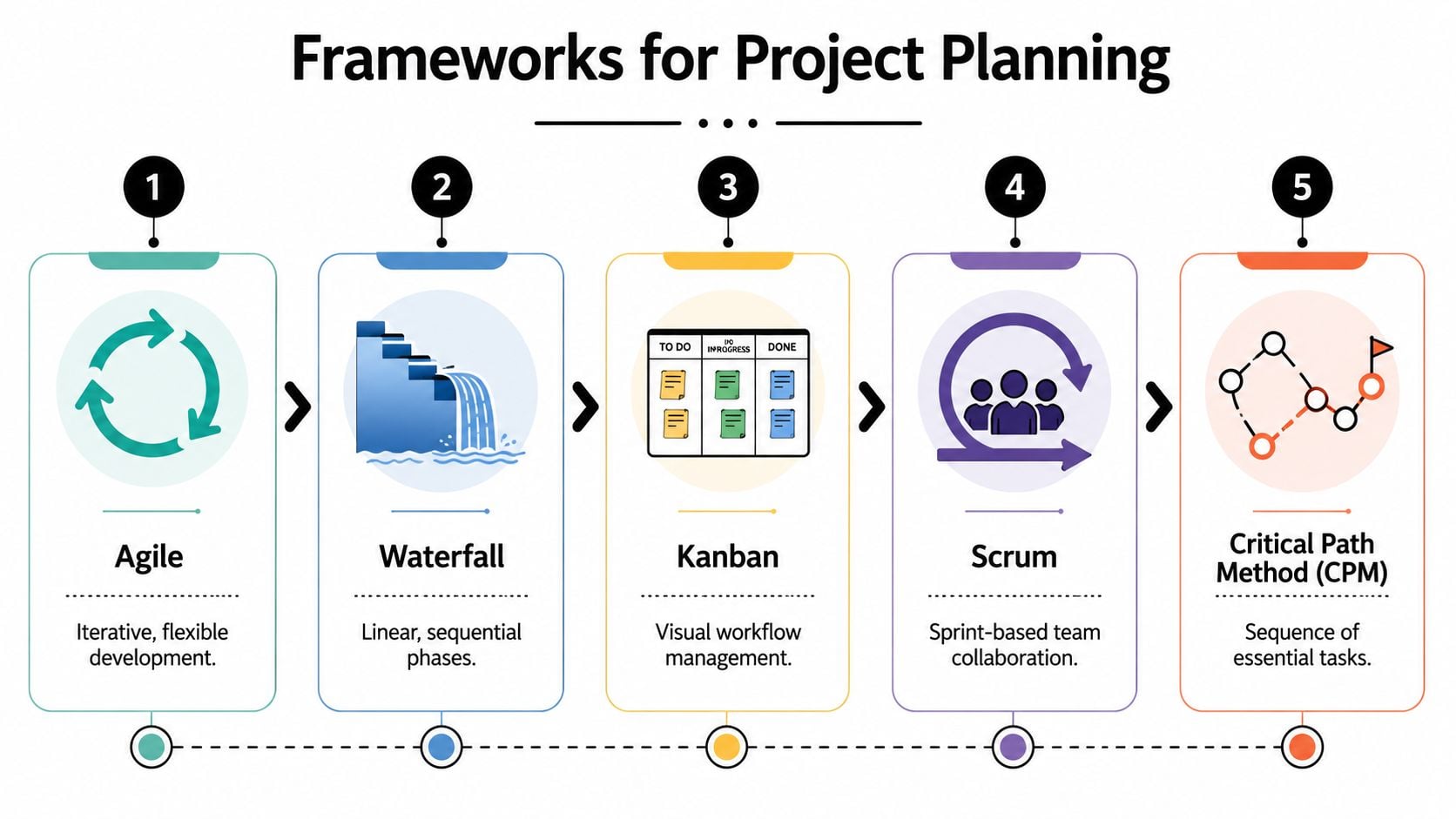
You don't need to become doctrinaire about methodology. Agile, Kanban, Scrum, Waterfall, and CPM all have uses. The key question is whether the framework helps your team make cleaner trade-offs under pressure.
If you want a practical reference point, this resource allocation framework is a useful companion because it brings allocation decisions back to capacity, priority, and business impact instead of abstract project theory.
A lot of ops leaders also benefit from treating planning as a recurring operating rhythm, not a one-off PM exercise. That's where strategic resource planning for service teams becomes more useful than a single project schedule. It helps you look across clients, not just inside one job.
What works and what doesn't
What works:
- Planning with named people. Generic placeholders hide specialist bottlenecks.
- Separating critical tasks from nice-to-have tasks. Not every delay is equal.
- Replanning early. Small moves made early are cheaper than heroic recovery later.
- Linking delivery to margin. The right schedule is the one the team can deliver profitably.
What doesn't work is running a formal framework on top of bad data. Which is exactly why so many agencies say they “tried resourcing” and still ended up in chaos.
Using calendar data to surface hidden constraints
Most agencies already have a live record of demand. They just don't treat it as operational data.
It's in the calendar.
Meetings, workshops, reviews, sales calls, internal check-ins, client presentations, interviews, recurring one-to-ones. All of that consumes time before anyone opens a timesheet. If you ignore calendar data, you miss one of the clearest signals of real capacity.
Why calendars beat memory
Calendars are forward-looking. Timesheets are backward-looking. That one difference changes planning quality.
A calendar shows committed time before the week happens, which means you can spot constraints while there's still room to react. If your lead strategist has two workshops, a proposal review, and an internal training block on Thursday, that day is not “mostly free” just because the project system shows unassigned task hours.
Calendar data also captures the hidden load that many agency plans miss:
- Pre-sales support that pulls senior people into pitches
- Internal management time for leads and department heads
- Client communication overhead that grows subtly on difficult accounts
- Recurring meetings that chip away at execution time
Once you tag and categorize that information well, you get a much more honest picture of where the week goes.
What to look for first
You don't need a perfect taxonomy to get value. Start by asking a few simple questions.
| Question | What it reveals |
|---|---|
| Who has the least uninterrupted time? | Context switching and fragmented execution days |
| Which clients consume the most meeting load? | Accounts with hidden servicing cost |
| Where do senior people get pulled into low-value work? | Margin leaks and poor delegation |
| Which recurring meetings have no delivery effect? | Time that can be cut without risk |
A lot of teams discover that the actual issue isn't raw workload. It's the shape of workload. Three hours of focused build time can be enough. Three scattered one-hour gaps between meetings often aren't.
If you're trying to connect activity data back to delivery speed, it also helps to understand how cycle time reflects workflow friction. Agencies often blame estimate quality when the bigger issue is interruption density.
Calendar data doesn't replace planning. It makes planning honest.
The hidden constraint most tools miss
The hidden constraint is rarely “not enough total hours.” It's usually “not enough usable hours in the right blocks, from the right people, at the right time.”
That's why calendar-based insight changes the conversation so fast. Instead of debating gut feel, you can see where the bottleneck is forming and act before it becomes a missed milestone or blown budget.
The KPIs that actually monitor resource bottlenecks
Once you can see real demand, you need a small set of metrics that tell you whether the business is using capacity well or burning it badly. Most agencies track too much of the wrong stuff and too little of what actually changes margin.
The best KPIs for resource bottlenecks are the ones that force a decision.
Start with operational truth, not vanity
A few measures matter more than most dashboards suggest:
- Utilization by role. Not just company-wide. Look at specialist groups and seniority levels.
- Billable versus non-billable mix. This helps separate healthy client delivery from internal load and admin drag.
- Project margin by account and service line. A profitable client category can still contain weak projects.
- Meeting load by role or client. If a team can't get enough uninterrupted work time, the plan is already compromised.
- Allocation conflict rate. This is the pattern of people being committed to overlapping priorities.
These KPIs work together. High utilization can look good until you see that your most expensive people spend too much time in internal calls. A project can look on budget until you notice hidden servicing time around approvals and revisions.
Use shadow price to make tougher calls
This is the concept more agencies should use. Research on constraints argues that the most effective method to account for them is to model their impact on the production process directly, so analysts can estimate the “shadow price” of a resource using simulation models. The PubMed paper on constrained economic evaluation explains why this gives a truer view of scarcity than simple contingency buffers.
In agency terms, shadow price is the opportunity cost of a bottleneck.
If your only motion designer is tied up on low-margin work for two weeks, what higher-value work can't move? Which proposal gets delayed? Which client upgrade doesn't get sold? Which project sits idle waiting for one specialist?
You don't need a perfect academic model to use the idea. You can apply it operationally by asking:
- Which scarce role delays the most downstream work?
- What revenue or margin decision changes if that person is unavailable?
- Would hiring, subcontracting, or rescoping free more value than it costs?
- Is the bottleneck structural or just seasonal?
That kind of thinking is also useful outside delivery. A lot of the same patterns show up in revenue operations, where handoff friction, tool sprawl, and poor ownership break planning. This breakdown of unified RevOps execution challenges is worth reading because the bottleneck logic transfers well to agency operations.
The bottleneck role is rarely the busiest person on paper. It's the person whose absence stalls the most valuable work.
What not to do with KPIs
Don't turn KPIs into punishment. If people think every metric will be used against them, they'll game the data and hide risk.
Use metrics to improve decisions. If non-billable load spikes for account directors, maybe the issue is poor meeting design. If margin collapses on one service line, maybe the problem started in pricing, not delivery. The point is to make better choices earlier, not to create a new layer of reporting theater.
Your action plan for smarter resource management
Most agencies don't need a giant transformation. They need a disciplined pilot that replaces guesswork with current data and turns planning into a weekly habit.
Start small. Pick one department, one service line, or one cluster of accounts. Run the process for a few weeks. Fix what's noisy. Then expand.
A workable rollout
Connect the systems your team already uses
Pull calendar activity into one reporting flow. If your agency runs on Google Calendar or Outlook, start there because that's where committed time already lives. Don't begin with manual entry rules. Begin with data that exists before people have to remember it.Create a tagging structure that reflects how the business runs
Keep it simple enough that people will maintain it. Client, project, activity type, and billable status are usually enough to start. If you add too many fields on day one, the team will ignore the system and go back to vague entries.Build one dashboard for weekly decisions
Not ten dashboards. One. Include role-based utilization, billable mix, meeting load, and project or account view by team. The point isn't beauty. The point is that ops, finance, and department leads look at the same numbers.Run a short weekly review with actual trade-offs
Use the meeting to answer practical questions. Who is overbooked next week? Which account is absorbing too much senior time? What needs to move, change owner, or get rescoped? Keep it tight and decision-focused.Add capacity options before you need them
Agencies get in trouble when every staffing fix is reactive. Build a bench of freelancers, specialist partners, or structured external support early. In some cases, flexible options like AI staff augmentation can help cover delivery gaps when internal specialist bandwidth is too thin, especially for technical projects with uneven demand.
What to expect in the first phase
The first thing you'll notice is discomfort. Real visibility removes convenient myths. People who looked available won't be. Certain clients will appear more expensive to serve than anyone wanted to admit. Some internal meetings will look impossible to justify.
That's good. Bad news found early is operational progress.
Here's where agencies usually get the biggest payoff first:
- Cleaner staffing decisions because availability reflects real commitments
- Less timesheet chasing because activity capture starts from existing behavior
- Better scoping conversations because hidden servicing time becomes visible
- Stronger margin protection because scarce skills stop getting spread blindly
The habit that keeps it working
The agencies that get this right don't make one heroic systems change. They build a repeatable operating rhythm. Data comes in automatically. Team leads review it weekly. Staffing shifts before people burn out. Clients hear “yes” or “not yet” based on actual capacity, not wishful thinking.
That's when constraints stop feeling like a penalty. They become part of how the business makes sharper decisions.
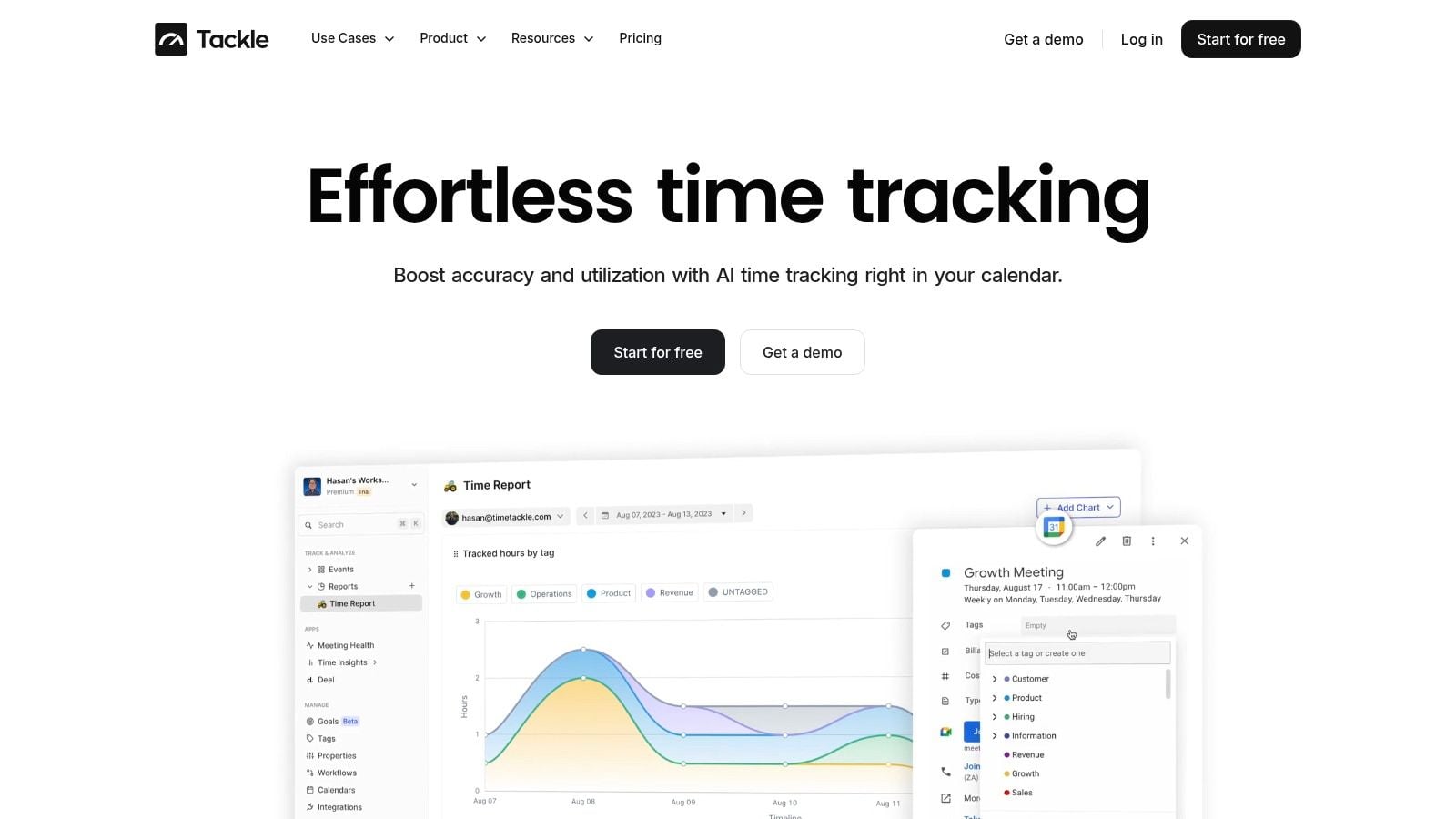
If you're tired of chasing timesheets, guessing at availability, and finding margin problems too late, TimeTackle is worth a look. It helps agencies turn calendar activity into usable operational data, so you can track time with less manual effort, see capacity more clearly, and make better resource decisions before the week goes sideways.


