
Your team is slammed. The pipeline looks healthy. Clients keep asking for more. Yet margins stay flat, your best people look tired, and every staffing meeting turns into a debate over whose spreadsheet is “right.”
That's a common stage for a growing agency. You're not short on work. You're short on clean visibility into who's doing what, what it costs, and where time goes.
Manual planning usually breaks in the same places. Project managers overbook the dependable people because they know they'll deliver. Department leads hold back capacity because they don't trust the forecast. Finance gets timesheets late, with vague entries that don't match calendars, meetings, or the actual shape of the week. The result is familiar: busy teams, messy billing, and too many surprises.
Your agency is growing but your profits are not
A lot of agency ops problems start with one scene. Monday morning. A project manager is updating a staffing sheet, another lead is adjusting delivery dates in a project tool, and finance is chasing missing time entries from last week. Nobody is trying to create chaos. The chaos comes from using disconnected systems to answer one simple question: do we have the right people on the right work at the right time?

When an agency passes the early stage, spreadsheets stop being a harmless workaround. They become a margin problem. You can still plan with them, technically, but every update depends on someone remembering to make it, so your “current” view is already stale by the time the meeting starts.
That gap shows up in ways leaders feel fast:
- Overworked specialists: the same high-performers end up on every urgent account
- Soft budget overruns: hours drift outside scope before anyone catches them
- Weak forecasting: sales says yes before delivery can see the actual capacity picture
- Team fatigue: people spend too much time reconstructing the week instead of doing the work
You don't outgrow spreadsheets all at once. You outgrow them one missed handoff, one bad estimate, and one late timesheet at a time.
There's a reason more firms are treating this as an operating system decision, not a tooling tweak. The resource management software market outlook from Market Intelo says the global market is projected to grow from $8.4 billion in 2025 to $18.2 billion by 2034, with a 10.2% CAGR during 2026 to 2034. That growth tells you something practical. Agencies and professional services firms now treat structured resource planning as part of how they stay stable and competitive.
Busy isn't the same as healthy
I've seen agencies mistake visible busyness for operational strength. It feels safe because everyone is occupied. But if your planning model can't show whether work is profitable, recoverable, and staffed at a sustainable level, then busyness is just expensive noise.
A good system doesn't just tell you who is booked. It gives leadership a way to protect margin, spot staffing risk early, and make cleaner calls on pipeline, hiring, and client fit.
What is resource management software really
The simplest way to think about resource management software is this: it is air traffic control for your team. Not because agencies are dramatic, but because work is always moving. New projects enter the queue. Existing scopes shift. People go on leave. Priority clients need help now, not next week. If you can't see all of that in one place, you end up reacting instead of planning.
It balances demand against capacity
At its core, the software answers a few basic questions:
- What work is coming in
- Who is available
- What skills you have
- Where you're overbooked or underbooked
- How today's decisions affect next month's delivery
That sounds obvious. The hard part is getting one version of the truth that everyone trusts.
According to Runn's 2026 resource management statistics, 54% of teams use dedicated software for resource planning, compared with 44% that still use spreadsheets. The same source says 41% of teams are still held back by outdated or manual processes. So yes, the shift is real, but a lot of firms still sit in the middle. They've added tools without fixing the planning model.
It changes how decisions get made
Without a proper system, staffing decisions often come down to memory, habit, and whoever speaks first in the resourcing meeting. With a proper system, you can see conflicts before they land on a person's desk.
That changes the conversation from “Can someone squeeze this in?” to more useful questions like:
- Should we accept this work at all
- Do we have the right skill mix
- Which client gets the senior team
- What needs to move so delivery stays realistic
Practical rule: if your team needs to cross-check calendars, project boards, and spreadsheets just to understand next week's capacity, you don't have a planning process. You have detective work.
Resource management software is not just a scheduler. It is a decision tool. The agencies that get value from it use it to say yes with confidence, say no sooner, and stop pretending every person is interchangeable.
Core features that drive agency profitability
Feature lists are usually where articles on this topic go soft. Every vendor says they have planning, reporting, dashboards, forecasting, and time tracking. That tells you almost nothing. The better question is what each feature changes in day-to-day operations, and whether that change protects margin.
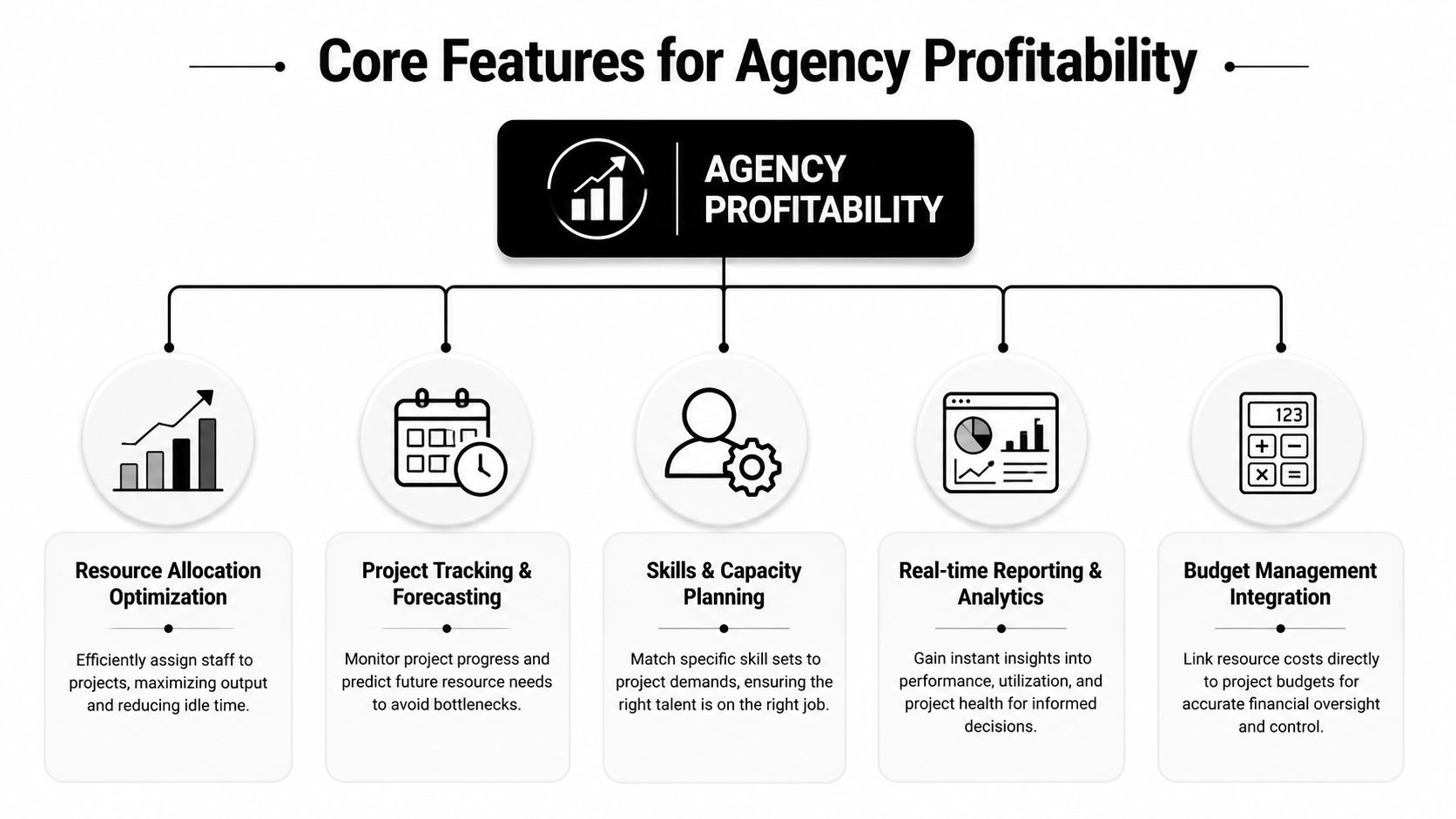
One source of truth
If your project plan says one thing, the timesheet says another, and the finance file says a third, the reports will always create arguments. Gartner's view is straightforward. Effective software needs to centralize data in the cloud as a “single source of truth”, which is what allows real-time tracking and helps prevent overallocation without constant manual updates, as noted in Gartner's resource management software guidance.
That architecture matters because agencies don't suffer from lack of data. They suffer from too many copies of it.
Allocation that protects your best people
Resource allocation is where margin gets won or lost. If you keep placing your strongest strategist, designer, or consultant on low-value work because they're reliable, you train the business to waste senior capacity.
Good allocation tools should let you see:
- Who is available by role and skill
- Which accounts are consuming premium talent
- Where work could move to a better-fit person
- Whether booked time matches project economics
If you're comparing options, it helps to review what strong resource allocation software for service teams should make visible before you commit.
Capacity planning that improves your sales decisions
Capacity planning is not a back-office exercise. It is one of the fastest ways to stop bad revenue. A project can look attractive at the proposal stage and still be a poor decision if it lands during a delivery crunch or requires skills you can't supply without stretching the team.
Here's the practical difference:
| Capability | What weak tools produce | What strong tools let you do |
|---|---|---|
| Capacity view | Static snapshots | Live staffing picture |
| Forecasting | Guesswork by department | Forward-looking hiring and scheduling calls |
| Pipeline impact | Sales promises first | Delivery checks feasibility early |
| Team health | Hidden overload | Visible workload pressure |
Time capture that finance can trust
Planned time matters. Captured time matters more. If the system can't connect expected work with actual effort, your profitability reporting will stay fuzzy.
That means the software should make it easy to record work as it happens, not days later. Manual entry tends to collapse under real agency conditions because people don't work in neat blocks. They jump between client calls, internal reviews, proposal support, revisions, admin tasks, and unplanned requests.
Reporting that supports decisions, not theatre
A dashboard isn't useful because it looks polished. It's useful if a COO, delivery lead, or finance manager can act on it. The strongest reporting setups answer operational questions fast:
- Which clients absorb the most unplanned effort
- Which teams are heavily booked but still under-recovering
- Where scope drift keeps showing up
- What work is crowding out profitable delivery
- Which service lines need hiring, pricing changes, or tighter scoping
The best resource management software ties these functions together. Not as separate widgets, but as one operating view of demand, people, cost, and actual effort.
The ROI beyond high utilization rates
A lot of agencies still use utilization as the main sign of operational health. That's too narrow. High utilization can look great in a dashboard and still hide weak margins, bad pricing, and time that never gets billed.
The problem is simple. “Busy” tells you people were occupied. It doesn't tell you whether the work was the right work, whether it was tracked properly, or whether it produced acceptable client margin.
Where revenue actually leaks
The most expensive time in an agency is often the time nobody records cleanly. Internal check-ins. Client prep. CRM updates. Slack follow-ups after meetings. Training. Unplanned revisions. Those fragments rarely make it into manual timesheets with much accuracy.
Adobe's resource management guidance points to a hard truth for service firms. Agencies can lose 10–15% of potential revenue from unlogged or miscategorized hours, and automated time capture is a major part of fixing that, according to Adobe's resource management software overview.
That's why I don't trust utilization in isolation. A team can look fully booked while the business nonetheless loses recoverable time every week.
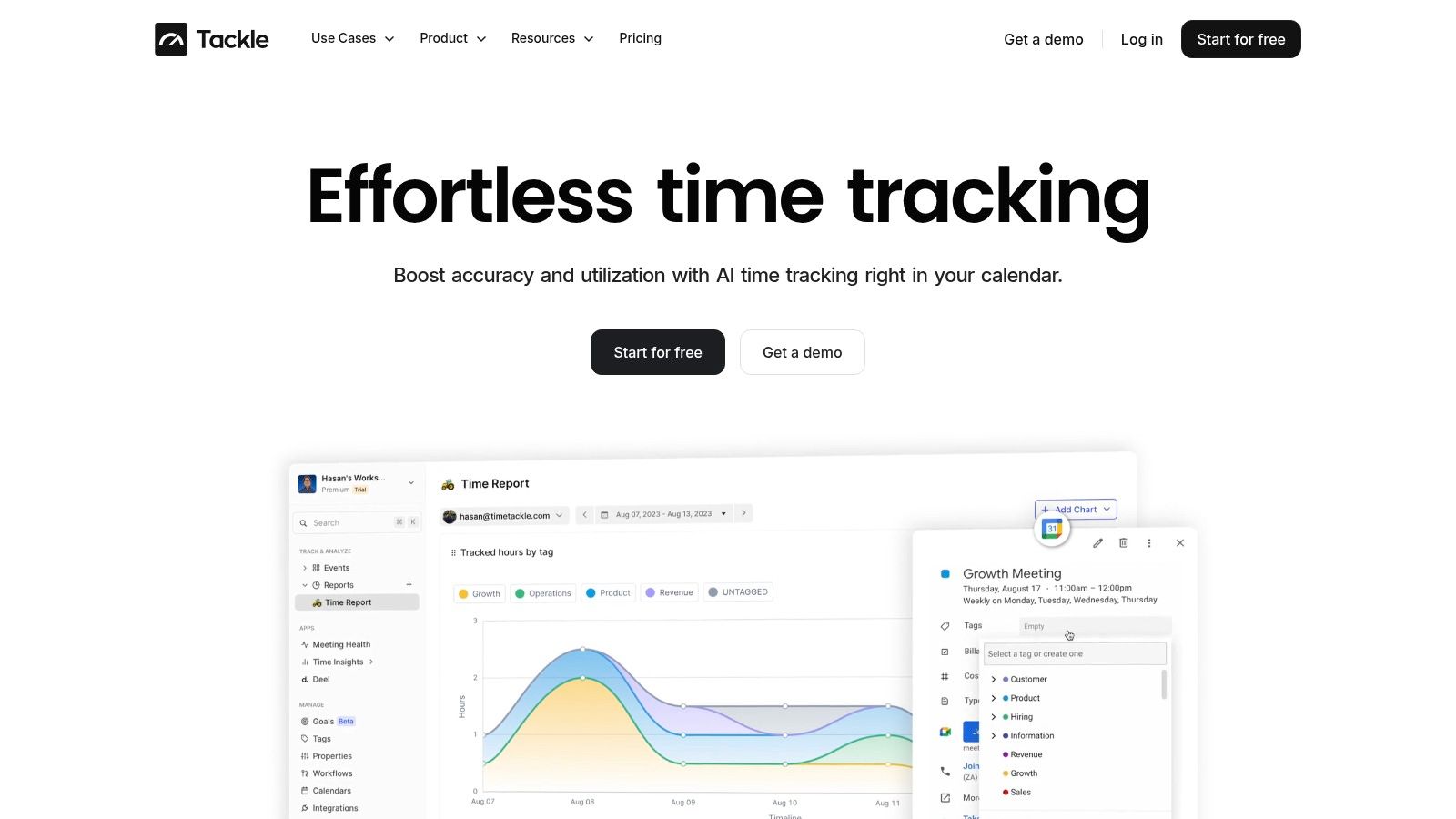
Profitability needs effort data, not just booking data
You need to know more than who was assigned to a project. You need a close read on actual effort by client, project, and person. That includes work people tend to forget or avoid logging because it's tedious.
A stronger model looks at these layers together:
- Booked time: what the plan expected
- Captured time: what people spent
- Non-billable but necessary work: what supports delivery without landing on an invoice
- Client margin: whether the account still makes sense after all effort is counted
If your current setup makes this hard, a guide to resource utilization optimization for service businesses can help frame what to measure beyond simple billable ratios.
“If people have to reconstruct their week from memory, the data will be wrong. Maybe not maliciously wrong. Still wrong.”
Why calendar-based capture changes the math
Modern, calendar-driven tools have a real edge. They reduce the administrative burden of logging work after the fact, which means teams spend less energy on timesheet cleanup and finance gets cleaner records.
The payoff is bigger than convenience. When meetings, client activity, and follow-up work are captured closer to the moment they happen, agencies can see the true cost of delivery. That improves billing integrity. It also exposes which clients create a lot of invisible effort and which teams carry too much admin load around their project work.
The ROI of resource management software isn't just better staffing. It's better attribution. Once you can tie actual effort to client outcomes, pricing and staffing decisions get sharper very quickly.
How to choose the right software for your agency
Most buying mistakes happen in demos. The vendor walks through polished screens, everyone nods at the roadmap, and nobody asks how the tool behaves when your finance team needs month-end numbers and half the agency still hates timesheets.
The better way to evaluate software is to ask sharp operational questions. If the answers are vague, the implementation will be harder than it looks.
Questions worth asking in every demo
Start with workflow fit, not feature count.
- How does it connect to our current stack? Ask about project tools, calendars, CRM, payroll, invoicing, and reporting workflows. If integration is weak, your team will keep exporting CSV files and patching gaps by hand.
- How flexible is the reporting layer? You need to break data down by client, team, project, service line, and time period. If reporting only works the vendor's way, leaders will end up building shadow reports outside the platform.
- What does adoption look like for a mid-sized agency? A tool that works in theory can still fail if logging time or updating schedules feels like extra admin.
- How well does it handle messy real work? Ask how it captures internal meetings, pre-sales support, revisions, training, and other work that doesn't fit tidy project blocks.
What good answers sound like
You're looking for specifics. Not “we support reporting,” but what can be filtered, exported, and scheduled. Not “we integrate with your systems,” but how data syncs, where conflicts show up, and who owns setup.
This is also the point where security and controls stop being a footnote. Agencies move client, staffing, and financial data through these tools. Role permissions, auditability, and data handling should be clear before procurement signs anything.
A practical shortlist should include tools that are purpose-built for service businesses, not generic task managers dressed up as resource planning platforms. If you're still narrowing the field, a review of the best resource management software for agency operations is a useful starting point for comparing how different products approach planning, time capture, and reporting.
Buy for the reporting argument you're having every month, not the feature you admired in the demo.
Common implementation mistakes to avoid
Most software failures are not product failures. They are rollout failures. Agencies buy a tool to reduce chaos, then introduce it in a way that creates new chaos.
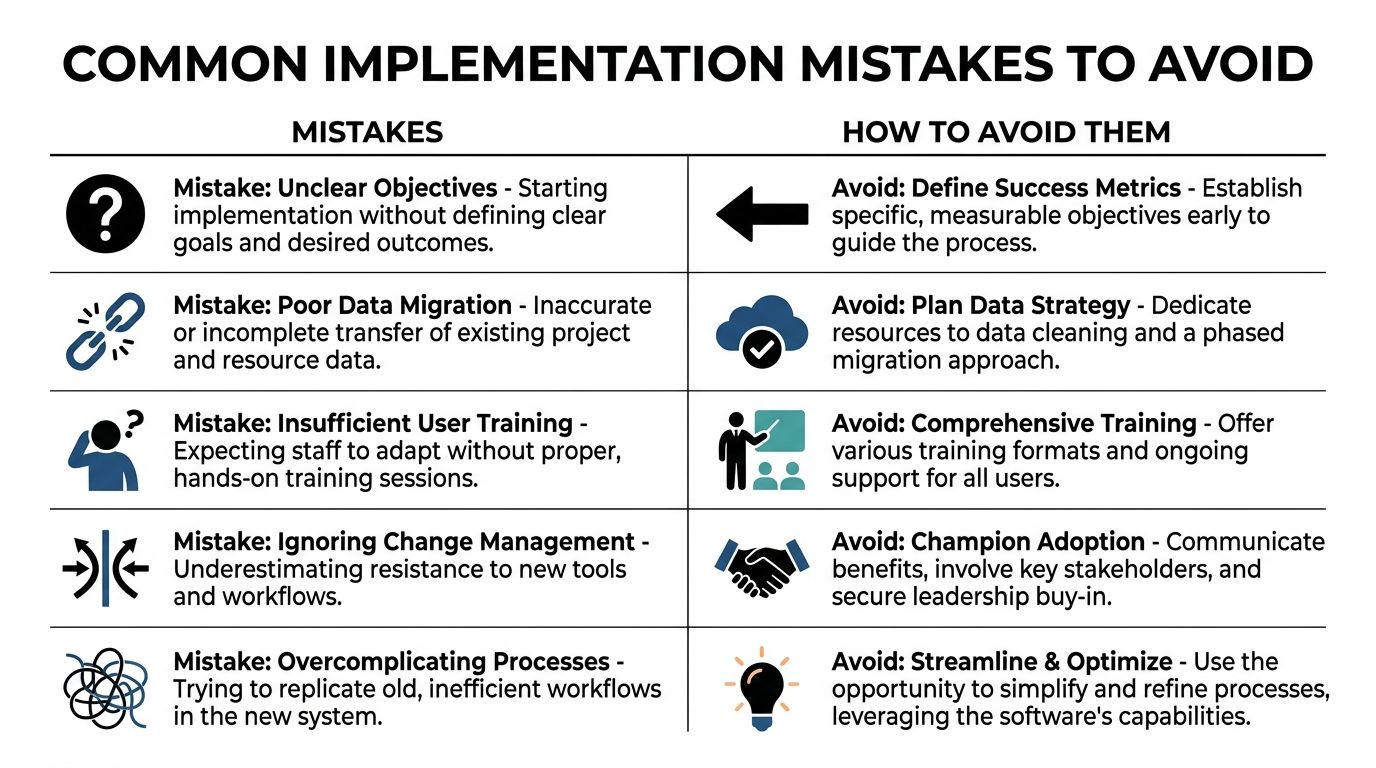
Trying to do everything at once
The “big bang” rollout looks decisive. In practice, it often overloads teams with new rules, new fields, new reports, and unclear ownership. People fall back to old habits fast when the new system feels harder than the old mess.
Start smaller. Get the core model right first: people, projects, capacity, and actual time capture. Then add more reporting depth, automation, and forecasting once the basics are stable.
Ignoring non-project time
This is the mistake that keeps bad data alive. Agencies often track client work carefully and treat everything else as background noise. That doesn't work because internal work takes real time and real cost.
The gap matters. Planview's resource management best practices guide notes that non-project administrative time can take 20–30% of an employee's week, and manual categorization of that work drives the “timesheet fatigue” many teams already hate.
If your setup doesn't account for internal meetings, training, CRM updates, and delivery support, then your profitability data is incomplete from day one.
Expecting compliance without changing the workflow
People don't resist software because they love old tools. They resist extra friction. If implementation adds more manual entry, more duplicate updates, or more policing, adoption drops.
A better rollout usually includes:
- Clear ownership: define who maintains projects, who manages capacity, and who reviews time quality
- Simple tagging rules: don't launch with a taxonomy nobody can remember
- Team-level pilots: test with one department before forcing one process on the whole agency
- Fast feedback loops: fix pain points in the first weeks, not six months later
- Visible leadership use: if managers ignore the system, the team will too
One hard truth: if leaders keep making staffing decisions outside the platform, the platform becomes reporting theatre.
Copying broken processes into the new system
Some teams treat implementation as a migration project. Move the old logic, keep the old categories, rebuild the old spreadsheets in a shinier place. That's safe, but it preserves the very habits you wanted to leave behind.
Use implementation to simplify. Trim dead categories. Remove duplicate approval steps. Decide which reports matter and drop the rest. Software works best when the process is cleaner than what came before.
The future of resource planning is automated
The next step in agency operations is not more dashboards. It's cleaner data collection with less human effort. Once that foundation is in place, forecasting gets better because the inputs are better.
That matters more than is often admitted. Resource planning is only as good as the data underneath it. If time capture is patchy, if non-project work disappears, and if cost data arrives late, then hiring plans and delivery forecasts will stay shaky.
Better forecasting starts with better collection
Effective resource management depends on automating five data types: trend analysis, scenario planning, budgeting, optimization, and real-time operational data, as described in Runn's guide to data for resource management. Without that automation, project financials stay inaccurate.
For agencies, that means the future is not just “AI” as a label. It's software that collects work data with less effort, categorizes it with fewer manual steps, and turns it into planning signals leaders can trust.
The real shift
The agencies that pull ahead will not be the ones with the most reports. They'll be the ones that can connect calendar activity, project demand, staffing, and financial outcomes into one operating view. That's what lets leaders spot delivery pressure early, price work more accurately, and make hiring calls before the team is already stretched.
Resource management software earns its place when it stops being an admin system and starts acting like operating infrastructure.
If your agency wants cleaner time data, less timesheet fatigue, and a better read on utilization and profitability, take a look at TimeTackle. It's built around the calendar, which makes it a practical fit for teams that need to capture real work with less manual effort and turn that data into reporting leaders can use.