


Your agency doesn't usually break all at once. It gets messy in layers. A project plan lives in one tool, resourcing sits in a spreadsheet, meetings eat half the week, and nobody can say with confidence where time went or whether the work was worth what you charged.
That's the point where many teams start shopping for another app. Usually that makes things worse. The problem isn't that you're missing one magic product. The problem is that you don't have a stack that fits how agency work happens.
The broader market has already moved in that direction. Team software shifted from standalone task lists into connected collaboration platforms years ago, with products like Confluence and Slack helping define the modern category, and the market is still growing. One projection puts team collaboration software at from $31.62 billion in 2026 to $68.20 billion by 2034, at a 10.1% CAGR. Another estimate puts the market at USD 36.1 billion in 2024 and projects USD 57.4 billion by 2030, at a 7.4% CAGR. That matters because teams already have tools. What they need now is better fit, fewer gaps, and cleaner data.
If your team also spends too much time in calls, status meetings, and remote collaboration, it's worth reviewing how your meeting layer fits into the rest of the stack. This Corporate Challenge guide to online platforms is a useful side read if you're rethinking the communication part of your setup.
Here are the team productivity tools I'd look at if I were building an agency stack in 2026.
1. TimeTackle
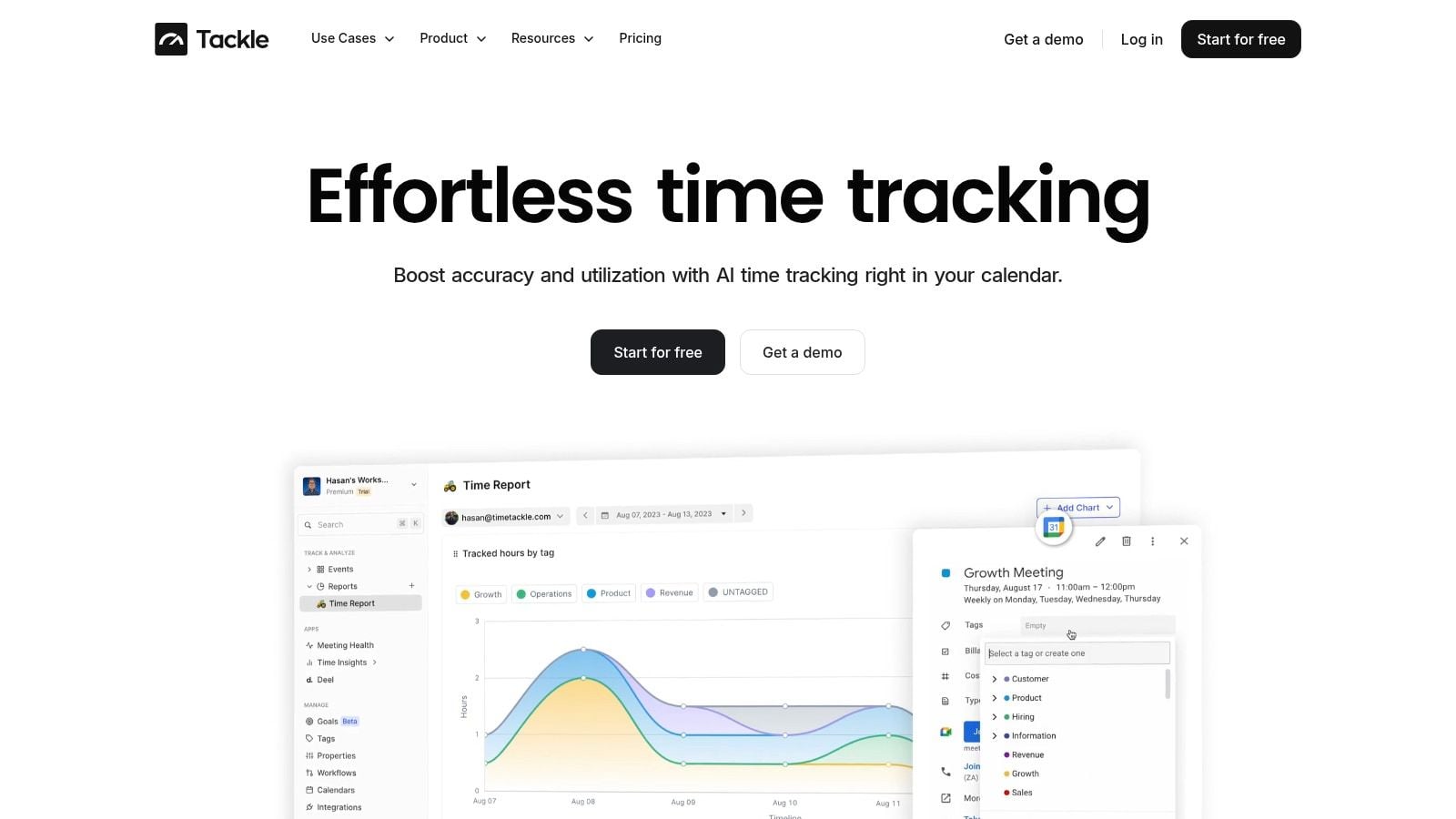
Monday starts with a client kickoff, two internal reviews, a sales call, and a half-finished block of production work squeezed between them. By Friday, nobody remembers where the time went with enough accuracy to trust the timesheet. That is why calendar-first tracking works so well for agencies. It starts from the record your team already creates as they work, then turns that activity into usable data instead of asking people to reconstruct the week from memory.
TimeTackle earns its place near the center of an agency productivity stack because it links effort to outcomes. Calendar events become time entries. Those entries can be tagged, categorized, and routed into reporting that operations, finance, and delivery leads can all use. The practical benefit is straightforward. You get a clearer view of billable time, internal load, meeting weight, and capacity drift before month-end reporting turns into a cleanup project.
Why it fits the middle of the stack
For mid-sized agencies, TimeTackle works best as the layer between calendars, project management, and client or revenue systems. It pulls from Google Calendar or Outlook, supports custom tags and properties, and applies rules so recurring work gets sorted with less manual input. That setup reduces the usual admin chase, especially for teams whose days are fragmented across meetings, reviews, and client communication.
The reporting side is useful for operators, not just managers who want a dashboard screenshot. Teams can filter by client, project, person, or opportunity, then export data to Excel, CSV, PDF, or Google Sheets. If you need tighter operational reporting, there is also an API and data warehouse sync.
One rule holds up in practice: if work starts on the calendar, time capture should start there too.
What it gets right, and where to be careful
A lot of agency leaders ask for productivity metrics when what they really want is better visibility into where time goes. Those are not the same thing. Atlassian cited Microsoft's 2024 Work Trend Index in reporting that 68% of people say they do not have enough uninterrupted focus time, while 85% of leaders say their company needs more hours to meet demand. For service teams, more visible activity is only useful if it helps explain delivery performance, utilization, and margin.
That is where TimeTackle is strongest. It gives operations teams a way to examine effort against client work, internal overhead, and revenue-related activity without depending on weak weekly recall. If you pair it with a delivery platform such as Asana, the combination is much stronger. Project status tells you what should be happening. Calendar-based time data shows what absorbed the team's hours. This guide on Asana time tracking and task workflows shows how that pairing works in practice.
There are trade-offs. Calendar quality matters. If people do not keep events current, you will need sensible tagging rules, review habits, and a bit of operational discipline to keep reports clean. Pricing for more advanced setups also is not broken out in a simple public line-item format here, so most agencies will need a demo and a real use-case review before they can judge total cost.
2. Asana
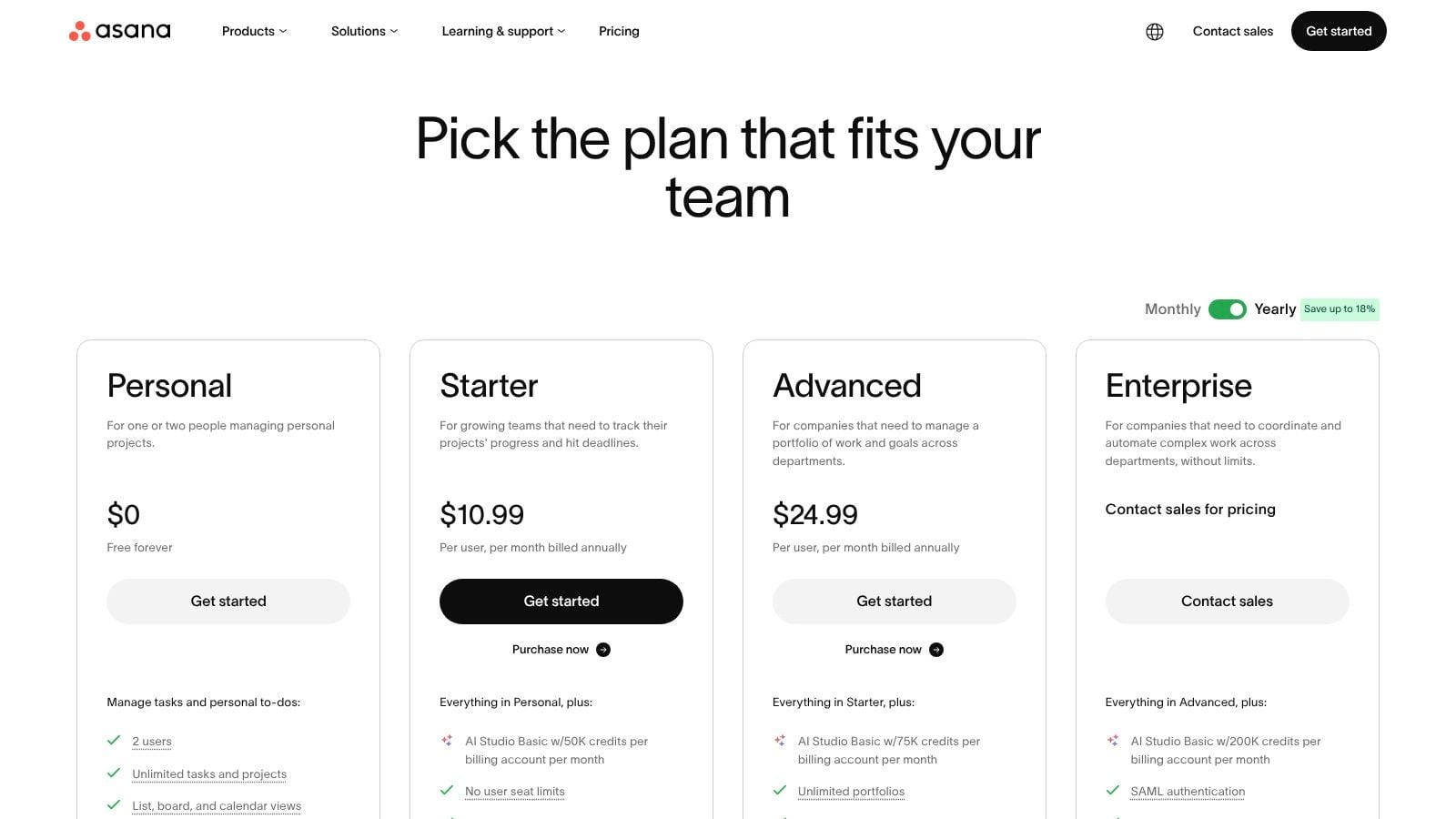
Asana is the project hub I recommend when an agency has outgrown simple task boards but doesn't want a messy, overbuilt system. Its structure is clean. Tasks roll into projects, projects roll into portfolios, and portfolios can tie back to goals. That chain matters when account managers, delivery leads, and execs all need different views of the same work.
For a mid-sized agency, Asana usually works best when you need better planning discipline without turning every project manager into a system admin.
Best fit
Asana gives teams list, board, timeline, dashboard, and form views, which means creative, strategy, and operations people can all work in the same platform without fighting the interface. Workload and capacity planning are useful once you're running several client teams at the same time, not just a handful of jobs.
It also has a strong automation layer, and that tends to save more time than flashy features do. Auto-assigning work, moving tasks based on status, and generating summaries cut down on the low-value updates that clog agency operations.
A practical pairing is to use Asana for delivery control and then connect it to a time layer that tracks actual effort more accurately. If that's your setup, this guide on Asana time tracking and task workflows is worth a read.
- Use Asana when structure matters: It's good for agencies that need clear ownership, approval paths, and portfolio visibility.
- Skip it if your team wants pure flexibility: It's less free-form than Notion and less visually fluid than monday.com.
- Expect tier gaps: The reporting and capacity features that operations teams usually want sit higher up the plan ladder.
- Plan your architecture early: Naming, templates, and custom fields need standards or the workspace gets noisy fast.
3. monday.com
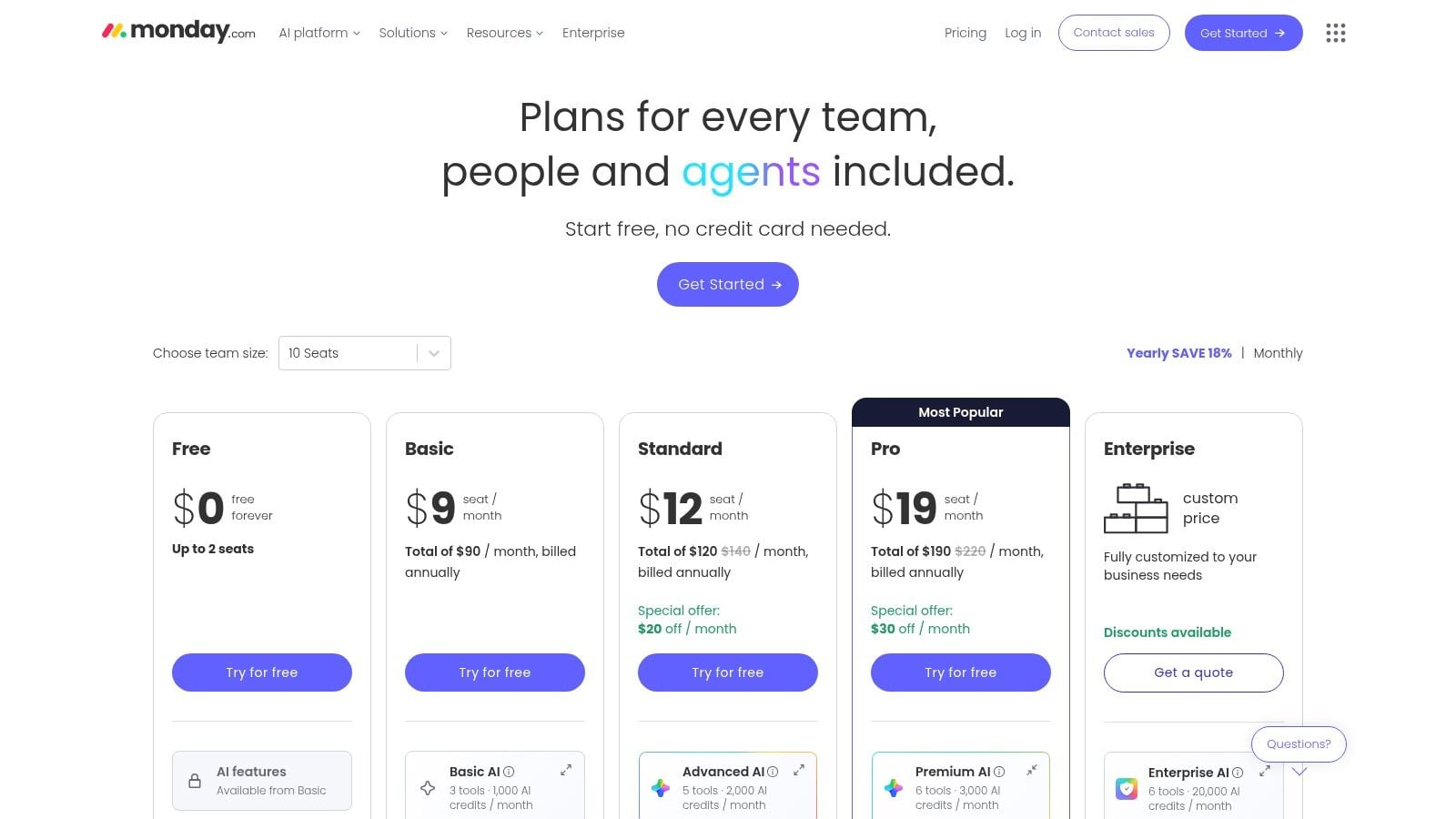
monday.com wins teams over because it feels easy before it feels powerful. That's not a small thing. A lot of agencies fail with project systems because the tool asks too much from non-technical users. monday.com keeps the entry point visual, so account teams, creative leads, and ops managers can shape workflows quickly.
That said, flexibility cuts both ways. You can model a lot inside monday.com, which means you can also build something inconsistent if nobody owns the setup.
Where it works best
I like monday.com for campaign operations, content pipelines, proofing handoffs, and cross-team production views. Its boards, timelines, charts, dashboards, and automations are strong enough for serious delivery work, especially when different departments need different versions of the same data.
Its product family also helps if you want adjacent use cases in one vendor. Some teams start with work management and later add CRM or dev workflows, which can reduce platform sprawl.
The best monday.com setups are opinionated. If you leave every team to build its own board logic, reporting gets messy fast.
If you want to connect monday.com planning with stronger time data, this article on monday time tracking for agency workflows covers the overlap well.
The two trade-offs to watch are cost structure and feature packaging. Paid plans require a minimum of three seats, and some advanced controls sit on higher tiers or add-ons. So it's a strong fit for a growing team, but not always the cheapest one once you start layering in the extras.
4. ClickUp
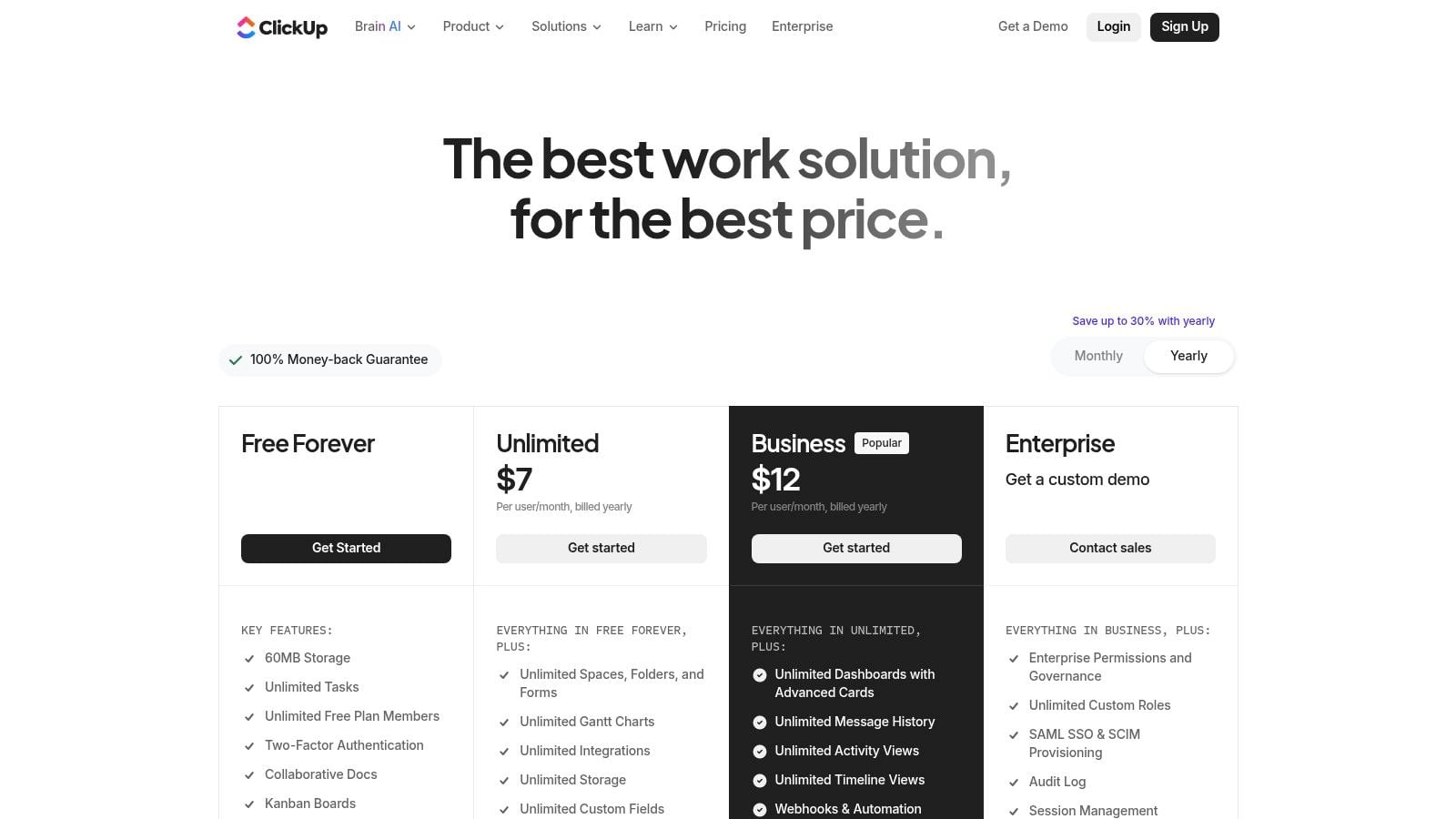
ClickUp is what a lot of agencies choose when they're tired of buying separate tools for docs, tasks, dashboards, whiteboards, and basic time tracking. It tries to be the all-in-one workspace, and in fairness, it covers a lot.
That breadth is both the reason to buy it and the reason to be cautious. If you have a systems-minded ops lead, ClickUp can reduce tool sprawl. If you don't, it can turn into a half-finished build with too many views and too many optional settings.
Trade-offs that matter
ClickUp gives you tasks, docs, whiteboards, dashboards, goals, portfolios, automations, role controls, and native time tracking. For agencies that want one system to run internal delivery, that's attractive. The pricing for core plans is also competitive compared with some enterprise-first platforms.
Where teams struggle is governance. Because ClickUp can do so much, people often over-configure it before they understand what the business needs to measure. That usually creates friction in onboarding and reporting.
A simple way to judge fit is this:
- Choose ClickUp if consolidation is the goal: It can replace several lighter tools if you commit to a clean setup.
- Be careful if your team hates configuration: The feature depth can slow adoption.
- Treat AI as optional, not the reason to buy: AI assistants and agents are useful for routine work, but plan limits and credits matter.
- Set permission rules early: Without that, spaces and docs spread fast.
5. Wrike
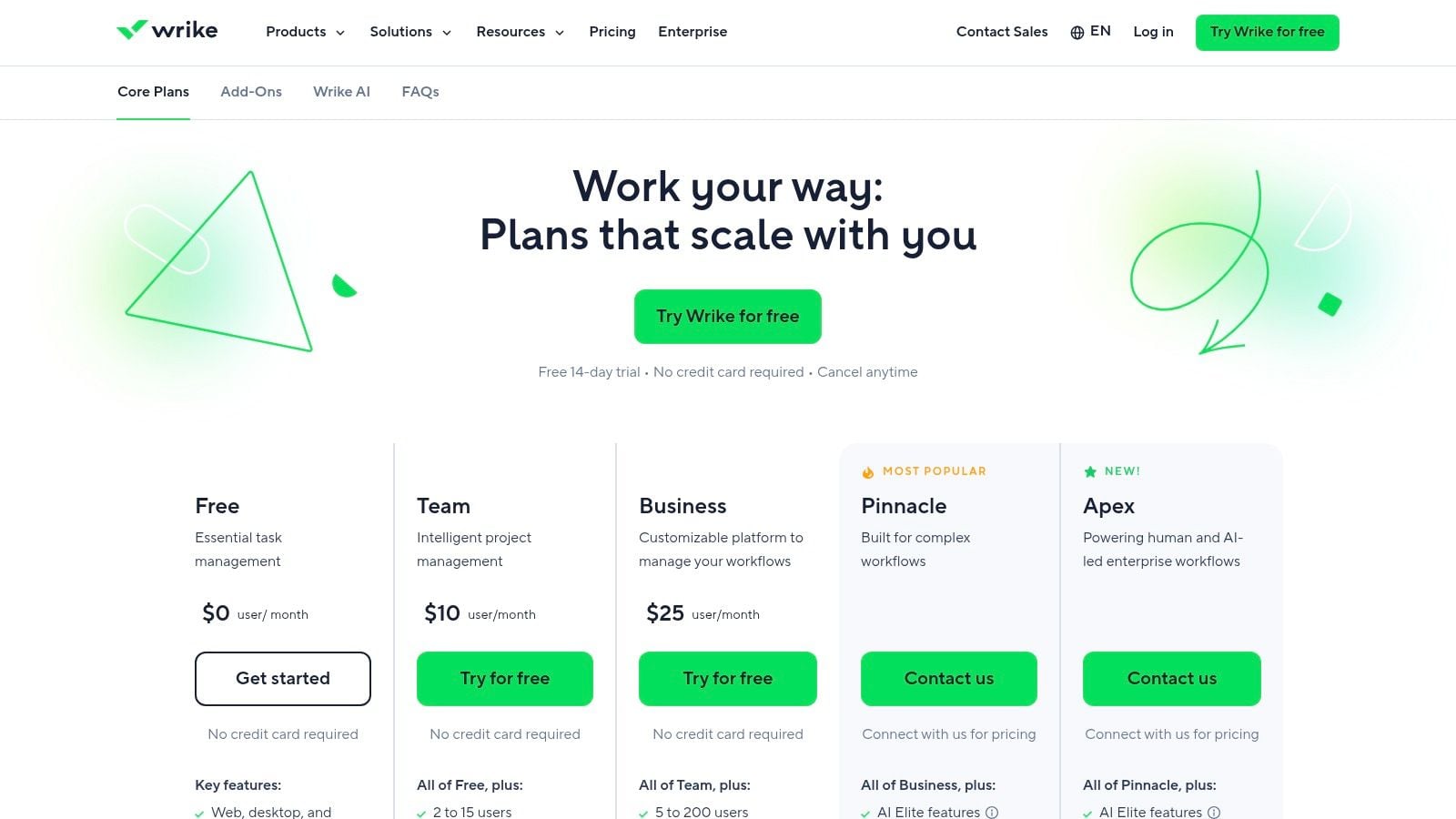
Wrike is a good option when your agency needs more control than most mid-market tools give out of the box. It's made for teams with formal intake, approval paths, templated workspaces, and a real need for resource planning. That usually means larger delivery teams, more cross-functional work, or clients with stricter process requirements.
I don't put Wrike at the top for every agency because it asks for more setup discipline. But for the right team, that structure is the point.
Why some agencies pick it
Wrike handles tables, boards, Gantt views, intake forms, templates, and more advanced resource planning than many lighter project tools. On the right tiers, you also get budgeting support and stronger analytics. That helps when operations leaders need a system that can satisfy delivery, finance, and governance without exporting everything to spreadsheets.
The downside is that it can feel like an enterprise tool even when you're not an enterprise. Seat group packaging and annual plan constraints can make evaluation slower. Teams also tend to get more value when they invest in guided onboarding instead of trying to improvise the rollout.
Wrike works best when you already know your process. It's less forgiving if you're still figuring out how your agency should run.
For agencies with a PMO-style mindset, that's fine. For looser creative shops, it may feel heavy.
6. Smartsheet
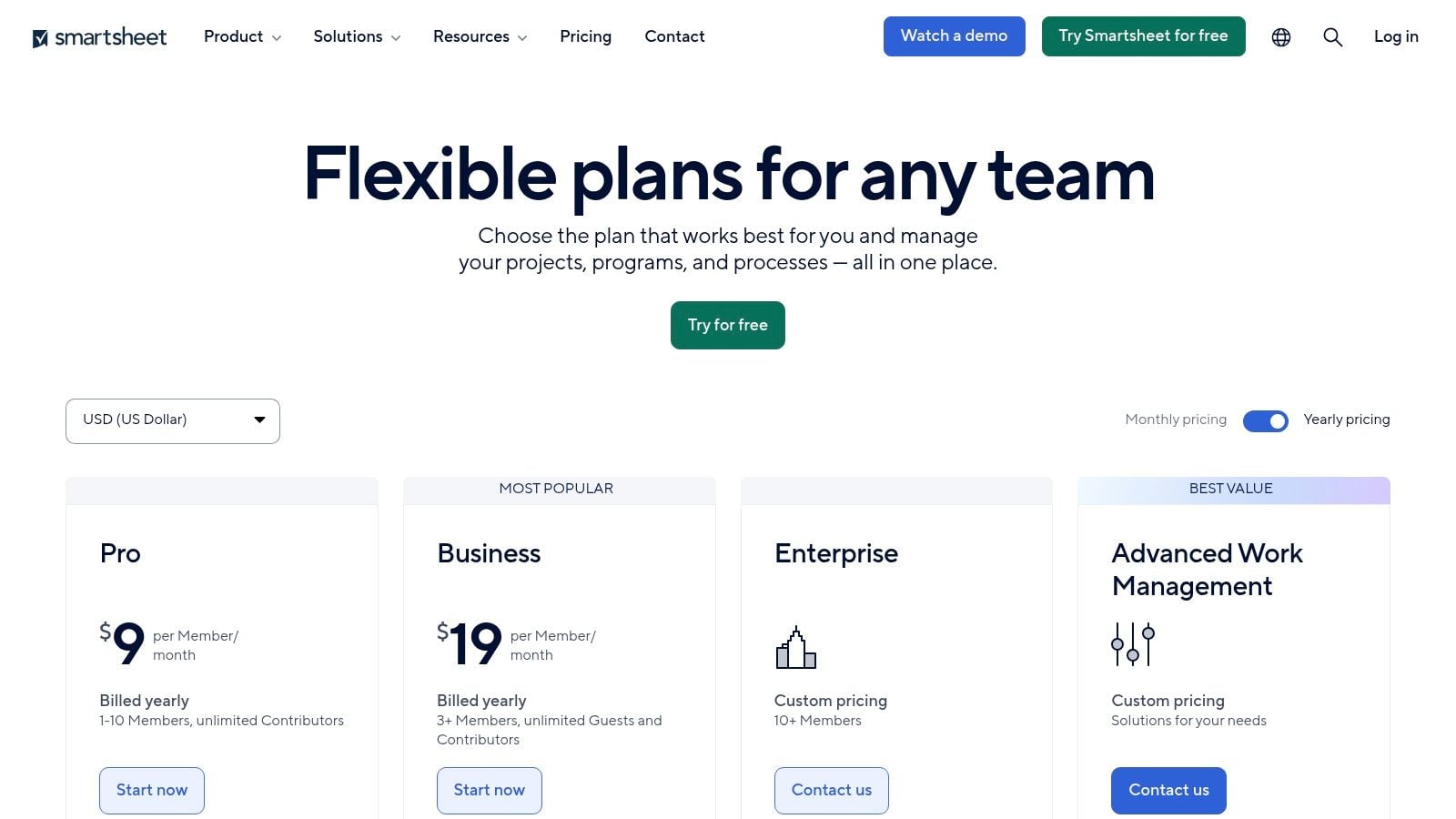
Some teams don't want a new way to think. They want a better version of the spreadsheet logic they already trust. That's where Smartsheet earns its place. It gives you grid-based work management with reports, dashboards, forms, governance, and multiple views, without asking spreadsheet-native teams to relearn everything.
For marketing operations, production planning, and content workflows, that can be a big advantage.
The practical case for it
Smartsheet works well when your team already runs work in rows, columns, dates, and formulas. The transition into dashboards and reporting feels more natural than it does in a purely board-based tool. It also gives larger organizations stronger admin controls and governance than many lighter PM products.
That familiarity is the win. It's also the limitation.
- Great for spreadsheet thinkers: Ops managers and coordinators often adapt quickly.
- Less ideal for pure Kanban teams: If your team wants everything visual and card-based, Smartsheet can feel stiff.
- Strong reporting layer: Dashboards and reports make executive rollups easier than in many lightweight systems.
- Watch the add-ons: Advanced connectors and premium apps can push cost and complexity upward.
Smartsheet isn't the most exciting tool on this list. It doesn't need to be. If your agency already lives in structured planning sheets and needs more control without a complete behavior change, it's a sensible choice.
7. Notion
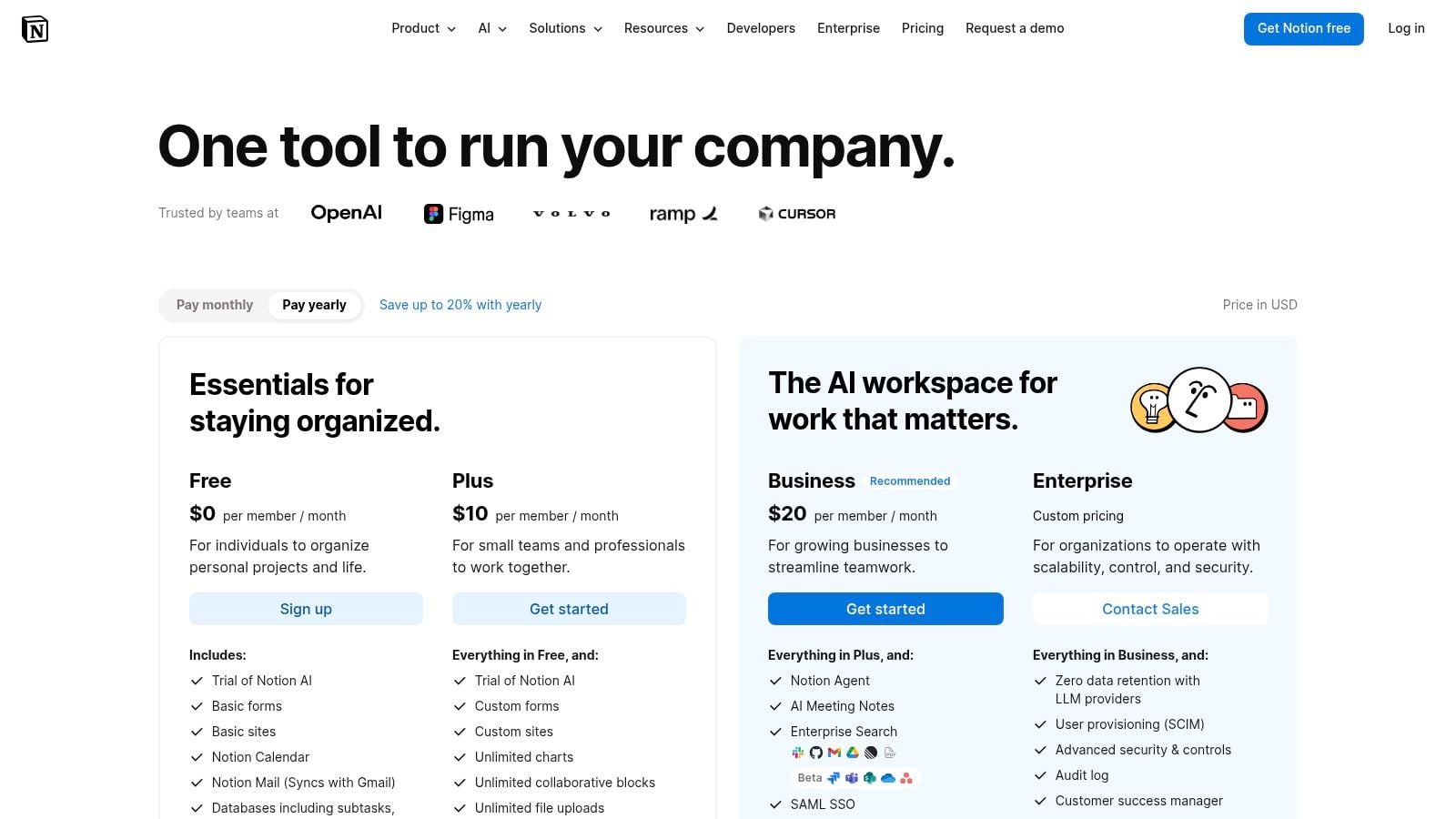
Notion is where many agencies go when they want one place for knowledge, planning, docs, internal wikis, light project tracking, and custom databases. It's flexible in a way that most project tools aren't. You can build client portals, content calendars, briefs, asset libraries, and team hubs without much technical work.
That freedom is why people love it. It's also why some teams turn it into a maze.
Best use inside an agency stack
I wouldn't treat Notion as the only system for a busy service team with serious delivery pressure. I would use it as the knowledge and coordination layer around the core project system. It's especially strong for SOPs, meeting notes, campaign planning hubs, lightweight CRMs, and cross-functional reference pages that people want to open.
Notion now covers more ground with Projects, Calendar, Mail, AI features, agents, and enterprise search, which makes it more capable than the old “docs and wiki” label suggests. But standardization matters. Without a clear template library and rules for where things live, teams end up rebuilding the same system five different ways.
If Asana is good at deciding who owns the work, Notion is good at keeping the context around that work visible.
Use it for context, documentation, and bespoke workflows. Don't expect it to solve serious resourcing, billing, or profitability on its own.
8. Teamwork.com
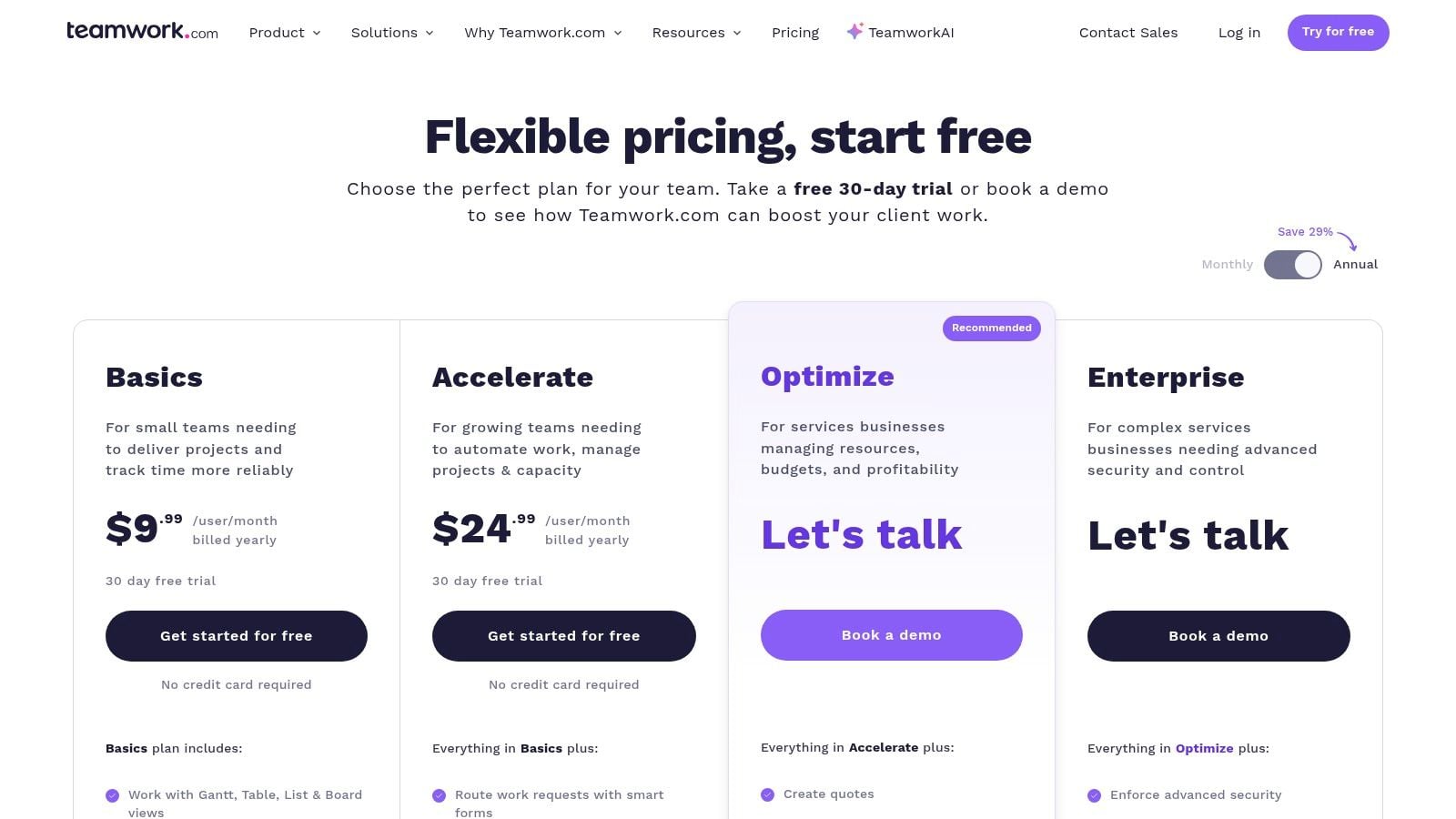
Teamwork.com is one of the few tools in this category that feels built for agency reality, not just adapted to it later. Client work has different needs. You care about billable versus non-billable time, retainers, budgets, utilization, invoicing, and client-facing views. A lot of project tools handle tasks well enough, then fall apart when finance or operations asks harder questions.
Teamwork.com holds up better than most.
Why service teams like it
You get project management views, time tracking, budget controls, resource management, retainers, profitability reporting, and invoicing in one environment. That means fewer bolt-ons for firms that want delivery and financial operations closer together.
Adoption of collaboration tooling is already mainstream. One industry synthesis reported that 79% of the global workforce used digital collaboration tools in 2021, up from 55% in 2019, and 72% of companies introduced new collaboration applications to support remote work. For agencies, that doesn't mean every new app is useful. It means the winners are the ones that reduce switching between systems and give leaders a cleaner operational picture.
That's where Teamwork.com makes sense. It's opinionated in the right places for service businesses.
The limitation is that some of the deeper financial features and larger automation volumes sit on higher tiers, and some teams still pair it with a stronger analytics or calendar-based time layer to get cleaner effort data. Even so, if I were picking a PM tool specifically for client services, Teamwork.com would stay near the top of the shortlist.
9. Harvest
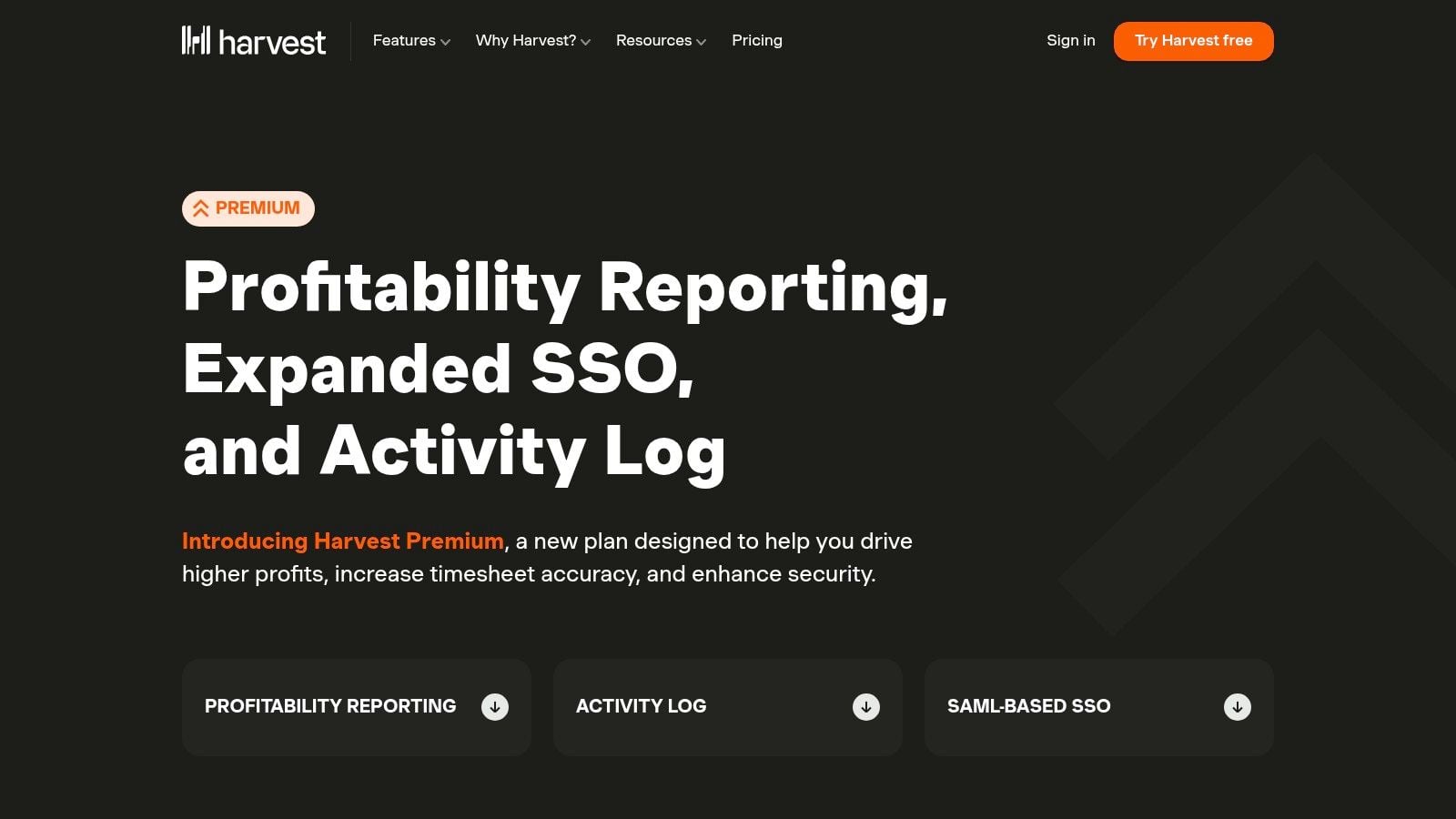
Harvest has stayed popular for a simple reason. People use it. In agency operations, that matters more than feature theater. A time tracking tool only works if the team doesn't hate opening it.
Harvest keeps the experience simple with timers, daily and weekly timesheets, estimates, expenses, invoicing, and accounting integrations. If your main need is billable hour capture with lightweight finance support, it still does the job well.
Where it fits, and where it doesn't
Harvest is strongest as a dedicated time and invoicing layer, not as the center of your whole stack. It pairs well with a separate project management platform because its delivery controls are intentionally light. That's not a flaw if you buy it for the right reason.
Its value is straightforward. Teams can log hours quickly, turn them into invoices, and keep finance workflows cleaner with tools like QuickBooks and Xero integrations. Capacity and profitability reporting also help managers keep an eye on workload and margin without building every report from scratch.
The warning sign is trying to stretch it into something bigger than it is.
- Use Harvest for clean billable logging: It's good when speed and adoption matter most.
- Pair it with a stronger PM tool: Project planning and workflow control aren't its main job.
- Review higher-tier needs early: SSO, approvals, and richer analytics can change the cost picture.
- Keep taxonomy tight: Client, project, and task naming still determine reporting quality.
10. Float
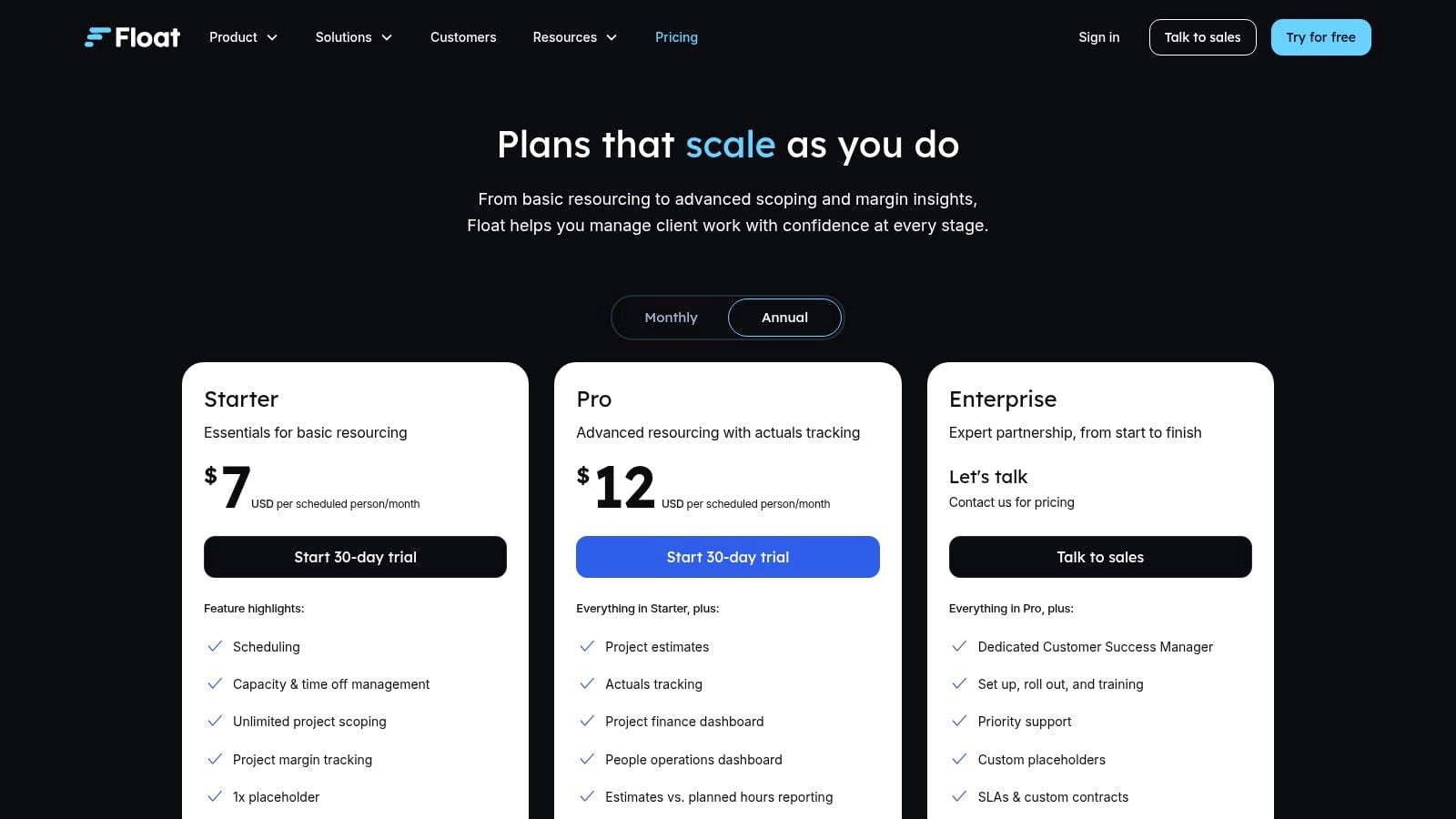
Float is the specialist on this list. It's not trying to be your full project suite, and that's why many agencies like it. Resource planning is hard to do well inside general-purpose PM tools. You need to see who is available, who is overbooked, what skills are missing, and how planned work compares with actual delivery.
Float is made for that question.
The resourcing layer most agencies miss
If you run a team of designers, strategists, developers, paid media specialists, or consultants across many accounts, Float gives you a fast view of staffing pressure. Drag-and-drop scheduling, placeholders, time-off planning, and estimates versus actuals reporting help you make staffing calls before they become deadline problems.
This is especially useful when your PM tool tracks tasks but doesn't give a clean picture of future capacity. In that setup, Float becomes the planning surface for people, while the project system remains the planning surface for deliverables.
For teams comparing delivery planning options, this piece on Float for project management and scheduling adds useful context.
The trade-off is clear. Float won't replace a full PM, billing, or workflow platform. It works best beside one. But if your main pain is resource conflicts, missed handoffs, and hidden overload, a dedicated resourcing tool often fixes more than another task app will.
Top 10 Team Productivity Tools Comparison
| Product | Core features | Quality (UX & accuracy) | Value & Pricing | Target audience & USP |
|---|---|---|---|---|
| TimeTackle 🏆 | Calendar-first AI capture, auto-tagging, dashboards, Chrome ext., API ✨ | ★★★★☆ accuracy-focused; SOC 2 Type II, encryption | 💰 Free trial; custom enterprise pricing | 👥 Agencies, execs, customer-facing teams, ✨ calendar-centric capture, billing integrity, automation |
| Asana | Tasks, projects, portfolios, goals, AI Studio | ★★★★☆ clear info architecture & portfolio view | 💰 Free tier; paid per-seat tiers | 👥 Teams → enterprises, ✨ goal/OKR alignment, portfolio mgmt |
| monday.com | Boards, timeline/Gantt, automations, templates | ★★★★ fast visual config for non‑tech users | 💰 Seat bundles; min 3 seats | 👥 Agencies & ops, ✨ templates marketplace, product "flavors" |
| ClickUp | Tasks, docs, dashboards, native time tracking, AI | ★★★★ broad all‑in‑one coverage | 💰 Free tier; competitive per‑seat pricing | 👥 Small→mid teams, ✨ native time tracking + docs hub |
| Wrike | Enterprise work mgmt, intake, resource & capacity planning | ★★★★ enterprise‑grade governance & resourcing | 💰 Tiered enterprise pricing; seat groups | 👥 Large agencies & enterprises, ✨ advanced governance & budgeting |
| Smartsheet | Grid/Gantt/calendar, reports, dashboards, formulas | ★★★★ strong reporting & admin controls | 💰 Per-seat tiers; premium add‑ons | 👥 Marketing/creative & PMOs, ✨ spreadsheet familiarity at scale |
| Notion | Docs, wikis, relational DBs, projects, AI agents | ★★★☆ highly flexible but needs governance | 💰 Free/paid; AI credits may add cost | 👥 Startups & KB teams, ✨ customizable workspace + light CRM |
| Teamwork.com | Projects, time & budget tracking, invoicing, retainers | ★★★★ agency‑focused UX for billing | 💰 Tiered agency pricing | 👥 Agencies & service firms, ✨ built‑in billing, profitability reporting |
| Harvest | One‑click timers, timesheets, invoicing, integrations | ★★★☆ simple, reliable time capture | 💰 Paid plans; Premium/Enterprise add‑ons | 👥 Agencies & freelancers, ✨ quick timers + invoicing |
| Float | Drag‑drop scheduling, utilization, time off, forecasts | ★★★★ dedicated resourcing clarity | 💰 Per-seat pricing; focused product | 👥 Creative, marketing, consulting, ✨ visual capacity & margin insights |
How to build your agency's productivity stack
Monday starts with three familiar problems. A client wants a status update before noon. Two account managers are fighting for the same designer. Finance is asking why a profitable account suddenly looks thin on margin. If your team is jumping between a PM tool, spreadsheets, calendars, and half-finished timesheets to answer basic operating questions, the problem is not effort. It is stack design.
Agencies do not break in one place, so they should not buy tools as if one platform will fix everything. Build for the constraint that hurts the business most, then add layers with a clear job to do.
Start with a delivery hub. Asana, monday.com, ClickUp, Wrike, and Teamwork.com can all fill that role, but they solve different problems well. Teamwork.com fits agencies that care about budgets, billable time, and client work economics inside the delivery workflow. Asana is easier to govern if you need cleaner cross-team visibility and less configuration drift. monday.com works well when adoption depends on flexible views and fast setup. ClickUp suits teams willing to trade some simplicity for broader coverage. Wrike makes more sense when approvals, intake, and control matter as much as execution.
Then decide whether staffing needs a dedicated system.
If resource allocation changes every week and those changes affect delivery quality, margins, or client confidence, add Float. General PM tools can show workload, but specialist resourcing tools do a better job of showing who is available, where utilization is drifting, and which upcoming projects will create a bottleneck.
Add a knowledge layer only if someone will own it. Notion is useful for SOPs, briefs, account context, and internal references, but flexibility without rules creates clutter fast. A wiki no one trusts slows teams down as much as missing documentation.
The layer agencies skip is time intelligence. Calendar activity already captures a large share of how service teams work. Reviews, client calls, internal planning, delivery check-ins, and sales meetings all happen there first. A calendar-first analytics layer like TimeTackle helps convert that activity into structured time data, so operations leaders can compare effort against utilization, billing, and profitability instead of relying on reconstructed timesheets at the end of the week.
That changes how the stack works. The PM system shows planned work. The resourcing layer shows capacity. The knowledge base stores context. The time and analytics layer shows where hours went and whether that effort produced the right business outcome.
That is the standard I use when choosing productivity tools for an agency. Every tool should answer a distinct operating question, fit the team's working habits, and make reporting easier instead of creating another data silo.
If your current stack cannot explain where time goes, why projects slip, or which accounts absorb hidden effort, rebuild it around those questions first. The right stack gives agency leaders clearer delivery control, better staffing decisions, and reporting that holds up under financial scrutiny.


